

Participant
October 3, 2025

Error baking normals (thin mesh)

  • October 3, 2025
  • 3 replies
  • 103 views

Hi, I've been trying to bake some wings that are slightly thin, from high to low poly, but this error occurs, some strange straight lines or wrinkles appear on the edge for some reason.
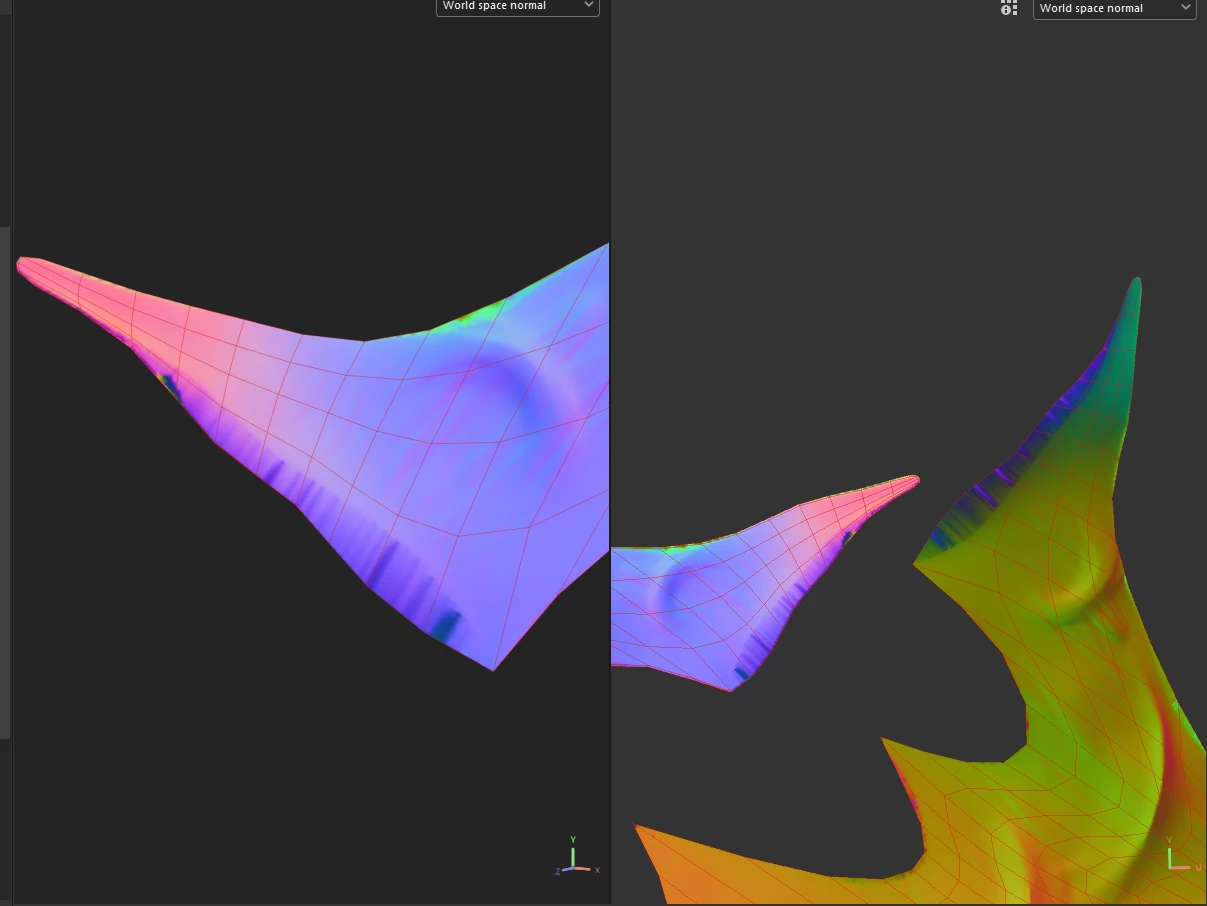



3 replies

Participant
November 4, 2025

Even after adjusting the cage, I was still getting the same error; it's strange. I tried Marmoset and everything good, I don't know why substance substance gives me that error, the topology is the same.

Cyril Dellenbach
Community Manager
Community Manager
October 15, 2025

Hello @Harol Stvn34382537ukcg,


From your screenshot, I would indeed check there's no stretching (you can drag & drop any material on the object and see if it stretches), however your geometry is for sure not related to your baking problem.


Additionally and as you mentioned a very thin mesh, I'd make sure that the baking cage doesn't overlap with itself. Try to lower the Max frontal distance value in order to shrink the cage a little bit or try to use the Auto-cage.


Best regards,

Cyril Dellenbach (Micro) | QA Support Artist | Adobe
Participating Frequently
October 15, 2025

Hi, 
It could be stretch in the UVs or intersecting geometry. 

Your topology is also in need of fixing.
It's not a program issue.  More of an issue with the quality of mesh and what you are doing.

Baking can take a few attempts before you get a nice map with no issues.


Try out https://polycount.com/forum 

and also https://polycount.com/discussion/comment/2729227#Comment_2729227

for help from a community of 3D artists and hobbyists.
They should also be able to help with Substance 3D Painter.