Participant
March 4, 2024

Error importing files from Artios

  • March 4, 2024
  • 2 replies
  • 200 views

Hello, 

I'm quite new to Substance Painter, so please let me know if there are different settings I should use. 

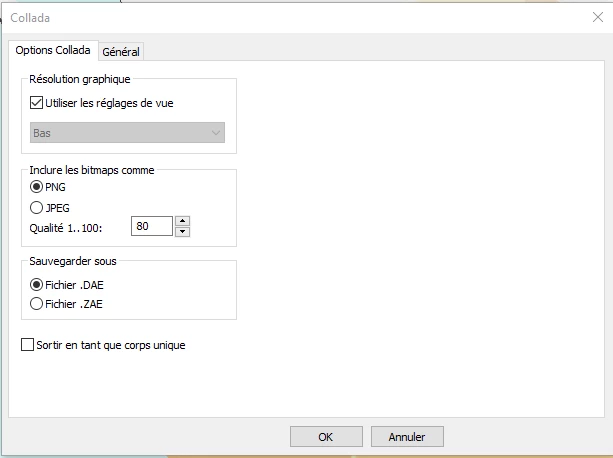
I have modelled a packaging in Artios, and I exported the 3d into a DAE Collada file 

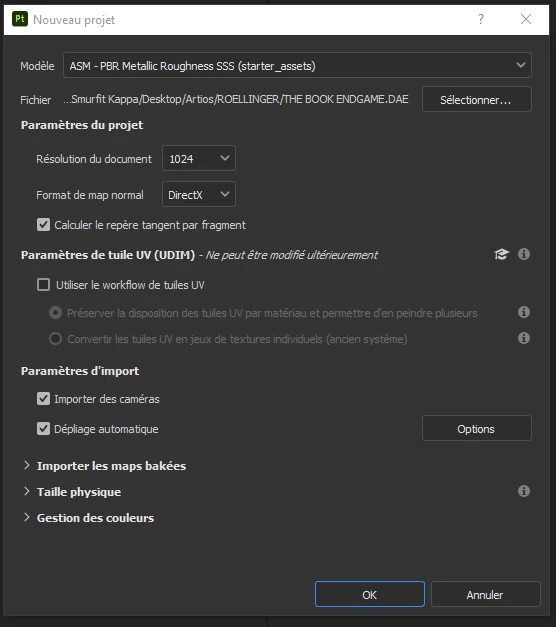
When starting a new file in Substance Painter I get the same messages and it won't open my model.


[Scene 3D] Collada: file:ENDGAME.DAE - Expected attribute "name" for element <material>.

[Scene 3D] Failed to load 3D scene. 


Any help would be appreciated, Thanks!


2 replies

Participant
March 4, 2024

Hello,


I Managed to open it on Photoshop so I don't know why it won't on painter

Cyril Dellenbach
Community Manager
Community Manager
March 4, 2024

Hello @Salif Drame32801800qtaq,


Thanks for the message.


To be honest, I'm not used to .DAE files, so I could miss details I'm unaware of, but from the error Expected attribute "name" for element <material>, I think I know what the problem is.


Substance Painter creates Texture sets, in which there are UV tiles, and this where the painting is done. What defines Texture sets are the Material IDs from your mesh. Currently there seems to be an error with the name(s) of the 3D object's material(s). Can you open the file in another software and check its material?


Let me know.

Cyril Dellenbach (Micro) | QA Support Artist | Adobe