



SerQQ
Known Participant
February 23, 2024

Height To Normal & Group BUG !!!!

  • February 23, 2024
  • 3 replies
  • 540 views

Adobe, Allegorithmic team, please pay close attention to this bug in the program and make a solution!


I often use the "Height To Normal" filter in my work and now I noticed a very nasty bug.
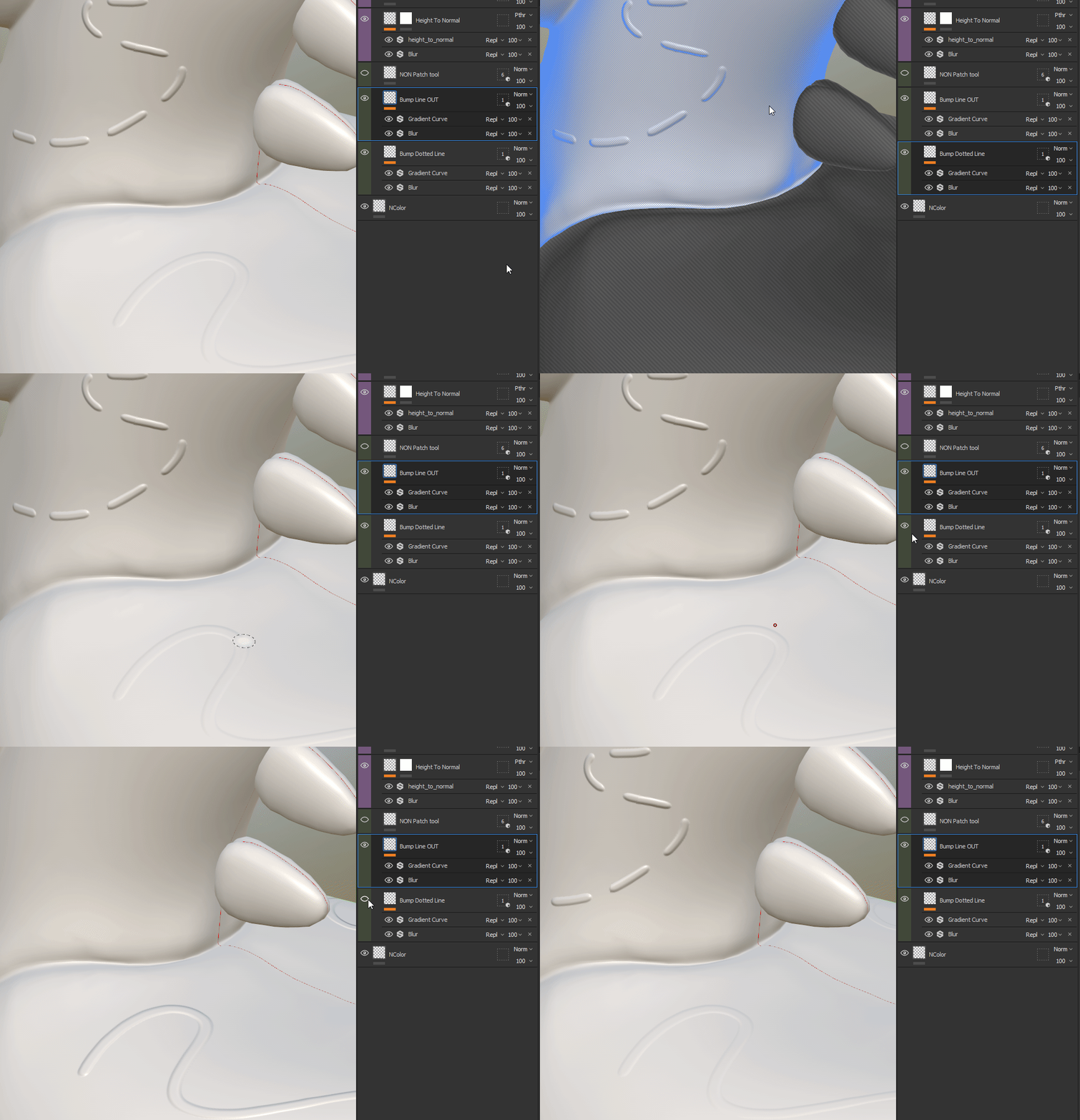
There are 2 layers, each isolated its own group, so that one layer would not affect the other in any way. But when I put a display flag on one layer, I can clearly see how the intensity of the other layer decreases. Although they cannot influence each other in any way.


I'll attach a simple test file where the bug is clearly visible.


https://www.dropbox.com/scl/fo/ws6fpdx0is2fea5elpsur/h?rlkey=xs5lv73b0e5b2uo3ns0tcrk87&dl=0


    This topic has been closed for replies.

    3 replies

    SerQQ
    SerQQAuthor
    Known Participant
    February 28, 2024

    Thank for your attension and feed back. 

    I know about "Converted maps" when exporting.


    I'll show you a VERY simple example, why method with a filter is needed in this case (take a look at IMG):
    1. Masking on the "Height" layer
    2. Masking on the layer converted to "Normal'

    Because only with the help of such a trick will I be able to correctly mask the Height, which was without the “step effect”, and the border will not be visible.


    This is a very simple example, I usually use the Height To Normal filter to create very complex normal maps from height!

    That is why, I fundamentally need the “Height To Normal” function to work correctly.


    And it is not correct that the layer in which the polygroup is selected (isolated) still affects other layers. That's why I would still consider it a bug.


    Cyril Dellenbach
    Community Manager
    Community Manager
    February 26, 2024

    Hi @SerQQ,


    Thanks for the report, and thanks for the file (it greatly helps troubleshooting)


    It doesn't look like a bug, but I admit that I can't explain this behavior... I'm investigating and I'll let you now.

    Just so you know, the Height channel is natively converted and added to the Normal map in most export presets. As long as the exported Normal map is the one from the Converted maps, the Height channel will be converted into normal.


    Regards,


    Cyril Dellenbach (Micro) | QA Support Artist | Adobe
    Participating Frequently
    February 23, 2024

    that would be great!