
Participant
Jul 16, 2023 4:31 PM UTC
Open for Voting

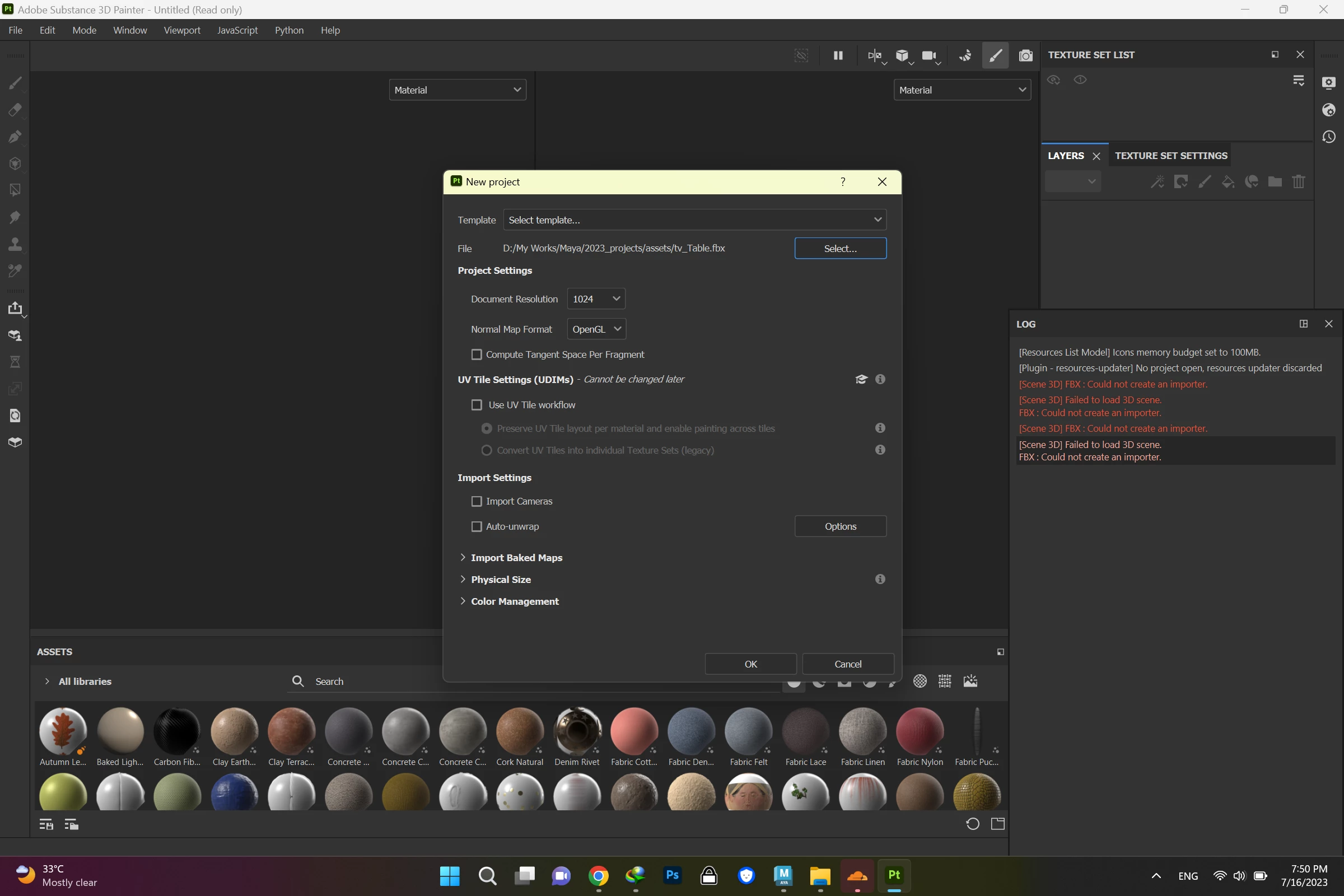
I got error on importing my fbx object into Adobe Substance Painter

My Adobe Substance Painter is V9 and my Graphic Card is NVIDIA GEFORCE 3050 Ti When importing a fbx file into software from Maya I got this error "Could not create an importer." I'd tried to import the obj file but the software got stuck in loading the file.Would you please help me what should I do?
5 replies

Participant
Jul 19, 2023 11:58 AM UTC


@Cyril Dellenbach, I unchecked the include options in Maya during the exporting process and then my file was easily imported to the PT.

thanks for the help I really appreciate that.


Translate
Cyril Dellenbach
Community Manager
Community Manager
Jul 19, 2023 10:33 AM UTC

Hi @Atousa3111195467d5,


Thanks for the file.


I've checked the file, but wasn't able to open it in any software, neither in .FBX nor in .OBJ (With that being said, I didn't check with Autodesk's suite). 


I'm not a Maya expert, but my guess is that there are some specifics parameters enabled at the export preventing a good reading of the files.


Can you share a screenshot of these parameters?


Best regards,


Translate
Cyril Dellenbach (Micro) | Product Manager | Substance Painter
Participant
Jul 18, 2023 2:05 PM UTC
Participant
Jul 18, 2023 2:04 PM UTC

Thank you, sir. I just sent you both fbx and obj files.

Translate
Cyril Dellenbach
Community Manager
Community Manager
Jul 17, 2023 10:51 AM UTC

Hello @Atousa3111195467d5,


Could you share with me the file causing issues? You can send it to me privately at cdellenbach@adobe.com


Let me know,


Translate
Cyril Dellenbach (Micro) | Product Manager | Substance Painter