



My substance viewport doesn't show the texture correctly. The baked texture and what appears in viewport has different color.
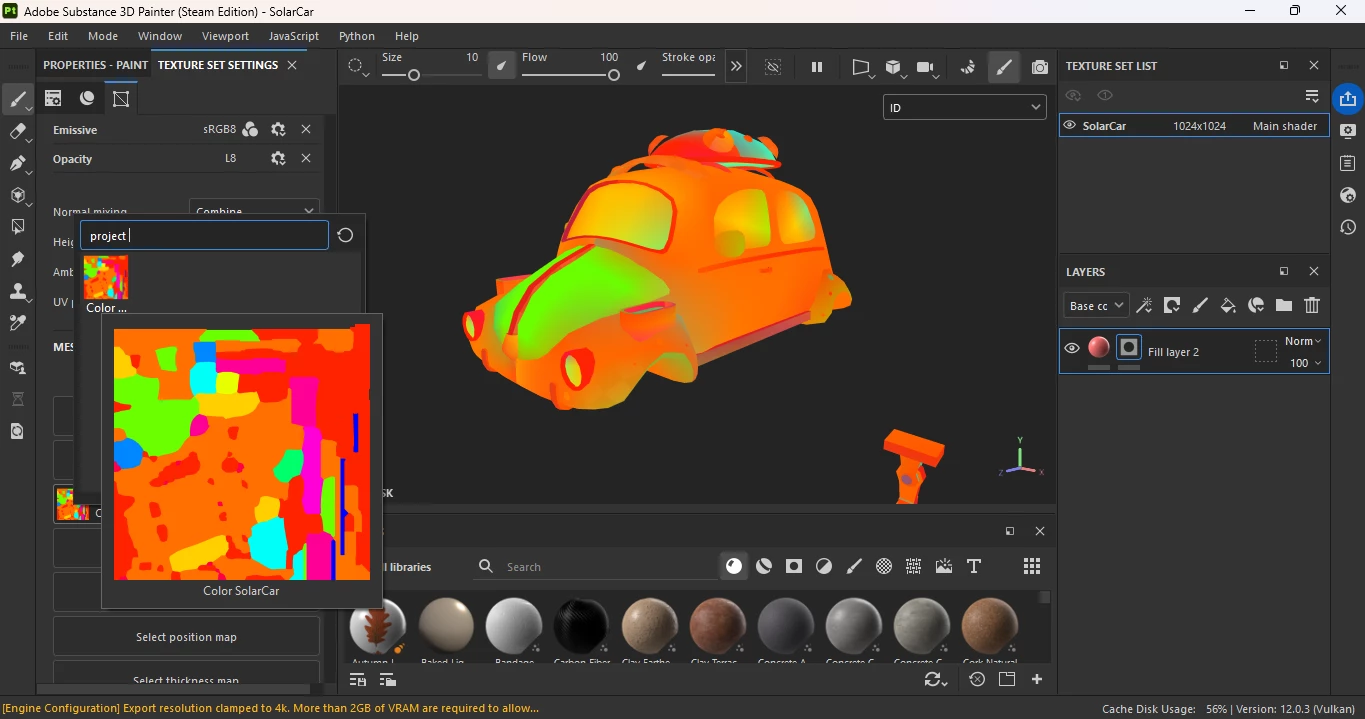

I’m using Substance 3D painter (Steam Edition) that i bought just 2 days ago.
My baked ID texture is based on mesh’s vertex color. As you can see, the baked ID texture have the correct color like what in the 3D modeller software (Blender, 2nd image). But unfortunately, what appears in substance 3d painter viewport is the model having the incorrect color, it’s like having some sort of weird gradient, what worse is this weird color also affect the final material mode.
I’m unable to pick color in masking as it’s always show the different color.
5 Months ago, i’m using Substance 3D painter (Steam Edition) using subscription, i’m not facing any trouble. I’m only facing this issue just 2 days ago when i bought it, this issue also appears when i open my older substance 3D project, using this recent Substance 3D Painter.
 AdChoices