



Bjorn Syse7653709
Known Participant
August 2, 2023

Normals fragmented when original mesh is used in Unity.

  • August 2, 2023
  • 5 replies
  • 575 views

Hi, I'm trying to troubleshoot this issue we've seen in our pipeline which goes PiXYZ -> Substance painter -> Unity. 

We export a mesh (FBX) from Pixyz, and import it in Substance painter for baking from hipoly mesh and texture painting. We then take those textures, and import them together with the exact same mesh into Unity but can't recreate the look of the mesh as seen in Substance painter. Instead, the normals of the object look fragmented or erroneous. 


However, If we instead EXPORT the mesh from Substance painter and use that mesh together with the baked normal map the mesh looks fine in Unity. All other import settings are harmonized. 


This leads me to assume Substance painter does something to the mesh or normals upon import, but not declaring quite what. What happens there?
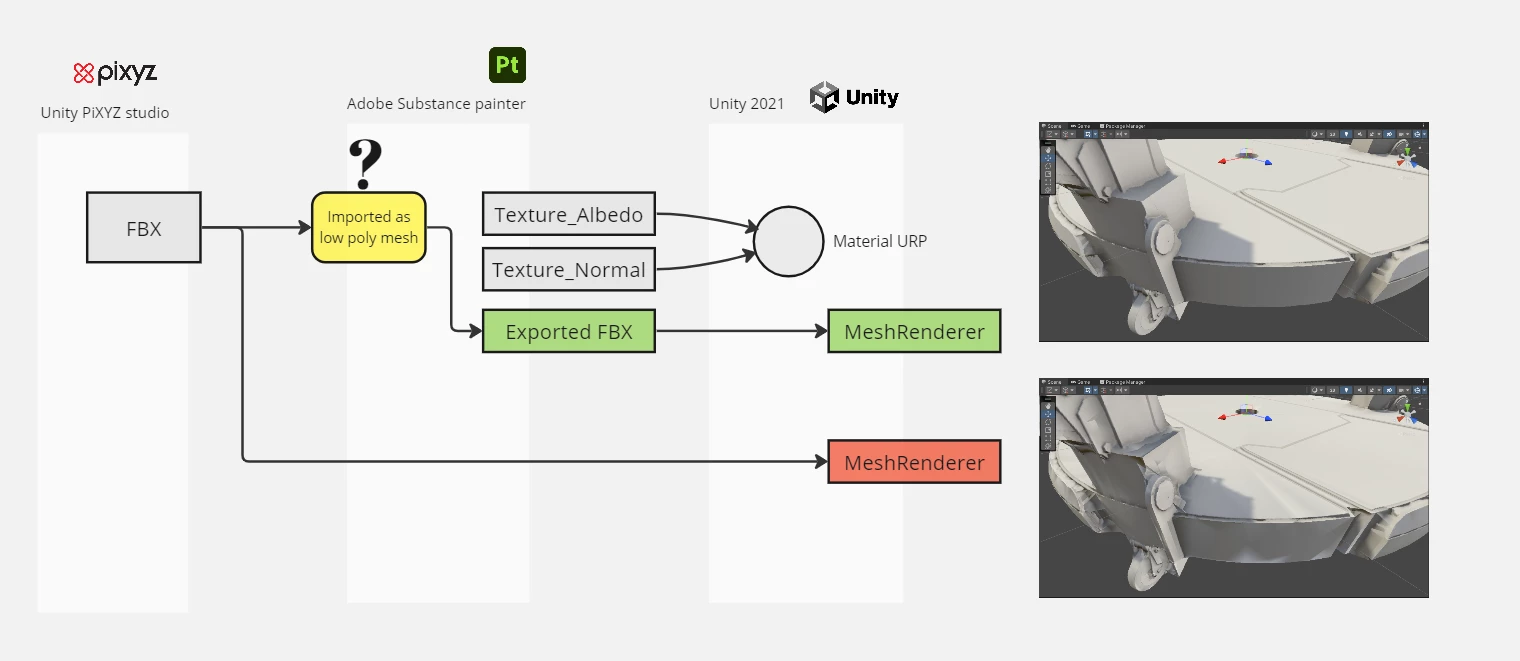
 

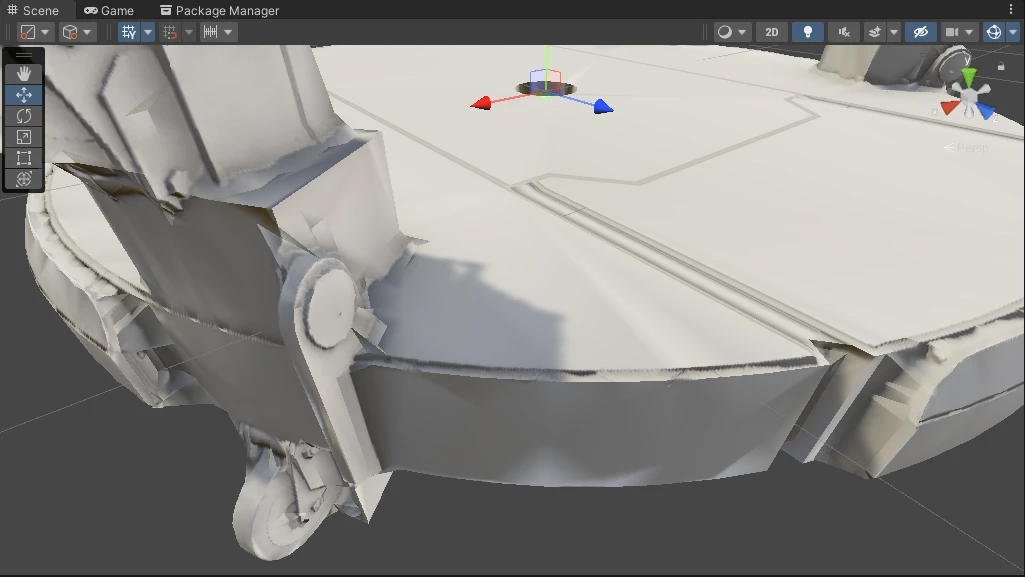
Original FBX with substance textures in Unity, looking bad. 
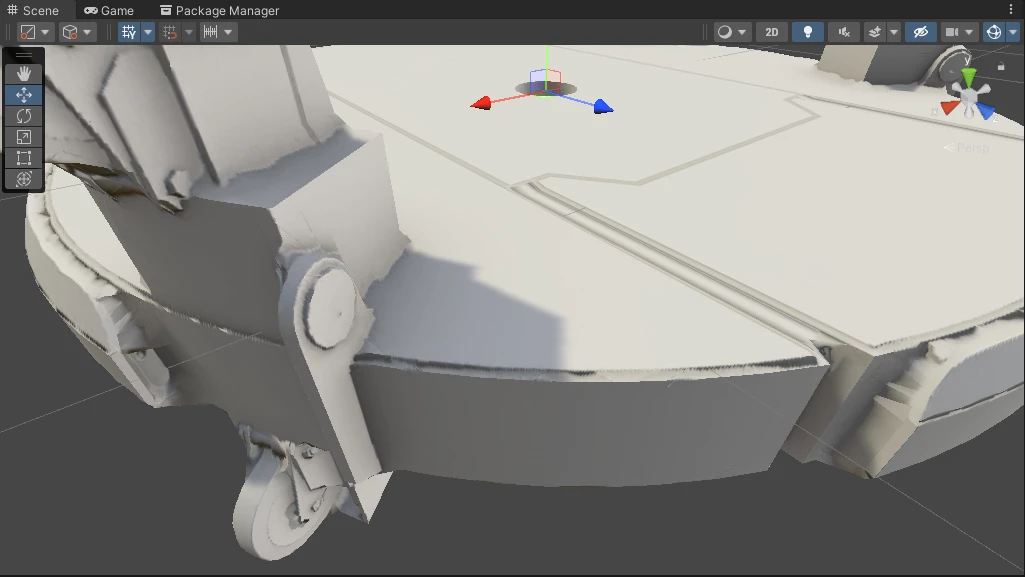
Re-exported FBX from substance with substance textures in Unity, looking good. 
5 replies

Bjorn Syse7653709
Known Participant
January 8, 2024

Hi again


Still looking to solve this issue which have haunted me since 2016. What's your take on this, does Substance change the mesh normals upon import or not? I can't seem to get a good workflow out of this setup (Pixyz + Substance). 

Bjorn Syse7653709
Known Participant
August 19, 2023

Sorry, In my last message - the Pixyz mesh is the ill looking one shown last, and the painter mesh is the nice one above. 

Bjorn Syse7653709
Known Participant
August 19, 2023

Hi again, 


I've attached a zip file with the files and how to try to reproduce:

  1. I've created a proxy mesh with normals and tangents and UV which I've exported alongsside it's LOD0 original as FBX.
  2. Import Platform_LOD1_fromPixyz.fbx in Painter, and bake texturings using Platform_LOD0_fromPixyz.fbx as reference hi-polymesh.
  3. Apply any material or no materials at all, and export textures.
  4. Also Export the mesh (File -> Export mesh) to Platform_LOD1_fromPainter.fbx from Painter and import both that one and the original Platform_LOD1_fromPixyz.fbx to Unity and apply a material using the exported textures.


Here are screenshots from Painter:


And pictures from Unity showing the Pixyz mesh first and the Painter mesh second

Here is the dummy data: https://drive.google.com/file/d/1FEplTdRkvlzU0QXJSIsKCNKs61IHUNQi/view?usp=sharing

Please check and see if you get the same error. 


Regards

Björn

Bjorn Syse7653709
Known Participant
August 3, 2023

Hi Cyril, thanks for the quick reply. I should've mentioned that the mesh is allready triangulated in PiXYZ so that should not be the issue here. 

Cyril Dellenbach
Community Manager
Community Manager
August 3, 2023

Hi Bjorn,


Thanks for the well explained message.


Substance 3D Painter triangulates the mesh when creating the project. The triangles orientation will always influence how the normal behave (more or less depending on the topology), therefore exporting the mesh from Painter allows to have a result fitting what you saw in your Substance Painter project.


You can try to triangulate the mesh when exporting from PIXYZ, work with the already triangulated mesh inside Substance Painter, then apply the textures in UNITY. The results should be more reliable.


Best regards,


Cyril Dellenbach (Micro) | QA Support Artist | Adobe