


Known Participant
August 3, 2023

Painter won't load materials into my library

  • August 3, 2023
  • 17 replies
  • 2423 views

HEllo,


I copied some downloaded materials into my assets folder and when I opened Painter I got this message regarding several materials that the program didn't import. 
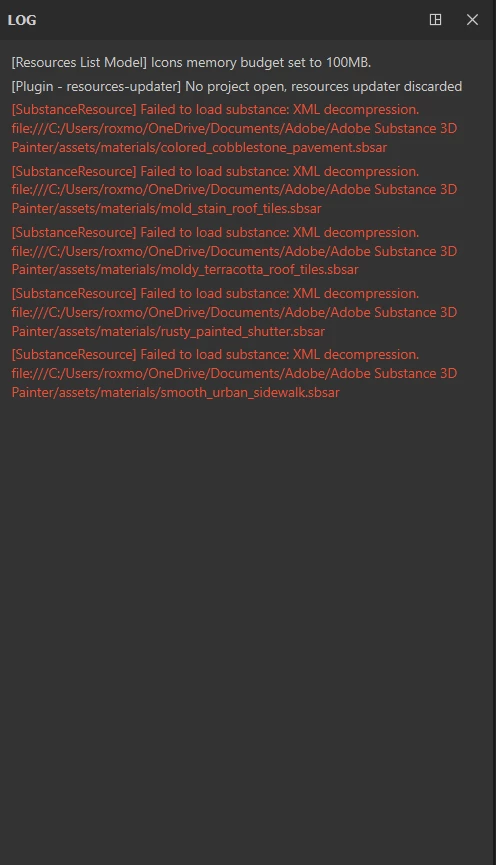
 

I copy the assets in the same folder I've always used : \Documents\Adobe\Adobe Substance 3D Painter\assets\materials

17 replies

davescm
Community Expert
Community Expert
August 8, 2023

You could use that or add a third location that is not on One Drive just to test it.

Dave

RoxanaMDAuthor
Known Participant
August 8, 2023

You mean change the physical location of the assests from 1 to 2?

davescm
Community Expert
Community Expert
August 7, 2023

I notice the drive location path is in a One Drive synced location.

What happens if you load them into library location that is completely local i.e. on a non synced drive set up in Settings Library Locations?

Dave

RoxanaMDAuthor
Known Participant
August 7, 2023

Hi, yes, I did. 

Cache Disk Usage : 32%

Cyril Dellenbach
Community Manager
Community Manager
August 7, 2023

How much space do you have in your Cache Disk Usage?


Have you already tried a clean reinstall of Substance 3D Painter?


Cyril Dellenbach (Micro) | QA Support Artist | Adobe
RoxanaMDAuthor
Known Participant
August 4, 2023

I get this message whenever I try to add new assets. No matter if I drag them into the library panel, through the Add Resources button, by copying the materials in the correct folder.


Cyril Dellenbach
Community Manager
Community Manager
August 4, 2023

Hi @RoxanaMD,


Is it specifically these materials? If you try to add any other asset, do you have the same issue? Can you load them by drag and dropping on the library panel?


Let me know,


Cyril Dellenbach (Micro) | QA Support Artist | Adobe