Participating Frequently
October 27, 2022

PBR Validate - conflict between Designer and Painter

  • October 27, 2022
  • 5 replies
  • 506 views

Working in ACES on both DCCs. 


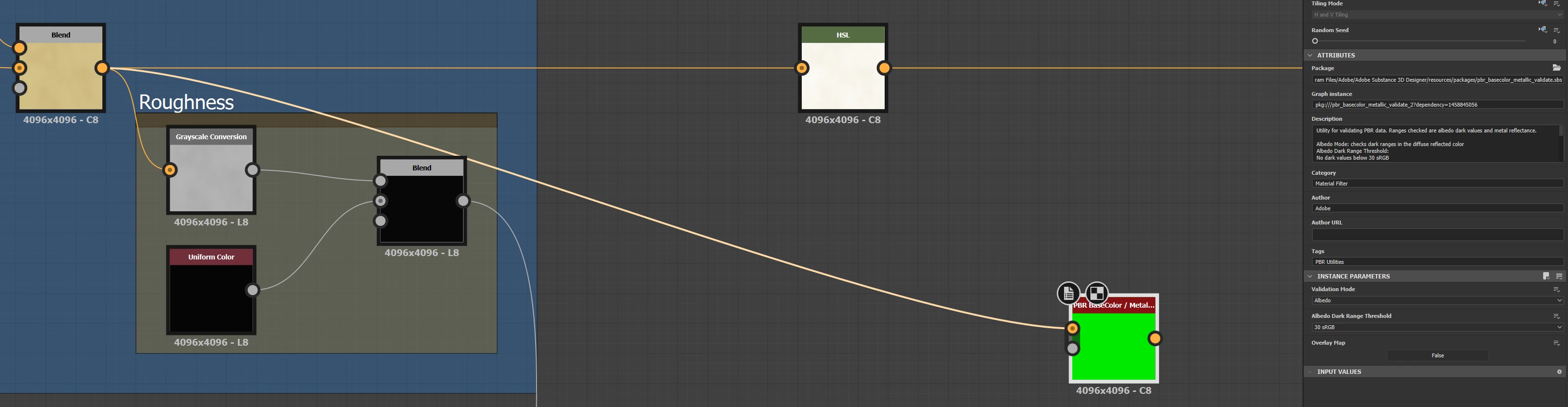
Materials created in Designer and validated by the PBR tool give a green good to go.
 

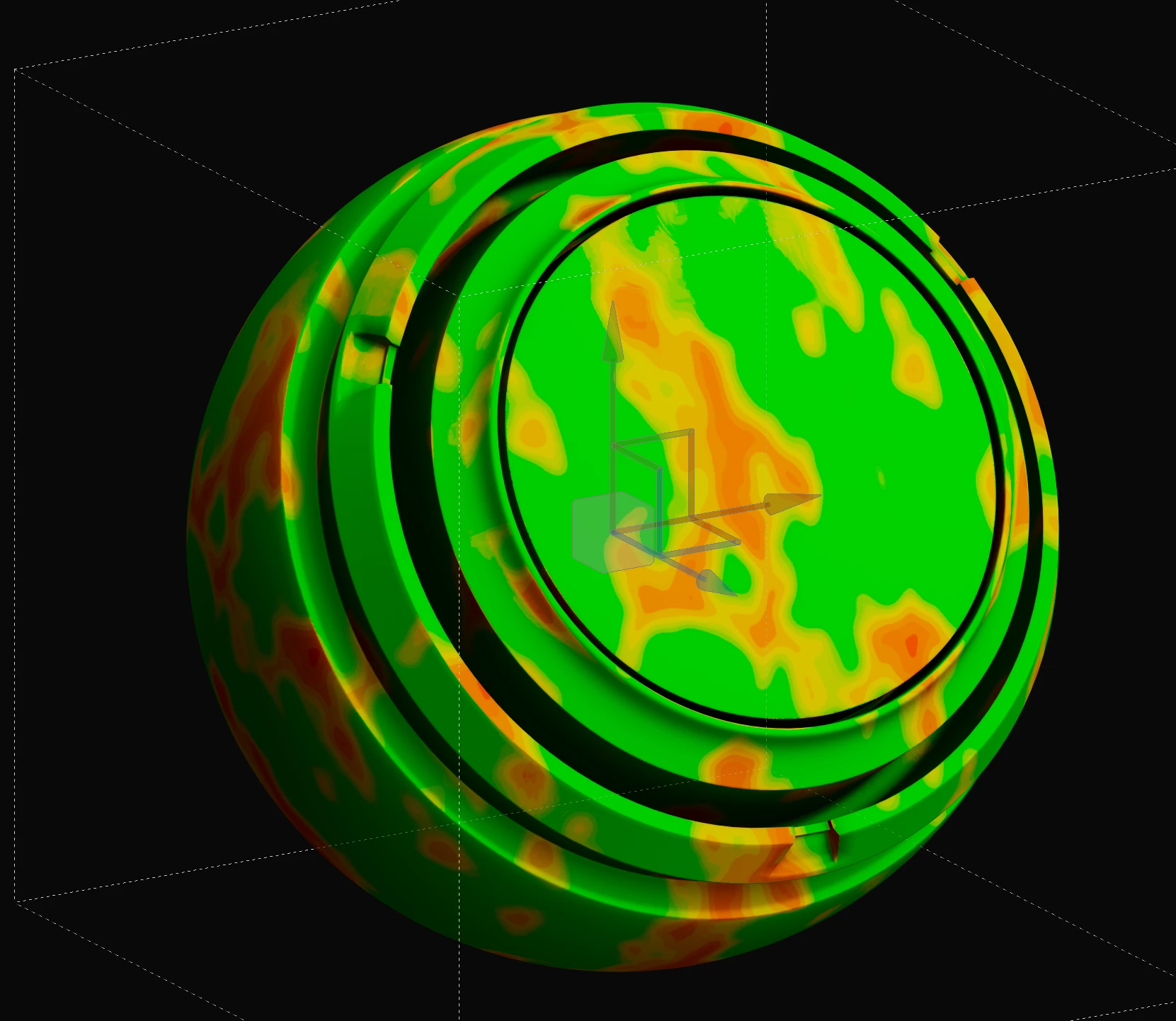
Same material in Painter with the PBR validated tool shows red and orange warnings. 
 

5 replies

Participating Frequently
November 1, 2022

So, it seems the issue is how Designer is exporting the .sbsar file. Doesn't save with the correct ACES outputs, which in turn causes issues in Painter. 

Participating Frequently
November 1, 2022

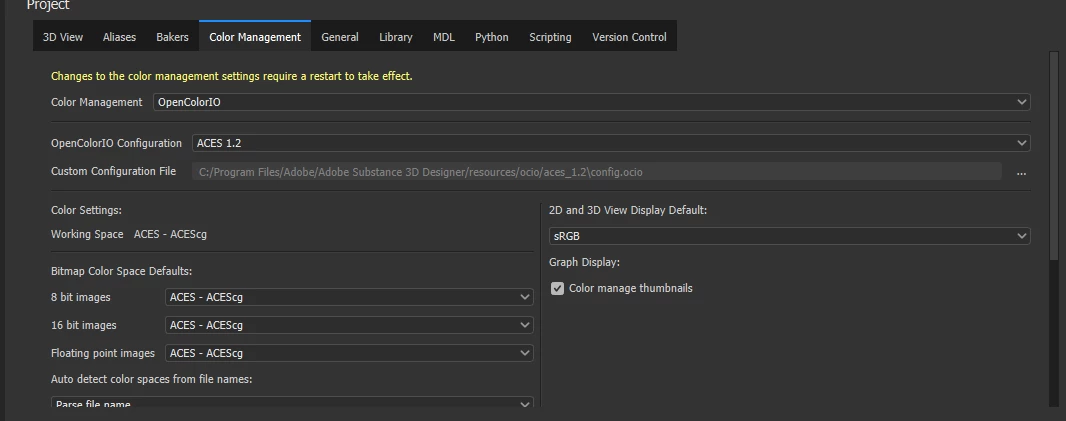
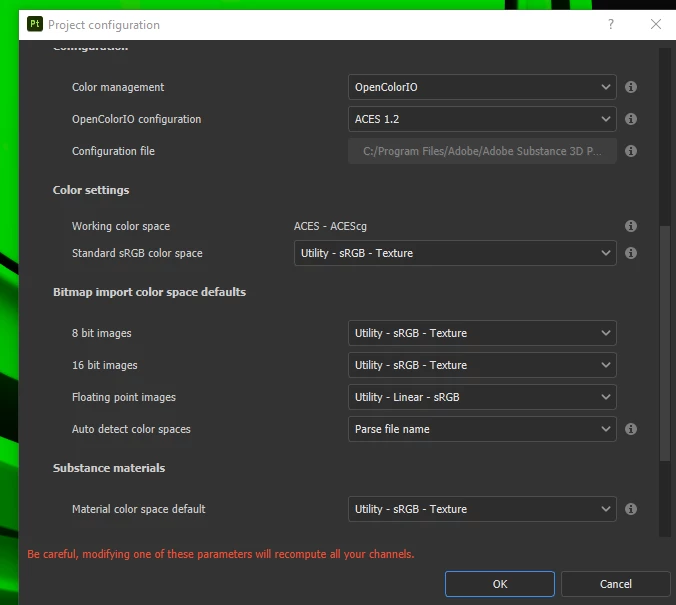
By default, is set to Legacy, but once you change it to ACES 1.2 it will automatically fill up the settings, based on the configuration file (config.ocio), which I assume now isn't correct for both DCCs. Maya for example, also loads the config.ocio and that is it. No fiddling, no changing settings. 


However, using the same settings still produces a mismatch in the PBR Validate. 

davescm
Community Expert
Community Expert
November 1, 2022

'So from the start both Designer and Painter gives you the wrong settings?'


By default, neither are set to OCIO. They each need specific changes to set up OCIO and ACES


Dave

Participating Frequently
November 1, 2022

Thanks for your reply. So from the start both Designer and Painter gives you the wrong settings? Or at least they should match each other?


Still, making the adjustments doesn't fix the mismatch.


Inspiring
October 29, 2022

Your OCIO settings don't match in the two programs. You have 8-bit textures set to ACEScg in the first (which is wrong), and set to sRGB texture in the second (which is right). Also you have floating point textures set to ACEScg in the first (which is right) and set to sRGB linear in the second (which is a mismatch).