



Open for Voting
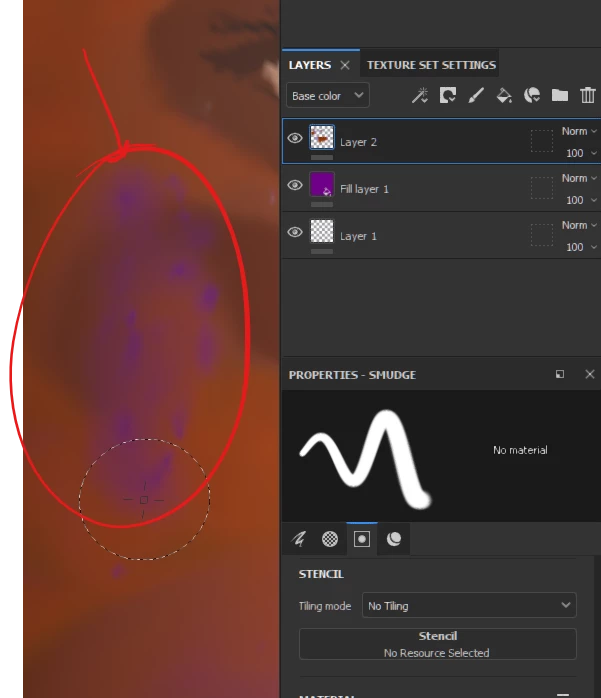
smudge tool reveals the color in the beneath layer!
when using the "smudge" tool in SP on a paint layer it reveals the color beneath that layer, in the screenshot, you can see the color of the "fill layer 1" is showing in layer 2 every time I use the smudge tool! it only happens when I use my pen tablet for painting, but it does not happen when I use the mouse!
SP Stream edition 8.1.2 build 1782
I hope my explanation is clear thanks!
 AdChoices