December 14, 2025

so i have 2 Issues on 11.1.1

  • December 14, 2025
  • 11 replies
  • 673 views

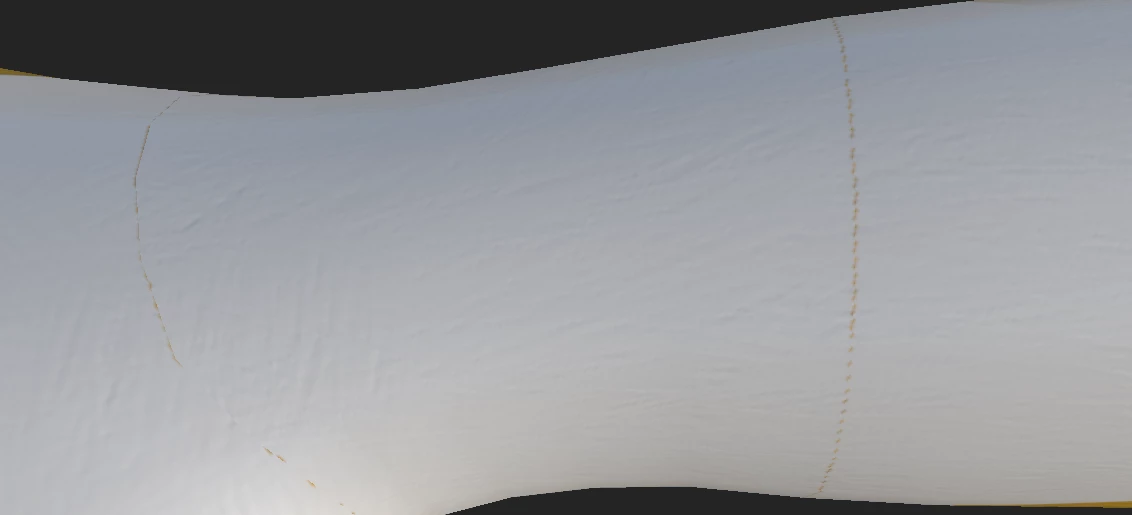
Stealthunit_0-1765679646339.png

^ i know this is  top 1 is not a bug its a UV issue any idea how i can fix this ??

---------------------------------------
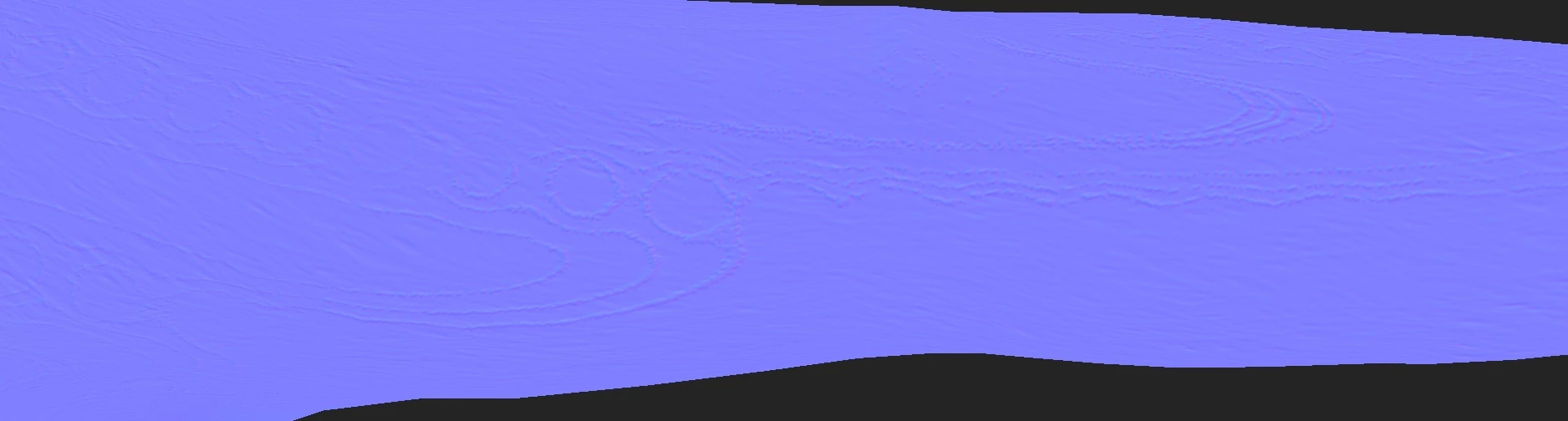
Bug in sub.png
^ this 1 is a issue that came from 11.1.1 Update a bug for the Path Along Tool i already did this 2 times and double checked the longer i use the tool it changes to some odd Wooden Tool for the Height Map..... i even keep on checking ever 5 min.. until 10 min mark every thing changed to WOOD style so i went back to Brush style didnt have any issue.....


I hope this gets fixed before 2025 steam version expires because i use this tool alot.......... i didnt have this issue on 11.1.0

    11 replies

    Cyril Dellenbach
    Community Manager
    Community Manager
    January 8, 2026

    Hello, the current solution is indeed to rollback. Our 11.1 release unfortunately has a few more bugs than usual, because we have updated core systems of Painter such as bakers and switch from OpenGL to Vulkan.


    We've already released one bugfix (11.1.1) and at least another one is coming (11.1.2). Even if we're now officially in 2026, all minor bugfixes will obviously be available for 2025 steam licences. 


    Cyril Dellenbach (Micro) | QA Support Artist | Adobe
    January 6, 2026

    So the only Fix for this Bug is DownGrade to 11.0.3..... 

    December 25, 2025

    i hope this issue will be Fixed before end of the year.... seems like there always a Major Bug that Hangs at END of the life span of Steam Subpainter.. and forcing people to buy the new 1 to get that bug fixed.....

    like 2023 had the Opacity Channel Bug.... have to always restart the program to get it Fixed.... for Each Layer!

    now 2025 is this odd bug >,< i did reach out to other people or friends they have this issue too on this New recent Patch
    like if this is not fixed im forced to get 2026..... Version and the price is CRAZY now days for this program >,< 

    December 18, 2025

    it dose it to all Projects not just that SPP do you want it with that Bug?? or the Fresh File????

    Cyril Dellenbach
    Community Manager
    Community Manager
    December 16, 2025

    Could you send me the .SPP file at cdellenbach@adobe.com ? I'll investigate.

    Cyril Dellenbach (Micro) | QA Support Artist | Adobe
    December 16, 2025

    i am using this Brush tool https://eslar.gumroad.com/l/hxlDG

    but im just using the 100% Default Path Tool no settings changed but the Follow Path is the Only thing i changed

    Stealthunit_0-1765882860037.png


    Cyril Dellenbach
    Community Manager
    Community Manager
    December 16, 2025

    Thank you very much for the video! It could be related to a similar issue we're investigating in. Can you tell me which resource you're using in the Path tool? So I can make some tests on my end.


    Cyril Dellenbach (Micro) | QA Support Artist | Adobe
    December 15, 2025

    https://youtu.be/WsmBMjB0Jcs

    here the youtube video i rushed it and it still shows up lol..........

    December 15, 2025

    i dont know how to send a video i guess Youtube? but here a 3 PNG


    1.png

     that 1 is super clean just 3 Paths

    ------------------------------


    2.png

     just 14 paths you can already start seeing the Wood Holes thing.....

    -------------------------------------------------------------------------

    3.png

     24 Paths Every thing gets BAD!

    so i dont know whats going on...... but i dont have this issue on 11.1.0 or lower

    Cyril Dellenbach
    Community Manager
    Community Manager
    December 15, 2025

    Hello @27778592,


    Thank you for sharing the issue.


    However, I'm not sure to fully understand the Path issue. Could you mabe send a video/gif of the issue?


    Let me know.


    Cyril Dellenbach (Micro) | QA Support Artist | Adobe