


Starter assets materials turned pink
Hello
Painter has become unusable suddenly.
Materials have gone pink on me, including some from the starter assets which i never used.
I have tryed a fresh install, [including removing everything that read Painter on th ecomputer [Mac 11.6.6] it did not help.
I think it has started after i deleted Blender Folders with materilas maps created from the Substance plugin .
the clean install removed all the materials i added to the library, but not the pink ones from the starter assets.
opening a new file now. i don't see the mesh object , just pink stuff. I did tryied to follow the instractions in the Docs regarding updation materials... but it does not work. Again the materials now in pink were never in use.
please see the screenshot and log[in text bellow].
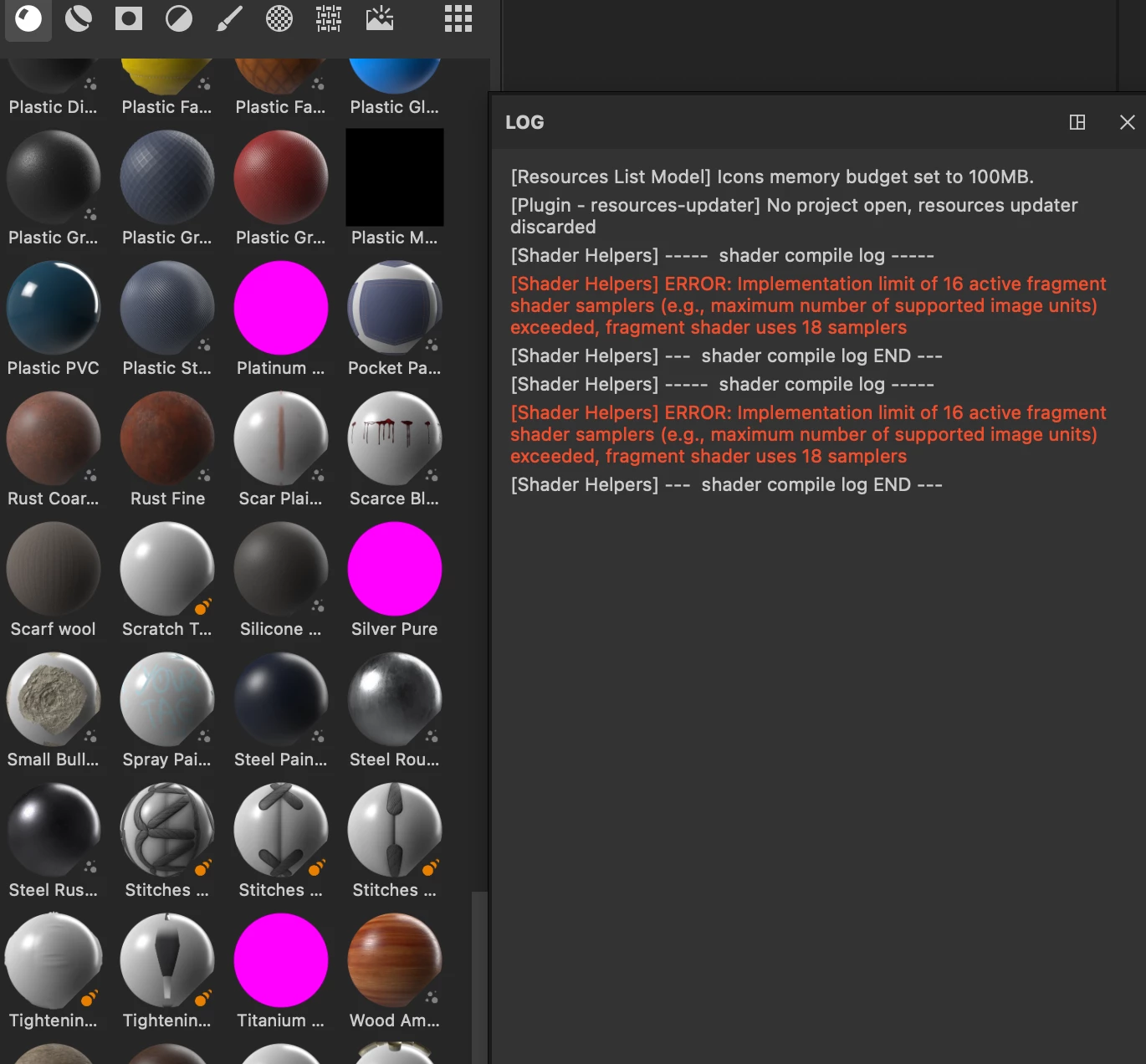
here's teh log:
[Resources List Model] Icons memory budget set to 100MB.
[Plugin - resources-updater] No project open, resources updater discarded
[Shader Helpers] ----- shader compile log -----
[Shader Helpers] ERROR: Implementation limit of 16 active fragment shader samplers (e.g., maximum number of supported image units) exceeded, fragment shader uses 18 samplers
[Shader Helpers] --- shader compile log END ---
[Shader Helpers] ----- shader compile log -----
[Shader Helpers] ERROR: Implementation limit of 16 active fragment shader samplers (e.g., maximum number of supported image units) exceeded, fragment shader uses 18 samplers
[Shader Helpers] --- shader compile log END ---
thansk a lot
akash
 AdChoices