


Aventes
Participating Frequently
April 26, 2026

Substance painter 2 wont open

  • April 26, 2026
  • 2 replies
  • 76 views

Ive downloaded my substance painter from steam and it wont open
windows 11,
rtx 4070,
I9 12900k
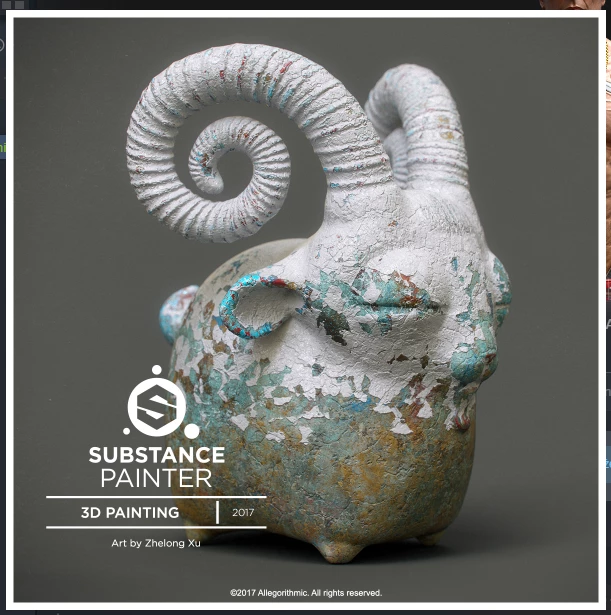
I only see this and then nothing it just quits from app


    2 replies

    Aventes
    AventesAuthor
    Participating Frequently
    April 29, 2026

    Help :(

    Cyril Dellenbach
    Community Manager
    Community Manager
    April 27, 2026

    Hello ​@Aventes,


    I advise you to also try a clean reinstall of Substance Painter. So uninstall Painter and remove all preferences.
    https://experienceleague.adobe.com/en/docs/substance-3d-painter/using/pipeline-and-integration/installation-and-preferences/preferences-and-application-data-location

    HKEY_CURRENT_USER\Software\Adobe\Adobe Substance 3D Painter

    You can also delete additional data:
    C:\Users\[username]\AppData\Local\Adobe\Adobe Substance 3D Painter


    Also, it’s worth taking a look at our software conflict page.

    Cyril Dellenbach (Micro) | QA Support Artist | Adobe
    Aventes
    AventesAuthor
    Participating Frequently
    April 27, 2026

    Still same thing it opens the loading screen then it dissapears and on steam it shows that its launching for next 15 secounds and it quits, i tried turning off everything on my secound monitor and unplug it too

    Cyril Dellenbach
    Community Manager
    Community Manager
    April 28, 2026

    I don’t think it’s related to your second monitor, but you could have apps preventing the launch indeed. Also have you already tried to launch the app as administrator?


    Cyril Dellenbach (Micro) | QA Support Artist | Adobe
