


Open for Voting
Tileable Texture errors in Substance Painter
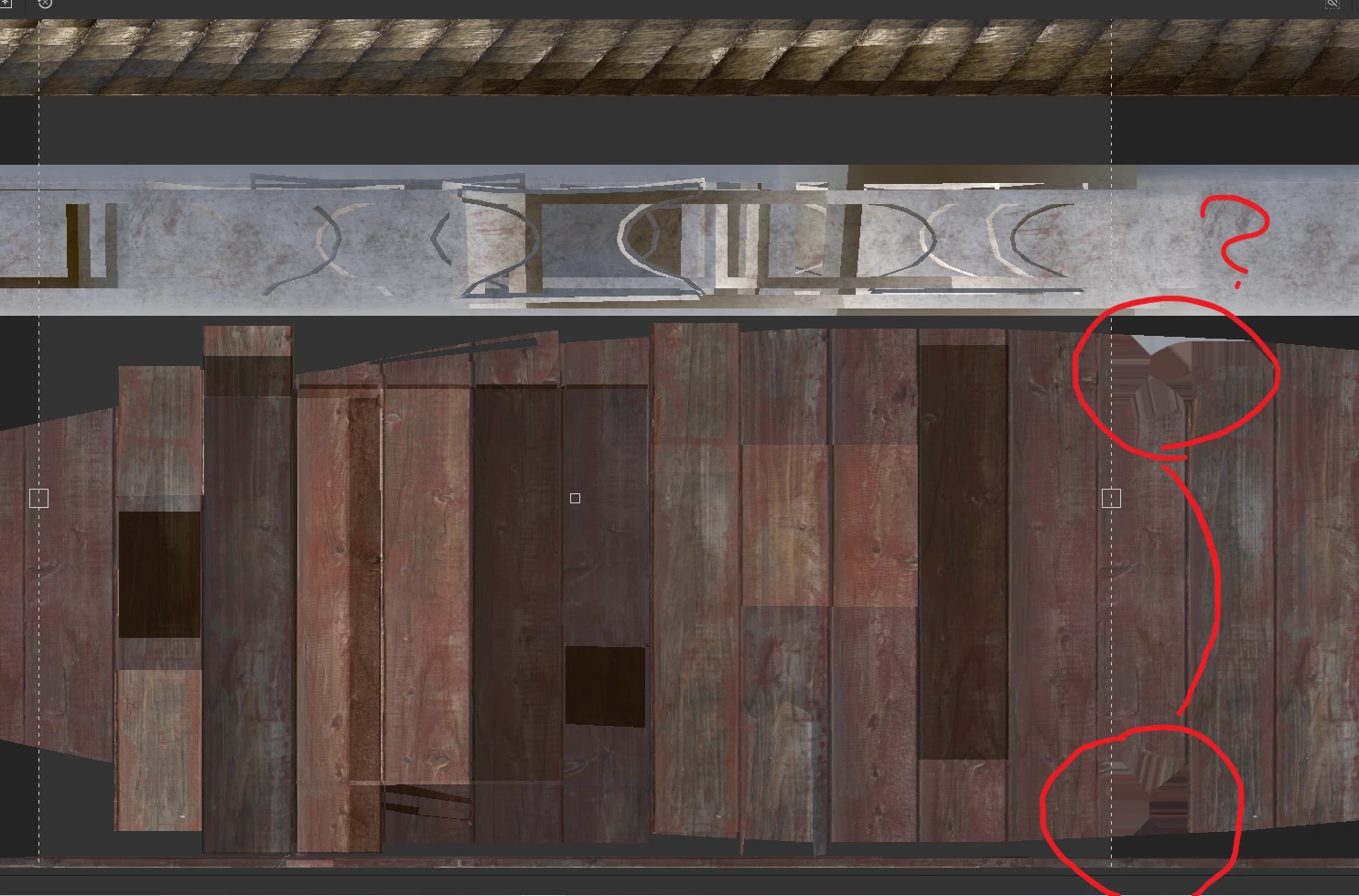
Hi, Im working on a big model, that needs to be textured with tileable textures to preserve texel density. Because of that, the model has a lot of overlapping uvs and part of the model goes out of standart UV space. The original texture is from quixel bridge and it works fine in unreal engine and 3ds max, but when I import it in Substance Painter I get this weird looking errors on the model, it kinda looks like padding but it dont behave like it. This is happening purely in substance painter, every other program shows the texture correctly.
I wanted to paint some dirt and color variations on the model. I know I could probably import a °1:1 plane and paint on it, but I want to see the results in real time.
 AdChoices