

Participant
Feb 14, 2023 3:33 AM UTC
Open for Voting

UV Outside Canvas

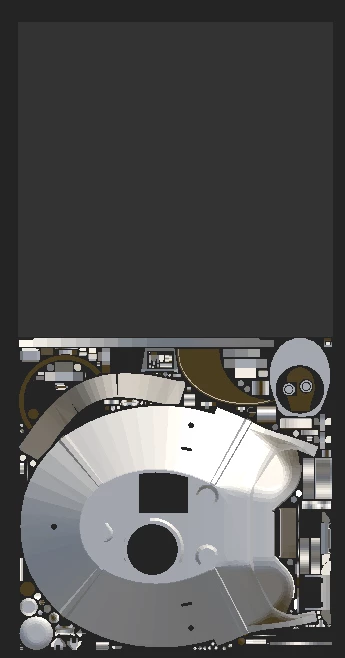
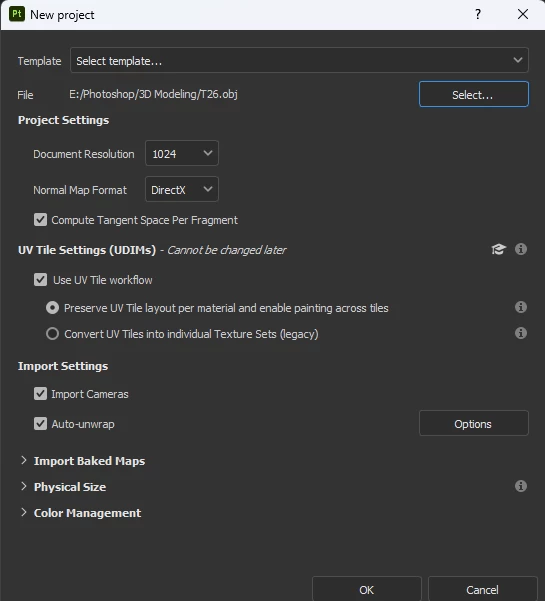
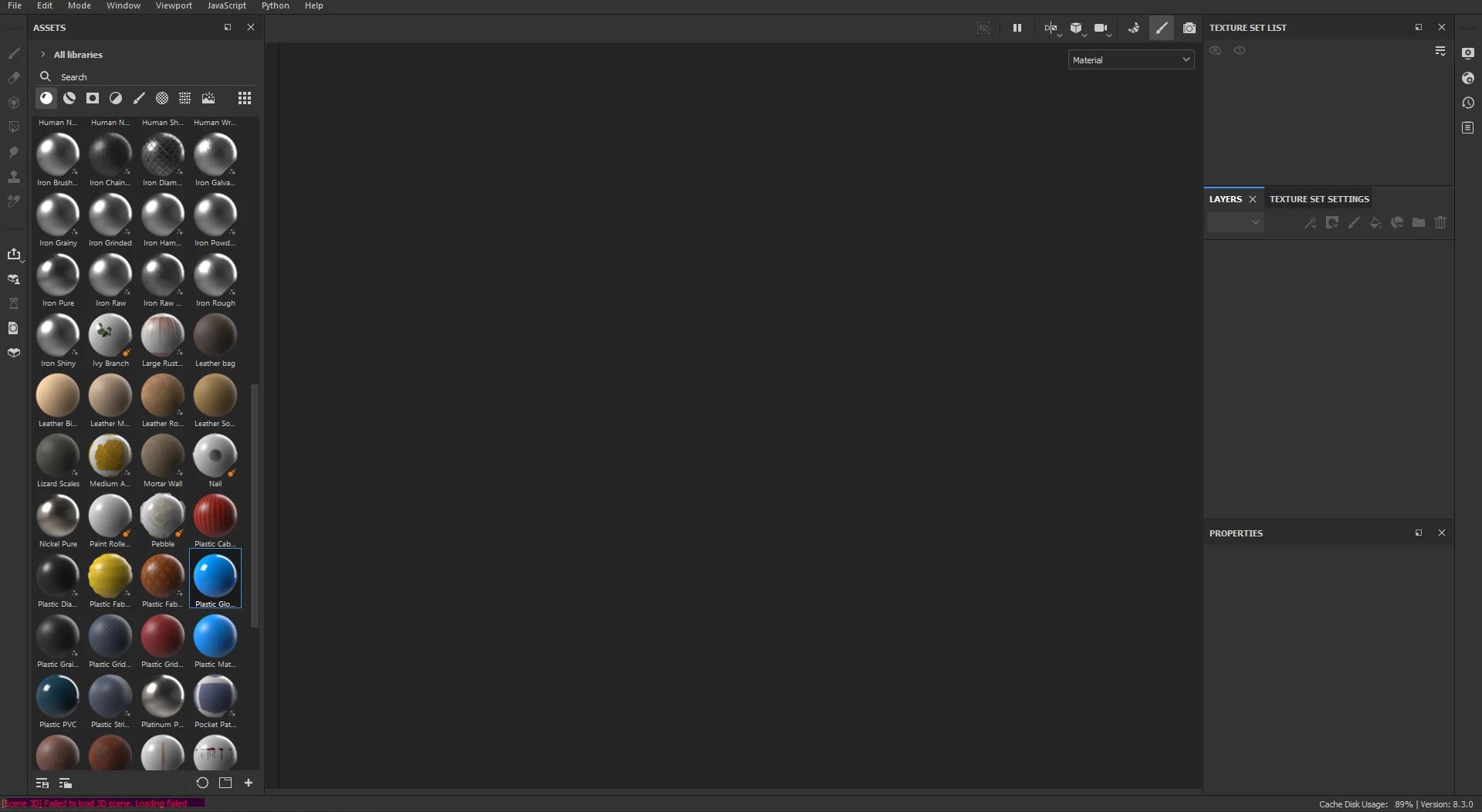
Hello, my UVs are outside the canvas and not able to be edited, I've tried enabling UV Workflow to paint across tiles, but when I try to do that it causes errors and fails to load.
9 replies

Cyril Dellenbach
Community Manager
Community Manager
Mar 18, 2024 10:59 AM UTC

Hello @markm30791854,


To be fair, this is a Substance forum, but don't worry moving UVs is a pretty simple operation. In Blender, open the UV editor panel, select the out of frame islands (A key to select all), and move those with the G key.


If you want to learn more on UVs in Blender, feel free to check their documentation, or this video on the topic.


Best regards,

Translate
Cyril Dellenbach (Micro) | Product Manager | Substance Painter
markm30791854
Participant
Mar 16, 2024 3:08 AM UTC

It seems the same answer from Adobe...I get it that it can't be int he negative space. But, you don't give any detailed explanation on how to move it in Blender. The two images on the bottom are not enough explanation. 

Translate
Cyril Dellenbach
Community Manager
Community Manager
Feb 20, 2023 10:02 AM UTC

Hi again @iTheMaverick,


In simple terms, we may say that your UV shells are under your texture set 1001 (the main texture set). In your 3D modeling software, you'll need to move your UVs to the initial texture set and load your model back to Substance 3D Painter.


Best regards,

Translate
Cyril Dellenbach (Micro) | Product Manager | Substance Painter
Participant
Feb 17, 2023 6:33 PM UTC

How exactly do you do this? I've been looking for a guide but I can't find anything that mentions how to do that specifically.

Translate
Cyril Dellenbach
Community Manager
Community Manager
Feb 15, 2023 3:06 PM UTC

Hi again @iTheMaverick,


It seems that your UVs are on negative coordinates and unfortunately Substance 3D painter doesn't support it. I advise you to move the UVs on the tile 1001 (or any other tile, as long as it is in a positive space).


I hope this was helpful.


Best regards,

Translate
Cyril Dellenbach (Micro) | Product Manager | Substance Painter
Participant
Feb 14, 2023 5:10 PM UTC

In addition to all of that, it only seems like it's that specific model that I tried to import, anything else when I try and import it with UV Workflow enabled it has no issues.

Translate
Participant
Feb 14, 2023 5:07 PM UTC

I also tried updating my graphics driver, which did not change anything.

Translate
Participant
Feb 14, 2023 5:06 PM UTC

Didn't see anywhere to attach a text document, so here is the log in a google document.


https://docs.google.com/document/d/1Q0r05jlw4yg_IzdjiADrTQVhEJ6L1hy8kybsAbyqobc/edit?usp=sharing 

Translate
Cyril Dellenbach
Community Manager
Community Manager
Feb 14, 2023 10:51 AM UTC

Hi @iTheMaverick,


Thanks for reaching out to us.


Could you send me your log (help > export log…), so I can dig deeper into the issue ?


In the meantime, you can try to reset your UI and to make sure your graphic driver is up to date. Sometimes, that’s the quickest fix.


Have a nice day,

Translate
Cyril Dellenbach (Micro) | Product Manager | Substance Painter
