


yonadaan
Participating Frequently
July 8, 2022

UV seams on metallic materials

  • July 8, 2022
  • 4 replies
  • 772 views

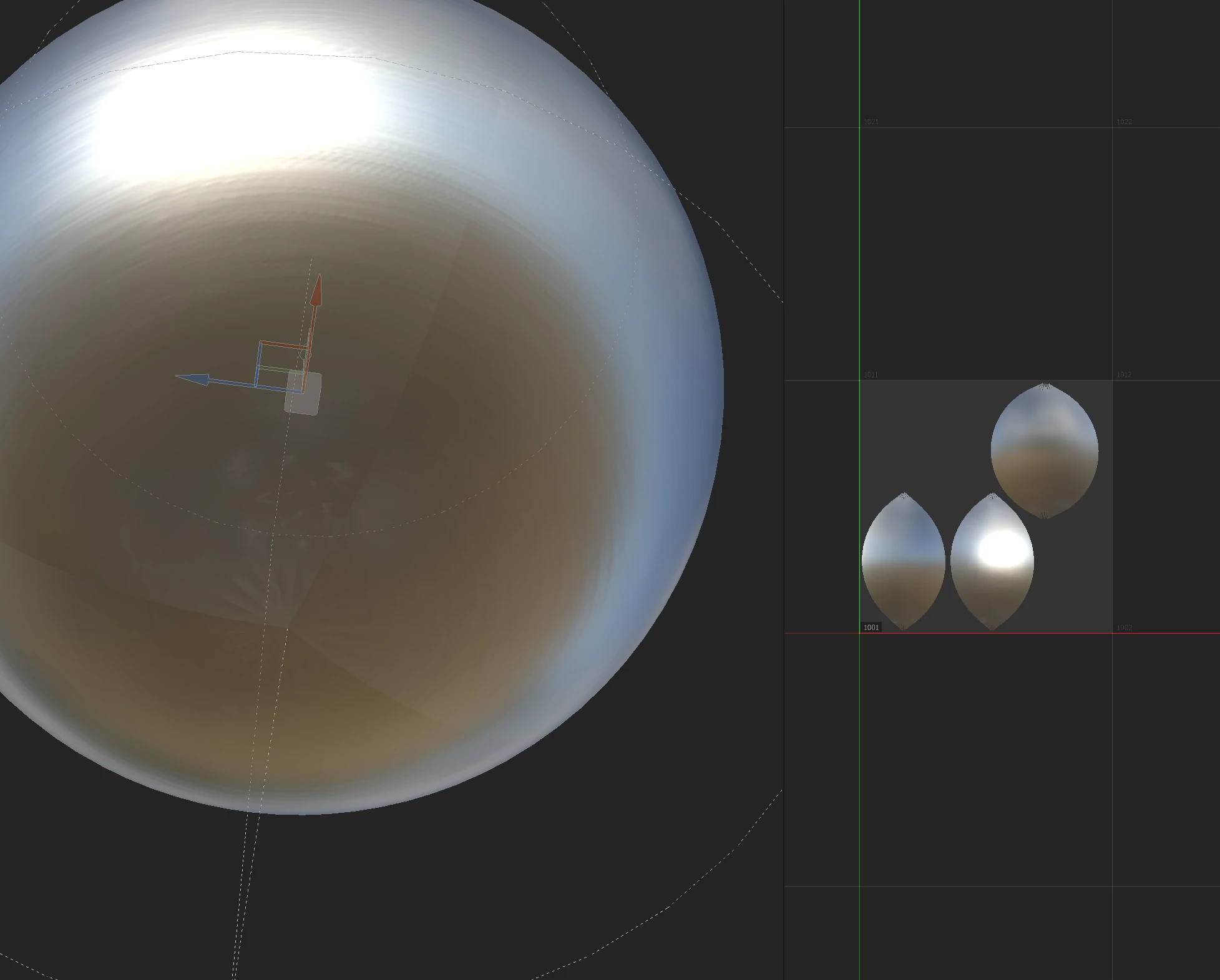
Hello!  I've come across this issue multiple times and others have posted about it online, but still haven't been able to find a solution.  Attached is an image showing the issue.  A simple sphere divided into 3 uv islands, with a simple metallic material applied via cylindrical mapping (which should not have any visible seams).  Isolating the normal channel shows no seams, and actually none of the channels have any seams visible as one would expect.  However the material view shows clear seams where the uv islands meet.  Exporting maps and taking them into a separate rendering application results in the seams being visible just as in the substance material viewport.  "hiding the seams" isn't always possible, especially when dealing with large metallic surfaces that have to be divided into separate udims to produce an acceptable level of detail.  Please help!


    4 replies

    Participant
    April 24, 2024

    Worked for me. But only after restarting Substance. Thanks!

    Participant
    September 30, 2022

    Try to increase shader resolution. Costs more memory but still - might be useful


    yonadaan
    yonadaanAuthor
    Participating Frequently
    July 8, 2022

    Actually correction- everything renders as expected when the maps are exported to another application, but it would still be nice if it could look right within substance in the material view.  It even looks correct when rendered in iray, just not in the working viewport.  Would there be any way to fix this?

    yonadaan
    yonadaanAuthor
    Participating Frequently
    July 8, 2022

    Also worth mentioning is that all the mesh maps have been baked and look seamless as expected, including normal and world space normal.