


Inspiring
March 6, 2024

UV seams visible

  • March 6, 2024
  • 7 replies
  • 619 views

After multiple attempts to reimport the mesh with various UV arrangements I can't get this mesh to NOT show UV seams. 

The mesh is imported from maya with smoothed edges, no layers or textures are applied. The seans are visible before and after baking, so not sure if baked maps have anything to do with it. Depending on the UV layout, some seams become visible, while others are no longer visible. The shape of the mesh doesn't allow me to keep it all together. 

Screenshots added below to illustrate the problem. 

This is where the stitches are visible: 
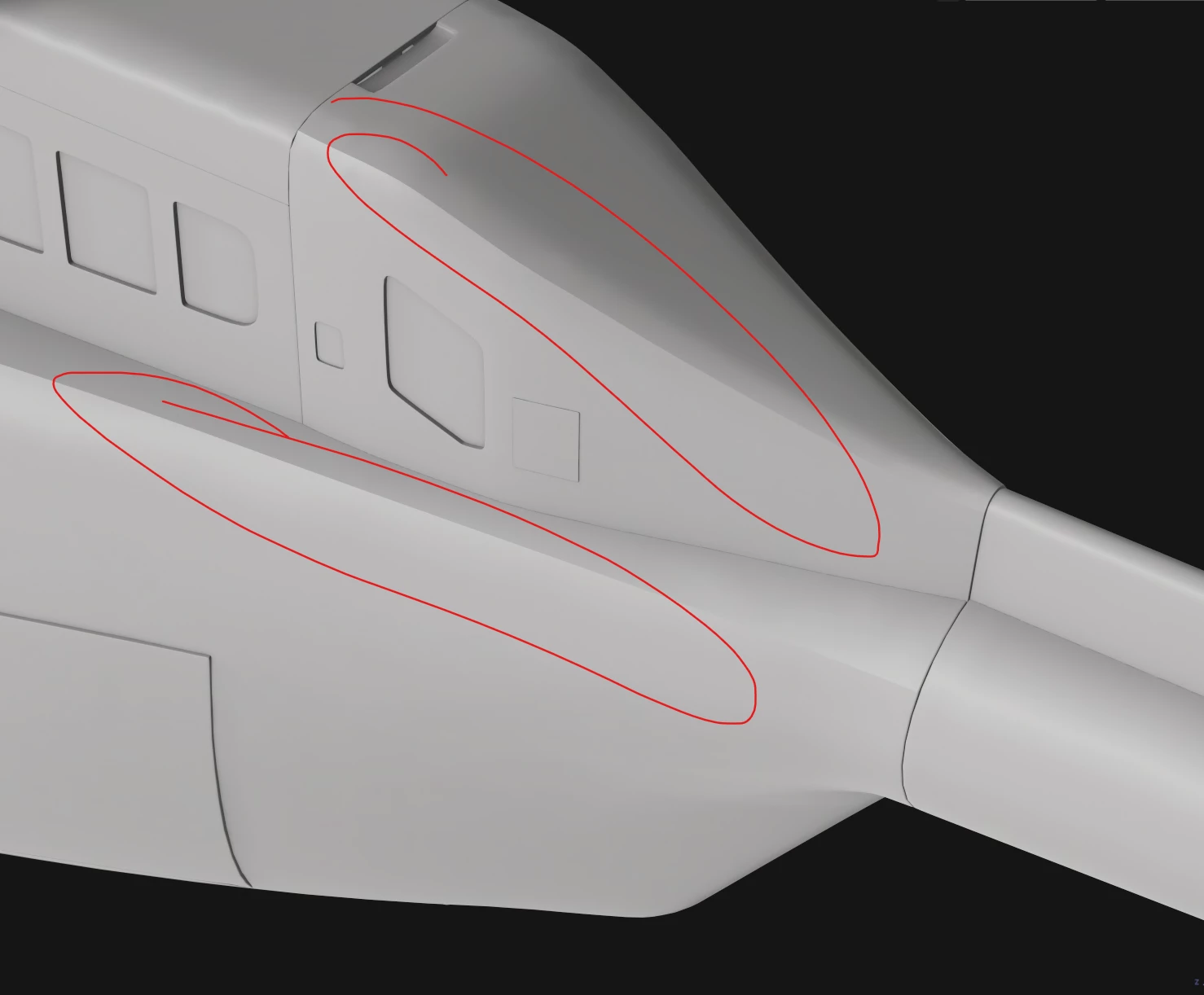
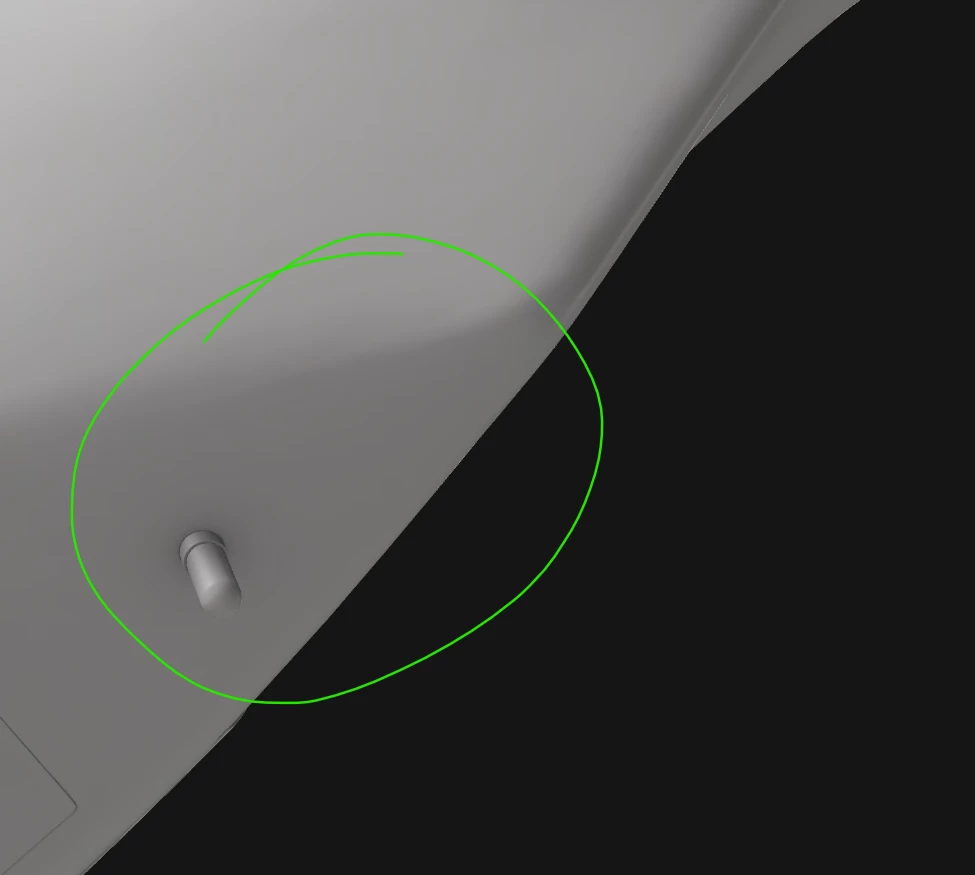
This is where they are not visible, though there are seams there. Rearranging the UV's creates makes them visible here on the other hand. 
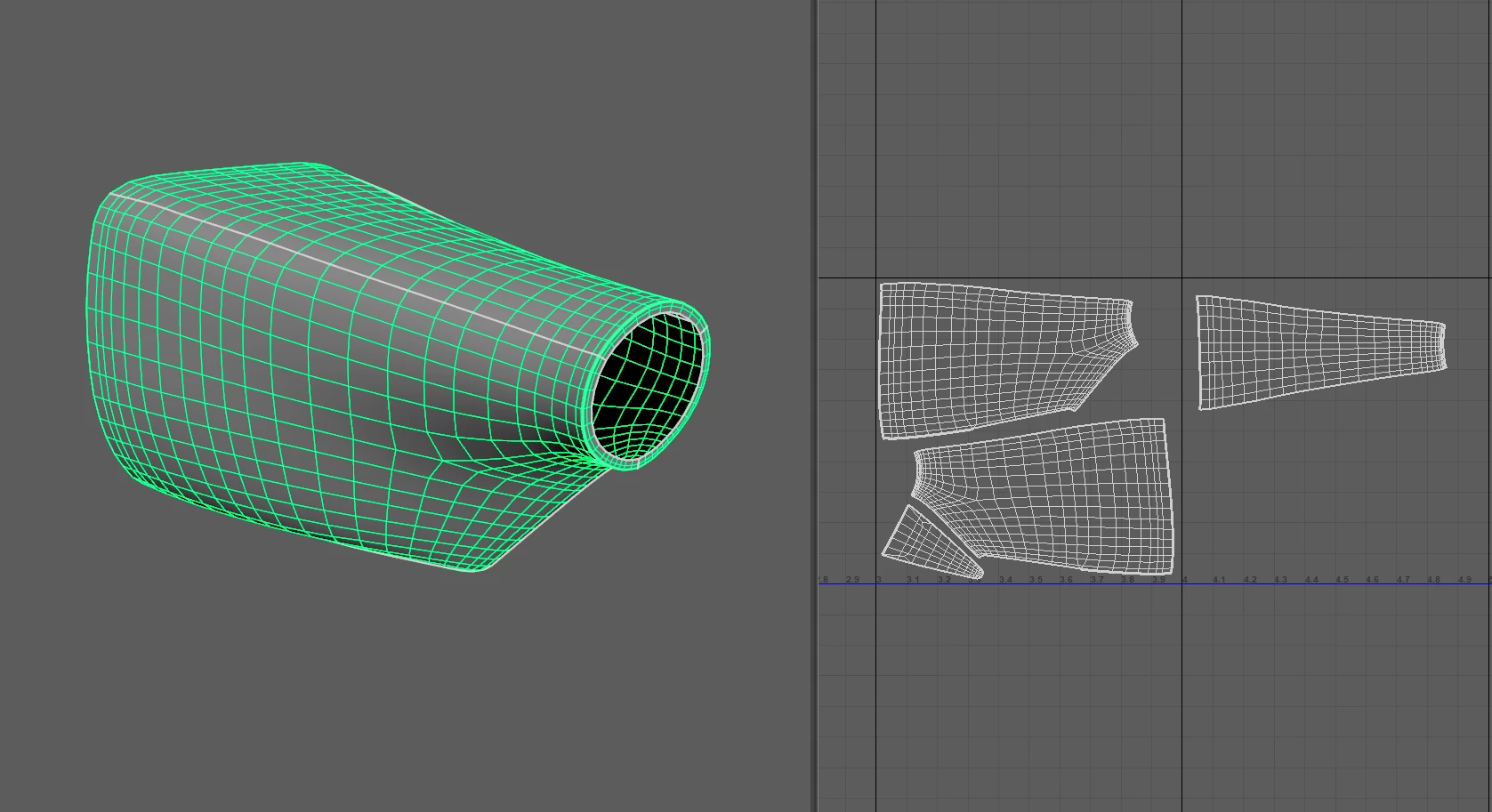
This is the mesh with the current UV layout. 

Please help me understand what this is. This never used to be a problem before the 2023 update. 


This topic has been closed for replies.

7 replies

Cyril Dellenbach
Community Manager
Community Manager
December 12, 2024

There's no version of Painter that splits or edit geometry. It's not something that Painter can even do.


Don't worry, computers are complicated and sometimes they do weird things. I'm just glad you found a solution.


Cyril Dellenbach (Micro) | QA Support Artist | Adobe
PiecloudAuthor
Inspiring
December 12, 2024

Guess what Cyril, you wonderful genius, the issue was simply to do with parts of the mesh split between two UDIMs, in which case the fix consisted of importing it as FBX, or ABC instead of OBJ. Apparently that version of Painter would split the mesh upon inport without my knowledge. Something you could have known about I suppose, well what to do, we are all here to learn, only one os is actually paid for it. 

Cyril Dellenbach
Community Manager
Community Manager
March 8, 2024

Unfortunately, not having an answer to a specific issue can happen indeed, and I promess to tell you if so. In this situation, I can assure you the mesh you shared with me is splitten in two pieces.


You can export the mesh from Painter (File > Export Mesh...) and open it in Blender or any other 3D software to inspect it yourself. In fact, you can even see in Painter's viewport that the Wireframe has a slightly thicker line where the seam is.


Anyways, I've sent you the mesh without seams (I merged the two parts together) via e-mail.


Regards,

Cyril Dellenbach (Micro) | QA Support Artist | Adobe
PiecloudAuthor
Inspiring
March 7, 2024

It's not wrong to admit that you don't have a solution, after all computers are complicated and sometimes they do weird things. But don't take me for a fool Cyril. I've loaded this mesh into three different DCCs and nowhere does it appear to be split into parts. 

Cyril Dellenbach
Community Manager
Community Manager
March 7, 2024

The mesh is clearly separated in two distinct parts.


Therefore, the seam is visible even in other apps.


Regards,

Cyril Dellenbach (Micro) | QA Support Artist | Adobe
PiecloudAuthor
Inspiring
March 6, 2024

Hi Cyril,


Thanks for reaching out. I sent you the .spp file.

Cyril Dellenbach
Community Manager
Community Manager
March 6, 2024

Hello @Piecloud,


Thanks for the message.


Could you share the .SPP file at cdellenbach@adobe.com so I can take a personal look?


Let me know.

Cyril Dellenbach (Micro) | QA Support Artist | Adobe