


Known Participant
February 29, 2024

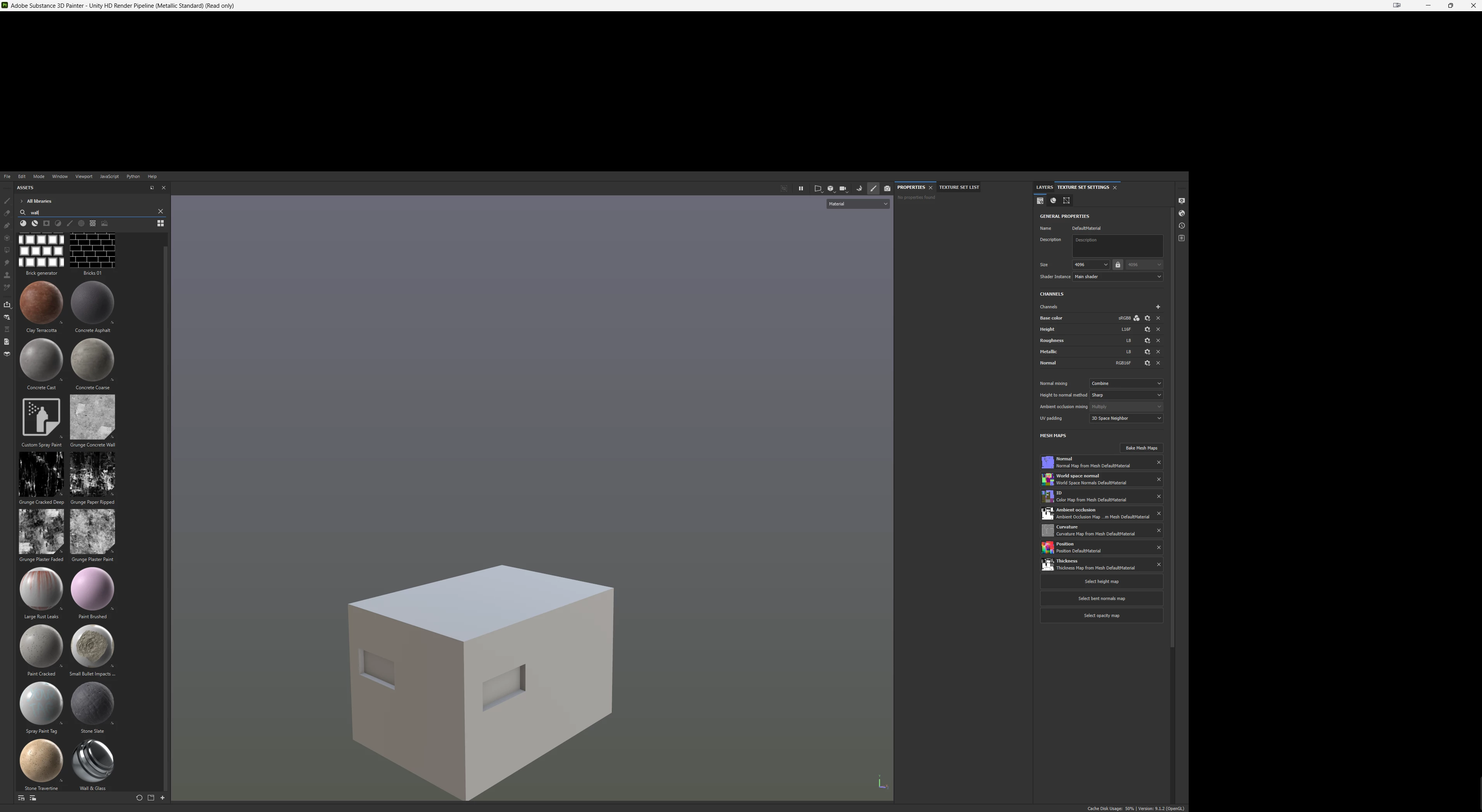
Viewport Shrinking

  • February 29, 2024
  • 6 replies
  • 525 views

Hi,


I'm experiencing an issue that occurs with every Adobe product I use. When I turn off my monitor and then maximize Painter, Designer, or Sampler, the viewport gets shrunk and doesn't return to full window mode. I have to exit the application and open it again to resolve this issue. It has been happening for ages.
 

This topic has been closed for replies.

6 replies

RoxanaMDAuthor
Known Participant
March 8, 2024

Yes. both of them are.

Cyril Dellenbach
Community Manager
Community Manager
March 8, 2024

Sorry for the delay in response.


Just so you know, I've tried to reproduce the bug with a similar setup without success.


Considering the issue is happening on several apps, I would first check this isn't a more global issue related to Windows size screen. However, if the problem is proper to Substance apps, this is probably an issue with our UI service.


I can see from your log that you have two different screen resolutions. Are both monitors connected to the GPU? If not, please try to, and let me know if it helps.


From there, we'll need more usercases to find repro steps.


Regards,

Cyril Dellenbach (Micro) | QA Support Artist | Adobe
RoxanaMDAuthor
Known Participant
March 8, 2024

Could I get some help with this? thank you

RoxanaMDAuthor
Known Participant
March 5, 2024

Never tried this before, but when this bug happens, I'm not able to access nodes, windows, anything really.

RoxanaMDAuthor
Known Participant
March 4, 2024

Ok I will do that. 

Cyril Dellenbach
Community Manager
Community Manager
March 1, 2024

Hi @RoxanaMD,


Could you send me your log at cdellenbach@adobe.com with a link to this thread?


This way we could investigate on our end.


Let me know.

Cyril Dellenbach (Micro) | QA Support Artist | Adobe