Participant
October 4, 2023

Werid stains appear when painting normal

  • October 4, 2023
  • 3 replies
  • 340 views

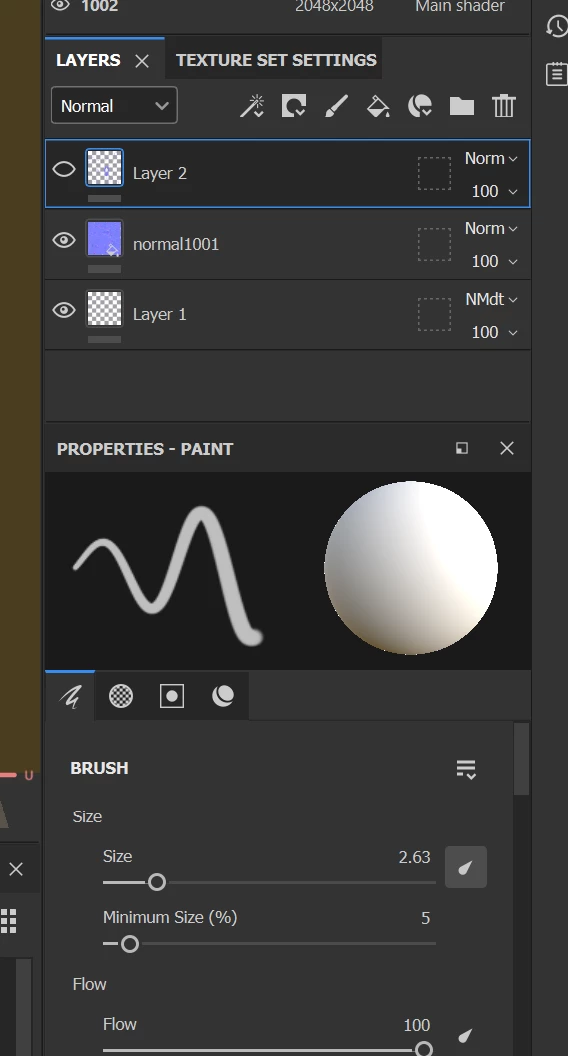
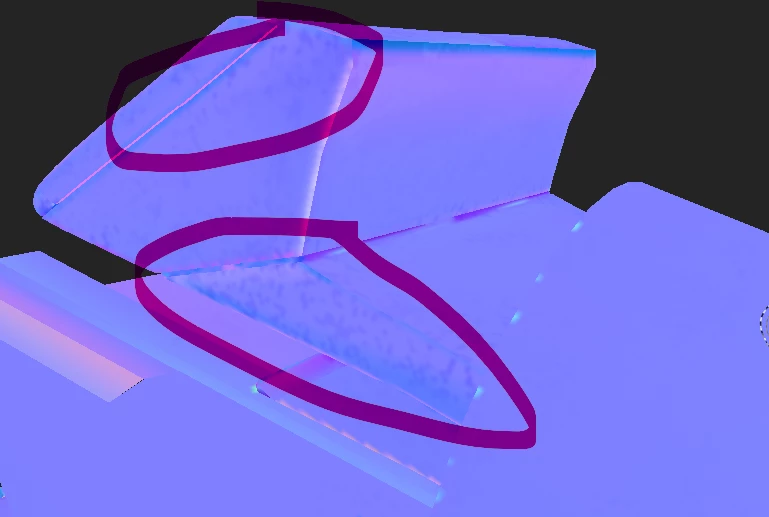
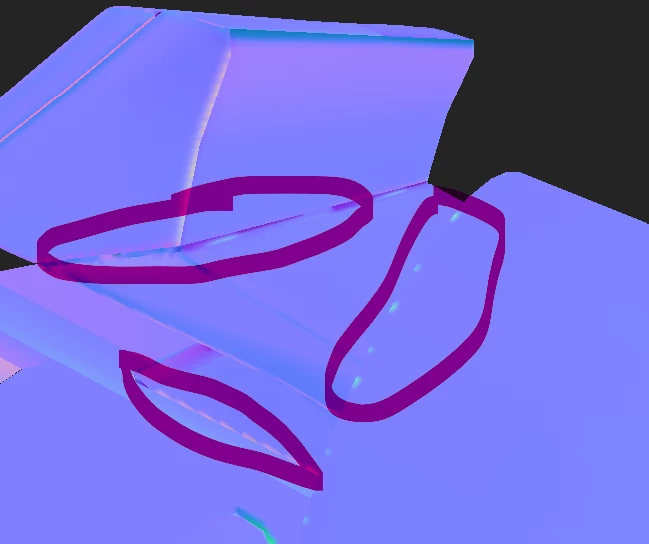
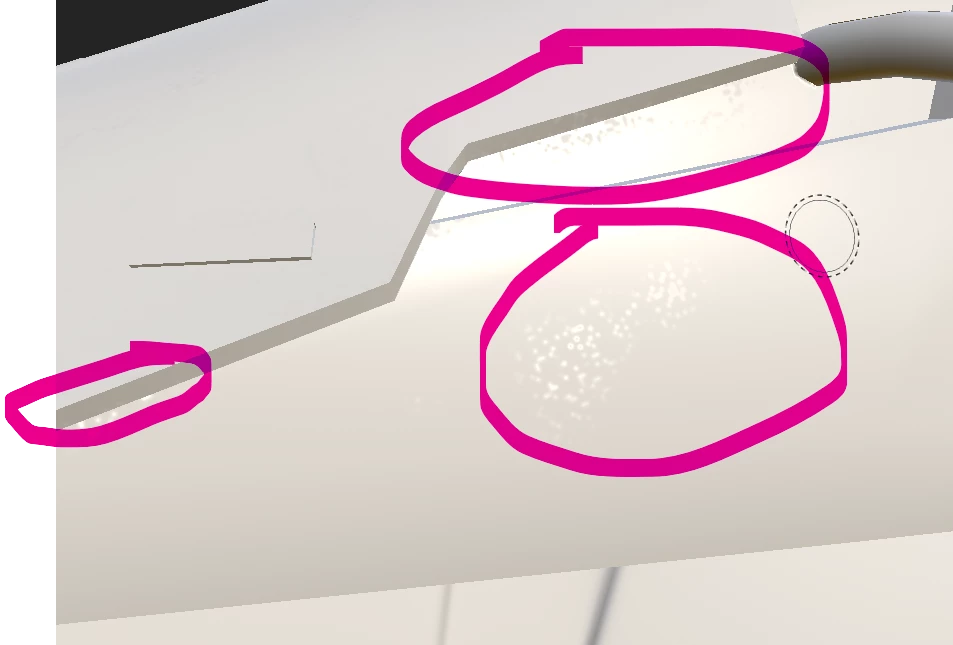
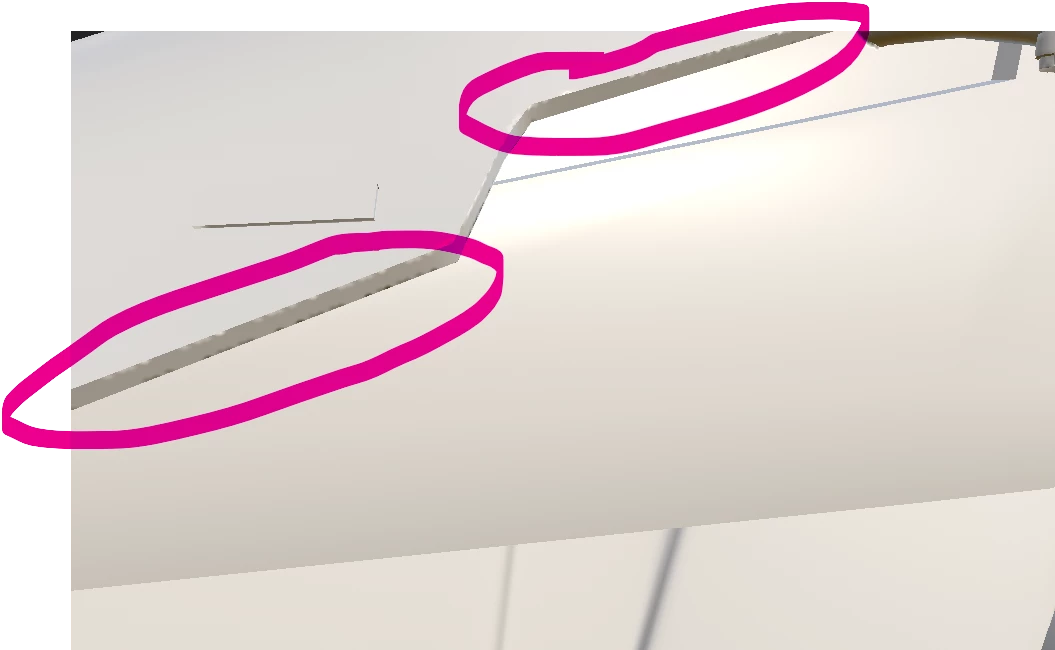
I was painting the normal and tried to fix some baking errors on my mesh in SP. I tried this method before, and it works pretty well. Then, I noticed that whenever I paint over the mesh, some weird stains appear on the surface, or I call them specks of dirt. How should I fix it?
3 replies

Cyril Dellenbach
Community Manager
Community Manager
October 10, 2023

Thanks for the details.


Some of the UVs are really small, so depending on the Texture set resolution (1024, 2048, etc.) and the margin between the UV islands, artifacts may appear.


With that being said, your issue is probably related to your GPU. The latest AMD drivers updates unfortunately have compatibility issues with Substance 3D Painter. Therefore, I advise you to first disable the Sparse Virtual Texturing (Edit > Settings > General > Sparse Virtual Texturing > Hardware support acceleration), and if it doesn't help, rollback the GPU driver version for a previous one.


Best regards,


Cyril Dellenbach (Micro) | QA Support Artist | Adobe
KalyingjAuthor
Participant
October 9, 2023

Hi @Cyril Dellenbach ,

Thank you for replying, below are the UV screenshots from Blender and SP, and the GPU I'm using is AMD Radeon RX 6800M.

Regards

Cyril Dellenbach
Community Manager
Community Manager
October 4, 2023

Hi @Kalyingj,


My first guess would be an issue related to the UVs. Can I have a look at those? Also, what's your GPU?


Let me know.


Cyril Dellenbach (Micro) | QA Support Artist | Adobe