Participant
November 19, 2025

Why are my UV maps not completely flat? and can't use UDIMS in my 3d model?

  • November 19, 2025
  • 1 reply
  • 162 views

Hi I am using substance 3d painter to paint over my 3d model. I can only paint one object at a time (unable to load UDIMS) and the texture maps are not fully fitted into the box when i upload the export jpegs into blender model so the model doesnt come out great. 
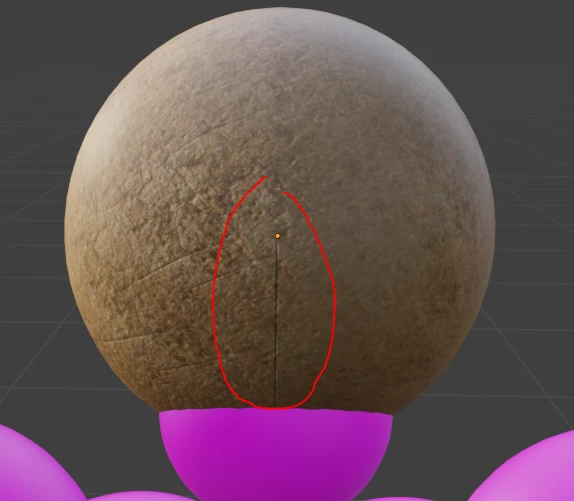


so two issues

1. my uv maps arent fully fitted into the box

2. I cant load UDIMS and paint across the 39objects that are attached together
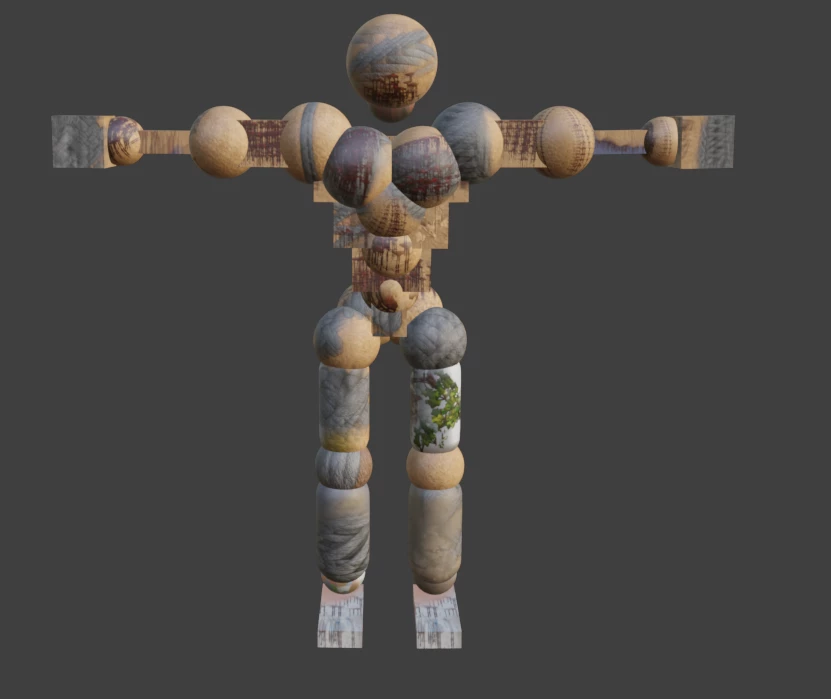
 

this is the model. I think its because the objects are touching and thats what happens

I mainly want to paint and not dive deep into models

I opened the model in opengl, directx not sure what the issue is.


will include the model obj attached


1 reply

Cyril Dellenbach
Community Manager
Community Manager
November 20, 2025

Hello @abdullateif232854482pz6,


Thank you for the message and screenshots.


From your message, I can see you're facing three issues:

1. Empty spaces in UV Map

2. Can't work with UDIMs

3. Visible Seams


1.

The fact that the texture doesn't fit the entire UV Map is perfectly normal. The texture is only applied on UVs, therefore if the UV Map has empty spaces (which it almost always has) those empty spaces won't be textured (expect for padding).


2.

Substance 3D Painter has a specific hierarchy. Texture Sets > UV Tiles (UDIMS)

A Texture Set can contain one or several UDIMs and you can paint across UDIMS, but not across Texture Sets. Basically, Textures sets are groups containing UDIMs. Substance Painter defines Textures set from the Material IDs of your 3D Mesh. If you've applied 3 different materials in Blender, Substance Painter will set up 3 different Texture sets.

In your case, make sure you have a single material applied on your entire mesh and also make sure to check the Use UV Tile workflow box when creating the project.


3.

Visible seams can come from several things. I advise you to switch your layer's projection method to Tri-Planar.


And if that doesn't help, know that there are some specific material using MatFinish filters that will make your UV seams quite visible. I advise you to use the Clone tool if you want to make them less visible.


Best regards,


Cyril Dellenbach (Micro) | QA Support Artist | Adobe