


leopoldov10125965
Participant
December 15, 2025

Adobe CC desktop UI always blurry

  • December 15, 2025
  • 1 reply
  • 73 views

My Adobe Creative Cloud Desktop UI window is always very blurry; hard to read: 
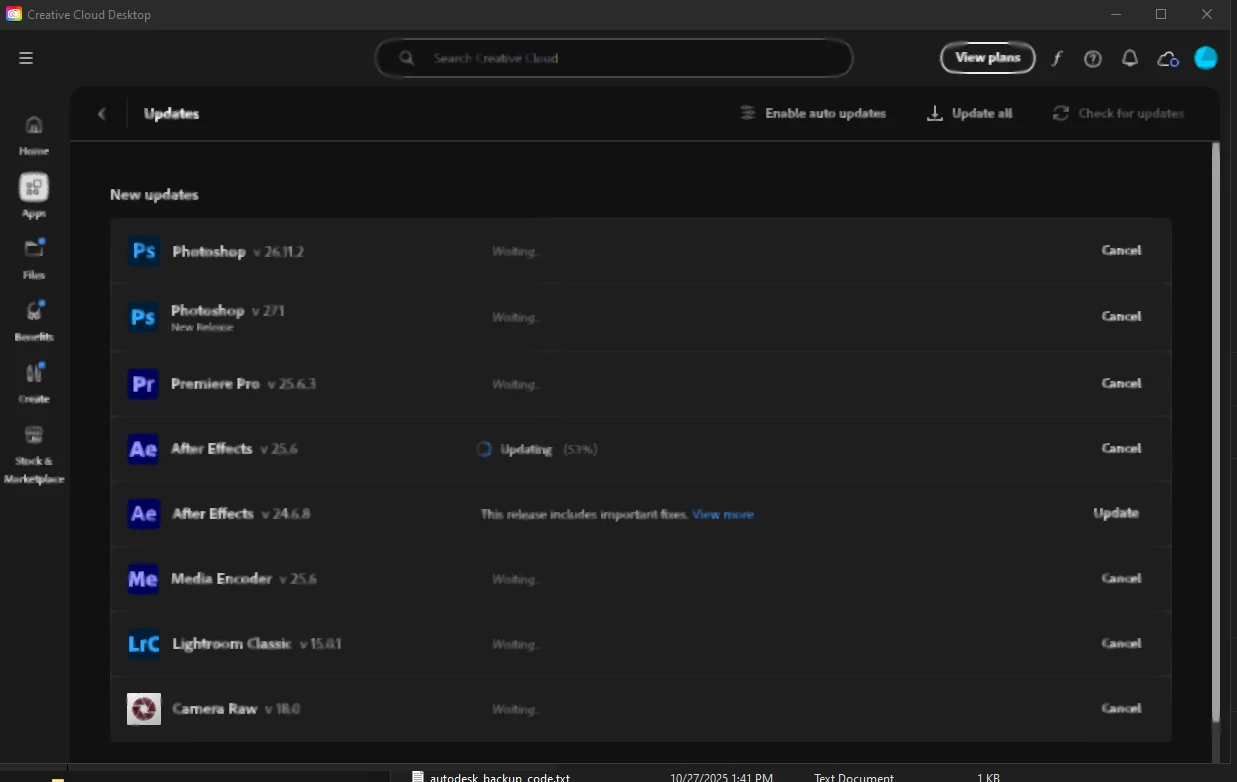
leopoldov10125965_0-1765818946517.png

Windows 10 Enterprise, Nvidia RTX 4070 Ti SUPER, all drivers up-to-date, desktop at UHD 60 Hz, 100% scale factor. 

All CC apps appear normal in use -- it's just the CC desktop app.


1 reply

Peru Bob
Community Expert
Community Expert
December 15, 2025

Try resetting the CC App.
To reset the Creative Cloud desktop app, make sure it's in the foreground, then press:
Win: Ctrl + Alt + R
Mac: Cmd + Opt + R

If that doesn't work, try uninstalling and reinstalling the CC App:
https://helpx.adobe.com/creative-cloud/help/uninstall-creative-cloud-desktop-app.html
https://helpx.adobe.com/download-install/kb/creative-cloud-desktop-app-download.html