


Participant
October 29, 2025

App update error message

  • October 29, 2025
  • 7 replies
  • 87 views

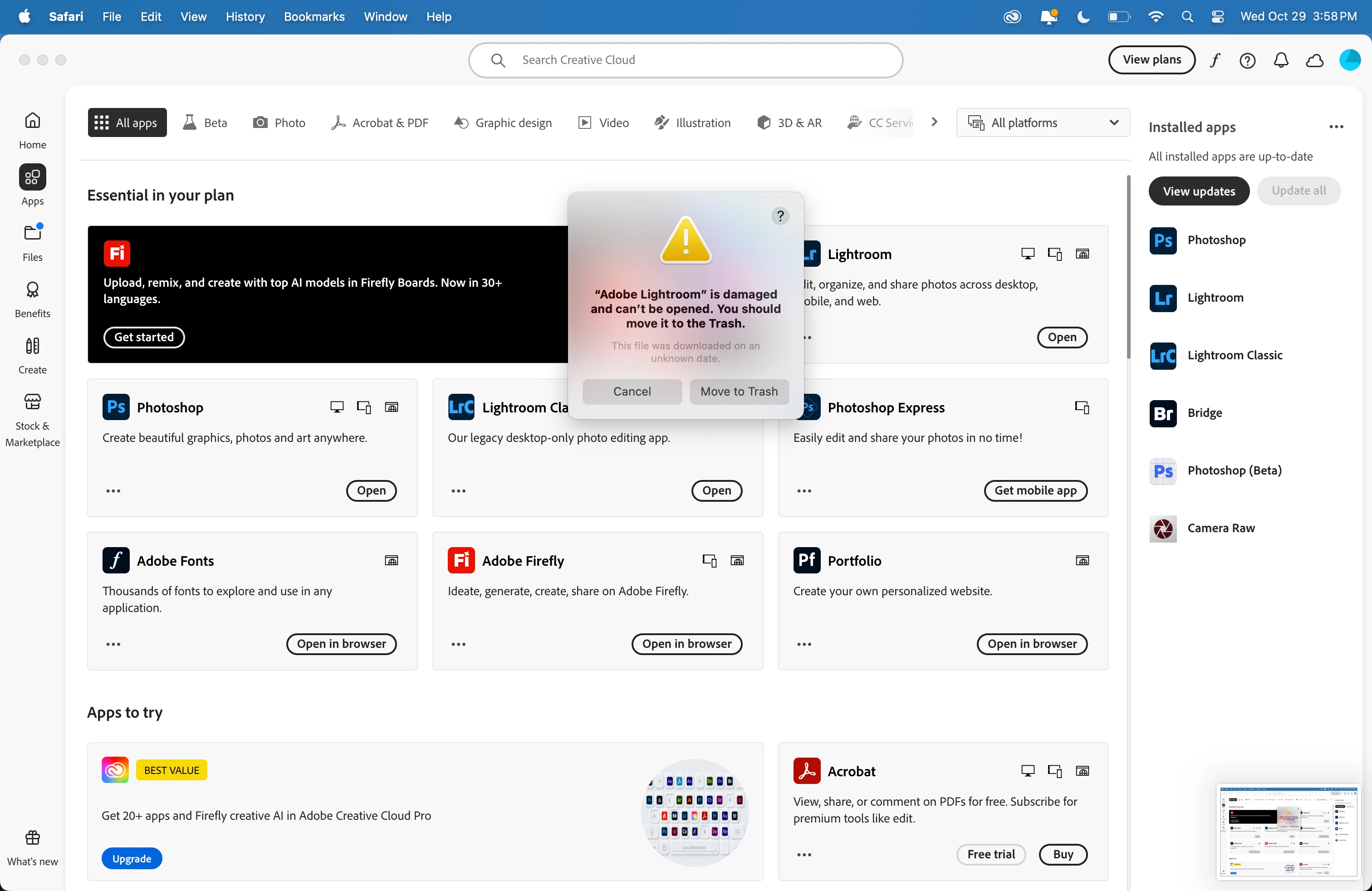
Just updated all my subsciption apps. tried to open all and had issues with lightroom CC.  I uninstalled it only to have LRC get uninstalled. I was able to reinstall LRC but still having the same error message trying to open LR. I tried multiple times. All was working fine prior to the updates. Any help appriciated. - Thanks
 

7 replies

kglad
Community Expert
Community Expert
November 2, 2025

glad you got it.

real_9939Author
Participant
November 2, 2025

Did not have that listing.  Did another uninstall and notice the LR icon was not removed from the app folder so I deleted it. Reinstalled LR and it launch perfectly. Somehow during my first update attempt that icon must have been corrupted somehow and after deleting it was reinstalled with no issues.


Thanks for the help.

kglad
Community Expert
Community Expert
November 2, 2025
  1. Open System Setttings  Privacy & Security
  2. Scroll to Security section and look for a message like, "Adobe Lightroom.app was blocked to protect your Mac", then click Open Anyway.


real_9939Author
Participant
November 2, 2025

Lastest version Sequoia 15.6.1


Also, Lightroom was working just fine prior to the update. 

kglad
Community Expert
Community Expert
November 2, 2025
real_9939Author
Participant
November 1, 2025

I clicked on the move to trash button which appeared to do nothing. Then I uninstalled and reinstalled and got the same message.

kglad
Community Expert
Community Expert
October 29, 2025

did you delete lr?