Participating Frequently
July 21, 2026

Beta Tab issue

  • July 21, 2026
  • 5 replies
  • 54 views
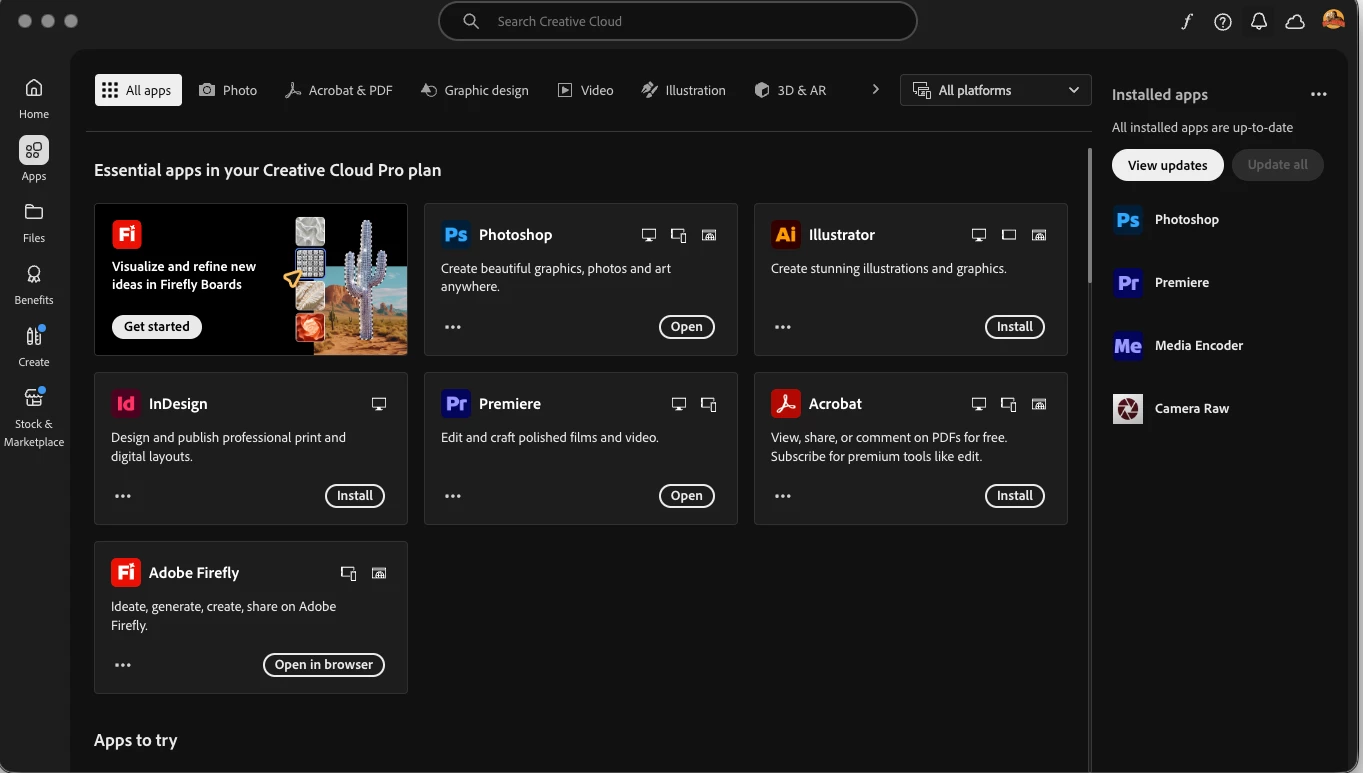
There is no Beta Tab Option, many times CC uninstall and installed, sign out and sign in but still issue not solved


    5 replies

    ViKi_95Author
    Participating Frequently
    July 22, 2026

    Update: I was able to resolve the issue on my Mac Mini M4.

    The Beta tab was missing in Creative Cloud even though I was using the latest Creative Cloud Desktop app and the same Adobe account showed the Beta tab on another computer.

    What fixed it for me:

    1. Closed the Creative Cloud Desktop app.
    2. Opened Finder and navigated to:
      /Library/Application Support/Adobe/OOBE/configs
    3. Deleted the ServiceConfig.xml file.
    4. Relaunched the Creative Cloud Desktop app.

    After doing this, the Beta tab appeared again.

    I'm posting this in case it helps other Mac users, especially those using Apple Silicon Macs such as the Mac Mini M4.

    thanks all


    kglad
    Community Expert
    Community Expert
    July 22, 2026
    Stan Jones
    Community Expert
    Community Expert
    July 26, 2026

    @kglad,


    Good link. That’s a 7/3/26 date. Do you know if it is a revised version? Or brand new?


    Stan


    Stan Jones
    Community Expert
    Community Expert
    July 21, 2026

    This has happened before, only some users. Never did figure out why; the Beta tab just reappeared one day:

    Stan


    Peru Bob
    Community Expert
    Community Expert
    July 21, 2026


    Try resetting the CC App.

    To reset the Creative Cloud desktop app, make sure it's in the foreground, then press:

    Win: Ctrl + Alt + R

    Mac: Cmd + Opt + R

    If that doesn't work, try uninstalling and reinstalling the CC App:

    https://helpx.adobe.com/creative-cloud/apps/manage-apps/creative-cloud-desktop-app/uninstall-creative-cloud-desktop-app.html

    ViKi_95Author
    Participating Frequently
    July 21, 2026

    thanks and I tried resetting as you said, but it didn't work as expected, then when I open both the links you gave, Forbidden (You Don't have permission to access this resource) 👇


    Peru Bob
    Community Expert
    Community Expert
    July 21, 2026

    @ViKi_95 

    The links do seem to be dead now. I’ll find new links. Thanks

    Peru Bob
    Community Expert
    Community Expert
    July 21, 2026

    Does your computer meet the minimum requirements for the beta?

    Is it there if you scroll down?


    ViKi_95Author
    Participating Frequently
    July 21, 2026

    I'm using a Mac Mini M4 with 24GB RAM, and the Beta tab does not appear in the Creative Cloud app. However, I'm also using another system with 16GB RAM, and the Beta tab is available there in the same Creative Cloud app.

    Since the 16GB system has access to the Beta tab, I don't think this is related to the minimum system requirements. Does anyone know why the Beta tab would be missing on the Mac Mini M4 but available on the other machine?