


Participant
October 17, 2023

Can not deny CC update

  • October 17, 2023
  • 4 replies
  • 299 views

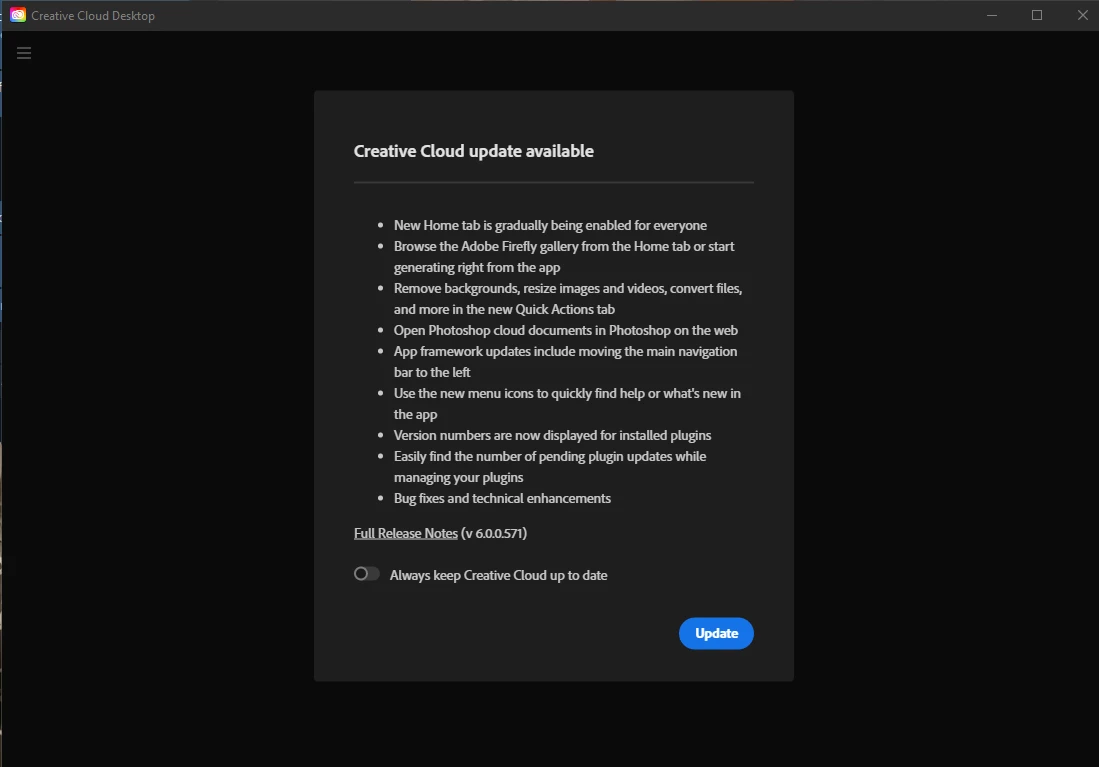
When I open Creative Cloud, it shows a popup: Creative Cloud update available. 
I can turn off the toggle 'Always keep Creative Cloud up to date', but there is only one option to continue to the app, labeled: [Update]. So it seems to be missing a [Cancel] or [Close] button. 
While this popup is in view, the menu is inaccessible, I also can not quit CC from here, besides going into task manager and kill the processes until they stop auto-restarting.

I have a limited data plan at home and can't be wasting the data on this many updates.
At the same time I am a paying customer and I should have the right to access the software I paid for, not having it locked behind an update screen. This is behaving like malware!

On Windows 10
 

4 replies

Kalvyn Rasquinha
Community Manager
Community Manager
December 9, 2023

Hi @Inno C , updates to the Creative Cloud app are mandatory. There are certain scenarios where an automatic update would be disruptive which is why we provide the option for members to choose to not have that happen however the update itself is not optional.

kglad
Community Expert
Community Expert
October 19, 2023

i'm not sure you can work-around that.  you need to be signed into your cc desktop app to use the cc apps.  you can't sign-in to your cc desktop app until you update it.


if you're really want to look for a work-around, i'll help.  there are few things we could try, but really.  it would be a lot quicker and easier to just update and sign in.


after that you shouldn't need to use the cc desktop app (until it's updated again).

Inno CAuthor
Participant
October 19, 2023

The thing is, when I open photoshop, I get a message (for some weird reason in french) that my photoshop is not legit (which is beloney since I payed for it), when I click it it opens the website where I can see in my account that the photography plan is active. When I want to check the installation status in CC for web, it tells me this can't be done online and it launches the CC app, where I can't check anything without being forced to update.

Now I am prepared to update if there is no other way of doing my work, but it's a matter of principle to me. Adobe should let me CHOOSE to do this, don't force me.

kglad
Community Expert
Community Expert
October 18, 2023

you don't need to use the cc desktop app for anything.  it's a convenience, but you can use your apps and cc files without using the cc app.