


Participant
August 29, 2025

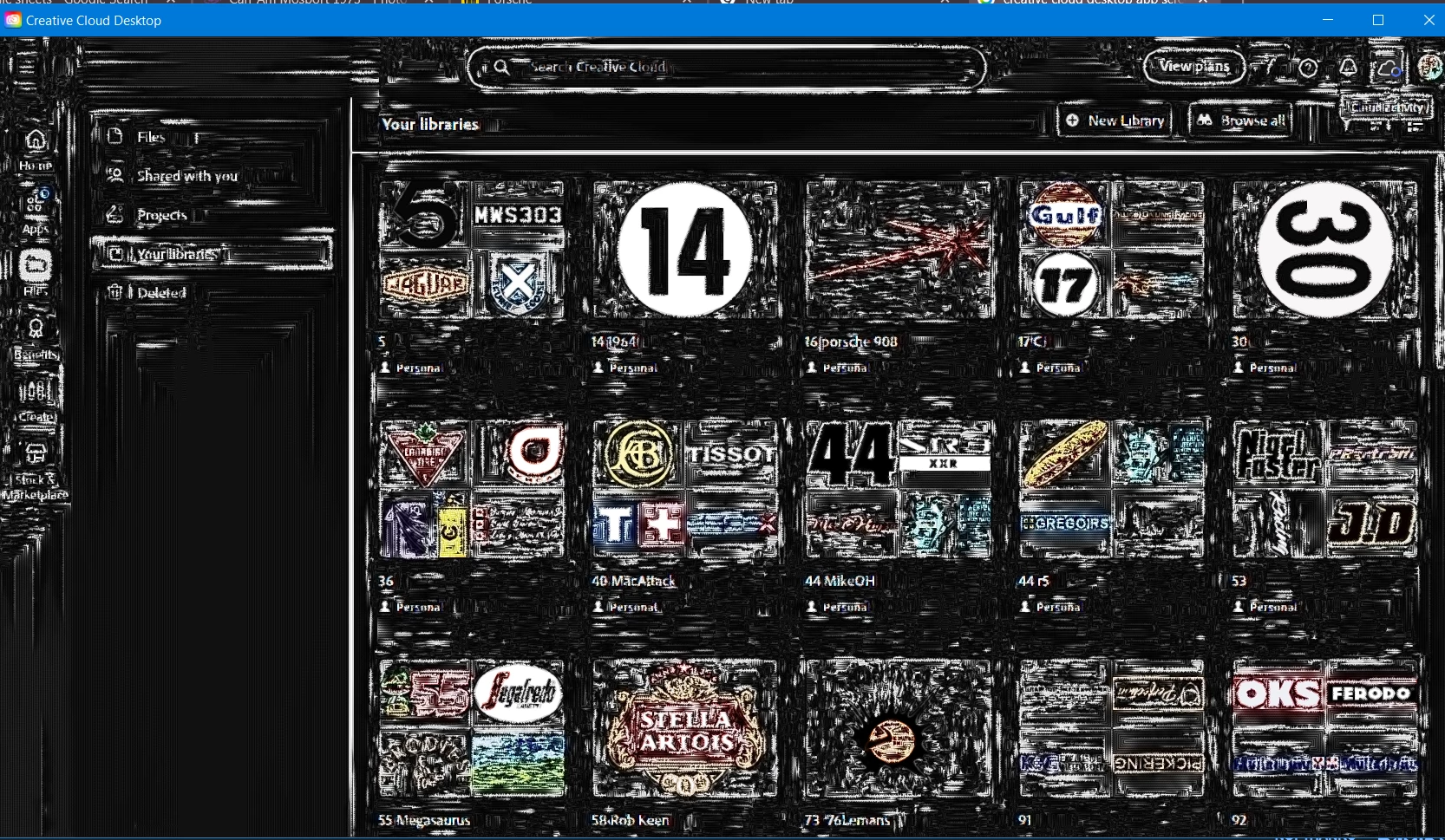
CC Desktop displays weirdly

  • August 29, 2025
  • 2 replies
  • 290 views

I've had this problem with the CCdesktop app displaying ver weirdly for quite a while. I've plugged away trying to find a solution myself for ages but it won't go away. There is also a problem with library syncing where have to enter the app and click on the files before they start to sync (very slowly) in Photoshop. I don't get this type of display problem with any other app, just CC desktop.

All apps/drivers are up to date on Win 10.

Thx in advance.
 

2 replies

kglad
Community Expert
Community Expert
August 29, 2025

make sure you're using your video card's studio (not game) driver.

Tarun Saini
Community Manager
Community Manager
August 29, 2025

Hi @WaynePearson,


Thanks for reaching out! We're sorry to hear about this. Please try using the Creative Cloud Cleaner tool to uninstall the app- https://adobe.ly/3JX0uXd, and after that, try installing it again to check if that helps.


Let us know if that helps, then will move forward with the Photoshop issue.


Regards,

Tarun