
Participant
Nov 16, 2026 8:29 PM UTC
Open for Voting

Creative Cloud automatically installs apps when Auto-Update is turned off

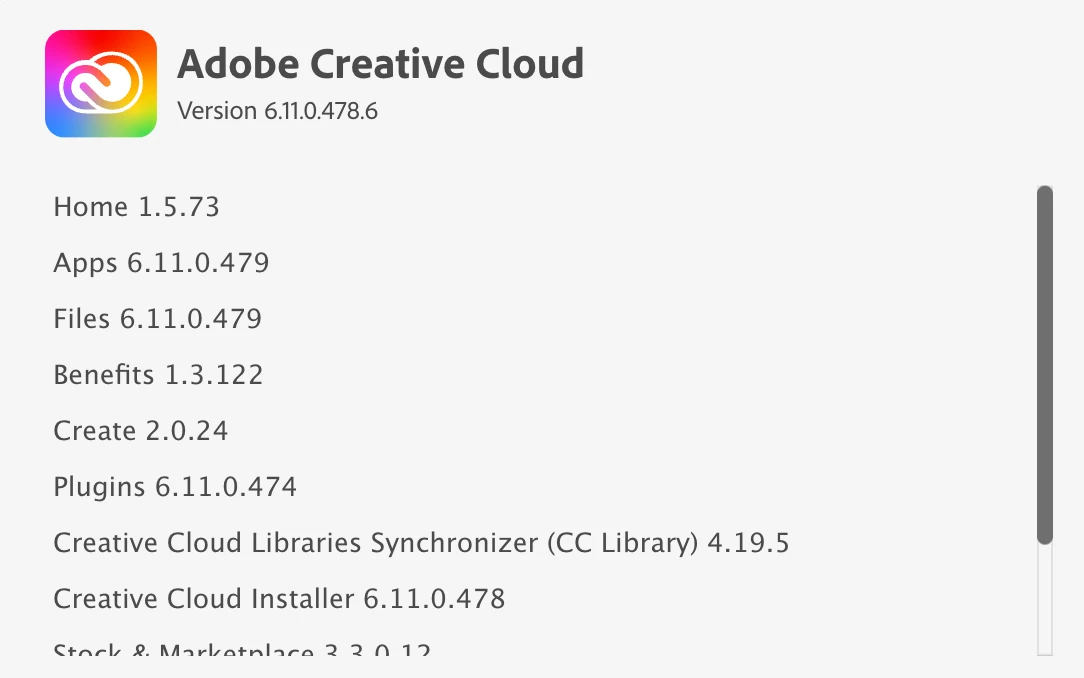
  • Creative Cloud Desktop for Mac v 6.11.0.478.6
  • MacOS 27.2.1 (though behaviour may have occurred on 27.0 as OS update was performed less than 12 hours before noticing the issue).

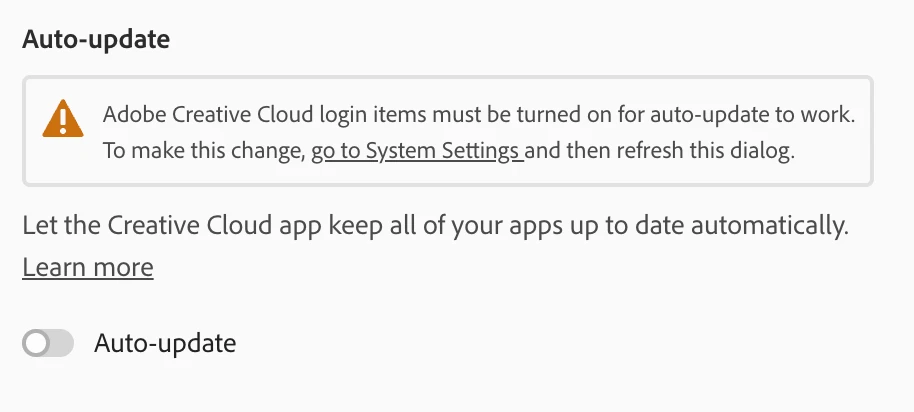
Note the screenshot of Creative Cloud settings below. Despite this setting, new versions of various apps (Photoshop v28, Illustrator v31, etc.) were installed without my knowledge and without providing any notifications or asking if I want to install these apps.

This had better be a bug, otherwise why is Adobe installing 15GB of software on my computer without my knowledge?
 

    5 replies

    leo.r
    Community Expert
    Community Expert
    Nov 17, 2026 3:00 PM UTC

    All I know is this doesn’t happen on my two Macs (as I’m sure is the case with the majority of other users, otherwise we’d hear about this problem daily). So there must be something in your local setup that causes this to happen, OR there’s an obscure bug in Creative Cloud that only manifests itself on your machine for some reason.

    Translate
    Jeff_A_Wright
    Community Manager
    Community Manager
    Nov 16, 2026 8:43 PM UTC

    Thank you for posting, Adam.


    I understand how frustrating it must be to find multiple Creative Cloud applications installed without your knowledge after you've specifically turned off Auto-Update. You should be able to understand what is controlling installations on your computer, so I can help narrow down what may be happening.


    I confirmed that you have an individual Creative Cloud subscription, although the email address associated with your account appears to be managed by an organization. Can you confirm whether your school, employer, or another organization also manages this Mac?


    If the Mac is organization-managed, applications may be deployed or updated through device-management policies independently of the Auto-Update setting in the Creative Cloud desktop app. I want to rule that out before assuming the Auto-Update setting isn't working as expected.


    Please also review the settings described in our Help document and confirm that the settings you're using to manage automatic updates for your Creative Cloud applications match those described in the document:

    https://adobe.ly/4zlQsD1


    Please update this discussion once you've confirmed whether the Mac is managed and whether your Creative Cloud update settings match those described in the document, or if you have any additional questions. ^JW

    Translate
    adam_8775Author
    Participant
    Nov 16, 2026 8:58 PM UTC

    Hi Jeff,

    Thanks for your quick reply. The Mac is not managed by any organization, it’s a personal device. 

    As for the update settings: as my screenshot shows, auto-update is turned off in Creative Cloud.

    Thanks.

    Translate
    Jeff_A_Wright
    Community Manager
    Community Manager
    Nov 16, 2026 10:02 PM UTC

    Thank you for the update, ​@adam_8775.


    Since you've confirmed that the Mac isn't organization-managed and that Auto-Update is turned off, the installations you're describing don't appear consistent with the expected behavior of that setting.


    I'm not able to reproduce the behavior locally with Auto-Update disabled. I'd recommend contacting us directly so we can investigate further and review the installation activity on your Mac:

    https://helpx.adobe.com/contact.html?rghtup=autoOpen


    Please feel free to update this discussion if you have any additional questions.

    Translate