


January 20, 2026

Creative Cloud set up won't let me sign in

  • January 20, 2026
  • 2 replies
  • 36 views

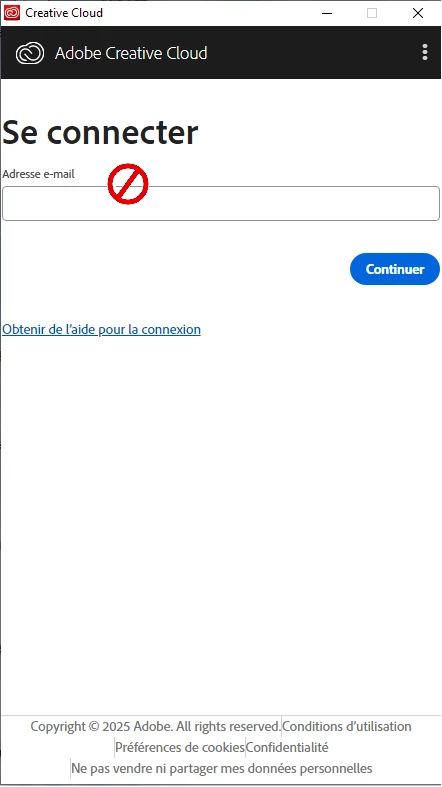
I got the Premiere Pro Free Trial (windows), so they first require me to install the Adobe Creative Cloud installer (set-up). I install that and it prompts a window which transforms my mouse pointer into a 'no' icon (see image). Please help 
(p.s. i faked the icon because it didnt appear in the screenshot)
2 replies

kglad
Community Expert
Community Expert
January 21, 2026

install the cc desktop app using the "alternative download links" at the bottom of the page at https://helpx.adobe.com/download-install/kb/creative-cloud-desktop-app-download.html

Peru Bob
Community Expert
Community Expert
January 21, 2026

Try resetting the CC App.
To reset the Creative Cloud desktop app, make sure it's in the foreground, then press:
Win: Ctrl + Alt + R
Mac: Cmd + Opt + R

If that doesn't work, try uninstalling and reinstalling the CC App:
https://helpx.adobe.com/creative-cloud/help/uninstall-creative-cloud-desktop-app.html
https://helpx.adobe.com/download-install/kb/creative-cloud-desktop-app-download.html