


Participant
August 24, 2022

Files on Creative Cloud not synchronized

  • August 24, 2022
  • 3 replies
  • 345 views

1. Version app: 5.8.0.592

2. Platform and OS version: macOS Big Sur - Version 11.4


Hi! For the last 5 days, I've been having problem with the Creative Cloud where the files in the finder don't sync. If I access from the Web Cloud I see all the files synchronized but from the finder no.
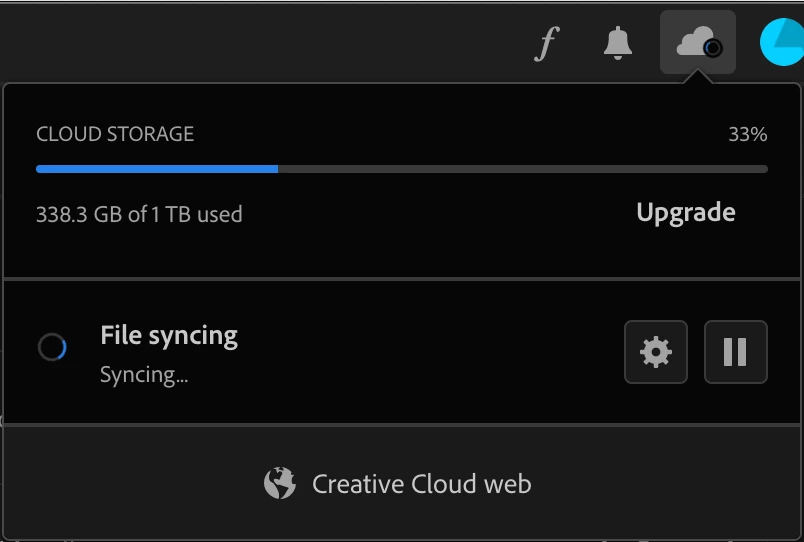
In addition, yesterday the same problem starts with my colleague on her computer so now I can't see also from Web Cloud the files synchronized. The synchronization wheel keeps turning endlessly for both.

We tried to uninstall the app and reinstall it, we follow other suggestions here on Adobe guidelines as to go on Preferences > Extention > Core sync and remove the check but the problem persists. Someone can help me with this? 


3 replies

Neelamk
Legend
August 29, 2022

Hi Marina,


We are sorry for your difficulties as you are facing a sync issue in Creative Cloud due to a Core sync missing error. Could you please let us know the version of the Creative Cloud Application installed on your PC and also the OS version? Also, have you tried to uninstall and reinstall the application? Since when you are facing this issue? Did you change anything in your system i.e. any update that took place post which you encounter this issue? Please refer to some of the articles below which might resolve the issue.


https://helpx.adobe.com/in/creative-cloud/kb/arent-my-files-syncing.html


If the above troubleshooting steps do not help in resolving the issue, we can uninstall and reinstall the  Creative Cloud Application using the below article link.


https://helpx.adobe.com/in/creative-cloud/help/uninstall-creative-cloud-desktop-app.html


https://helpx.adobe.com/in/creative-cloud/kb/cc-cleaner-tool-installation-problems.html


Please let us know how it goes.


Regards,

Neelam

Participant
August 27, 2022

Hi all,

I have the same issue. There's an error message "Unable to sync. Install sync component and try again. Error code 198".

Where can I find the info on how to install the sync component? Also, there is no Core sync in my Activity Monitor.

Tarun Saini
Community Manager
Community Manager
August 25, 2022

Hi there,


We're sorry to hear about your difficulties. Thanks for trying the troubleshooting steps. Since when have you been seeing this issue? Could you please try the steps mentioned below and let us know if that helps?


  • Open Activity Monitor.
  • Search for "Core sync".
  • Once you find it, select it and then choose Stop.
  • Wait for around 5 seconds. Then, try syncing your files again.
  • If the issue persists, restart your device. Then try syncing your files again.


If the steps mentioned above don't work, you may also check this community link.: https://community.adobe.com/t5/creative-cloud-services-discussions/creative-cloud-not-syncing-to-creative-cloud-files-folder/m-p/5976604


Let us know how it goes.


Regards,

Tarun