


Known Participant
February 13, 2024

Folder "Creative Cloud Files Personal Account" in Explorer can not be deleted/de-Installed

  • February 13, 2024
  • 1 reply
  • 381 views

Hello, 

i am not able to delete the marked Folder/link. I tried it with changes in the registre as adobe recommende on this page : https://helpx.adobe.com/at/creative-cloud/kb/remove-cc-files-folder-shortcut-navigation-panel.html.

This folder doesn't appear. I always get this error message.
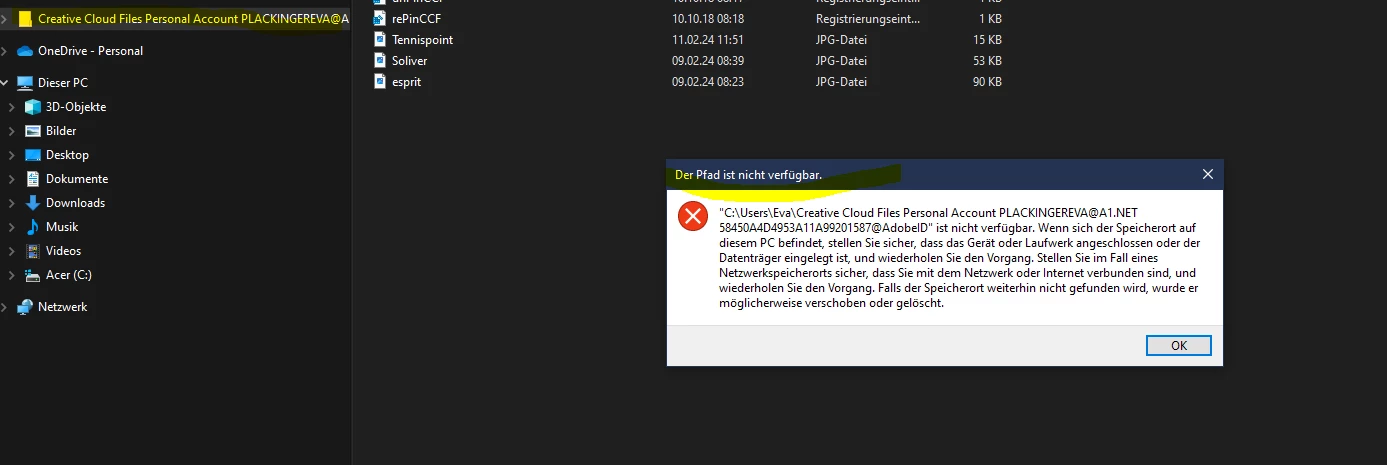
 

Any advice for me? All Adobe software (also Windows) are updated.

Thanks

Eva


1 reply

kglad
Community Expert
Community Expert
February 13, 2024

mac:

copy any important file to another folder and then delete Creative Cloud Files + <account type> + <profile_name> + <email> + <GUID> (for example: Creative Cloud Files Personal Account email@abc.com ####@AdobeID).


default location, Mac HD/Users/<Username>/Creative Cloud Files


windows:

Open the registry editor (regedit.exe) & naviagate to: HKEY_CURRENT_USER\Software\Microsoft\Windows\CurrentVersion\Explorer\Desktop\NameSpace You'll probably have two sub-keys. OneDrive's sub-key will be nameed '{018D5C66-4533-4307-9B53-224DE2ED1FE6}' Delete the other one, that will be Creative Cloud.