


Graphical pixelation issue
Hello community,
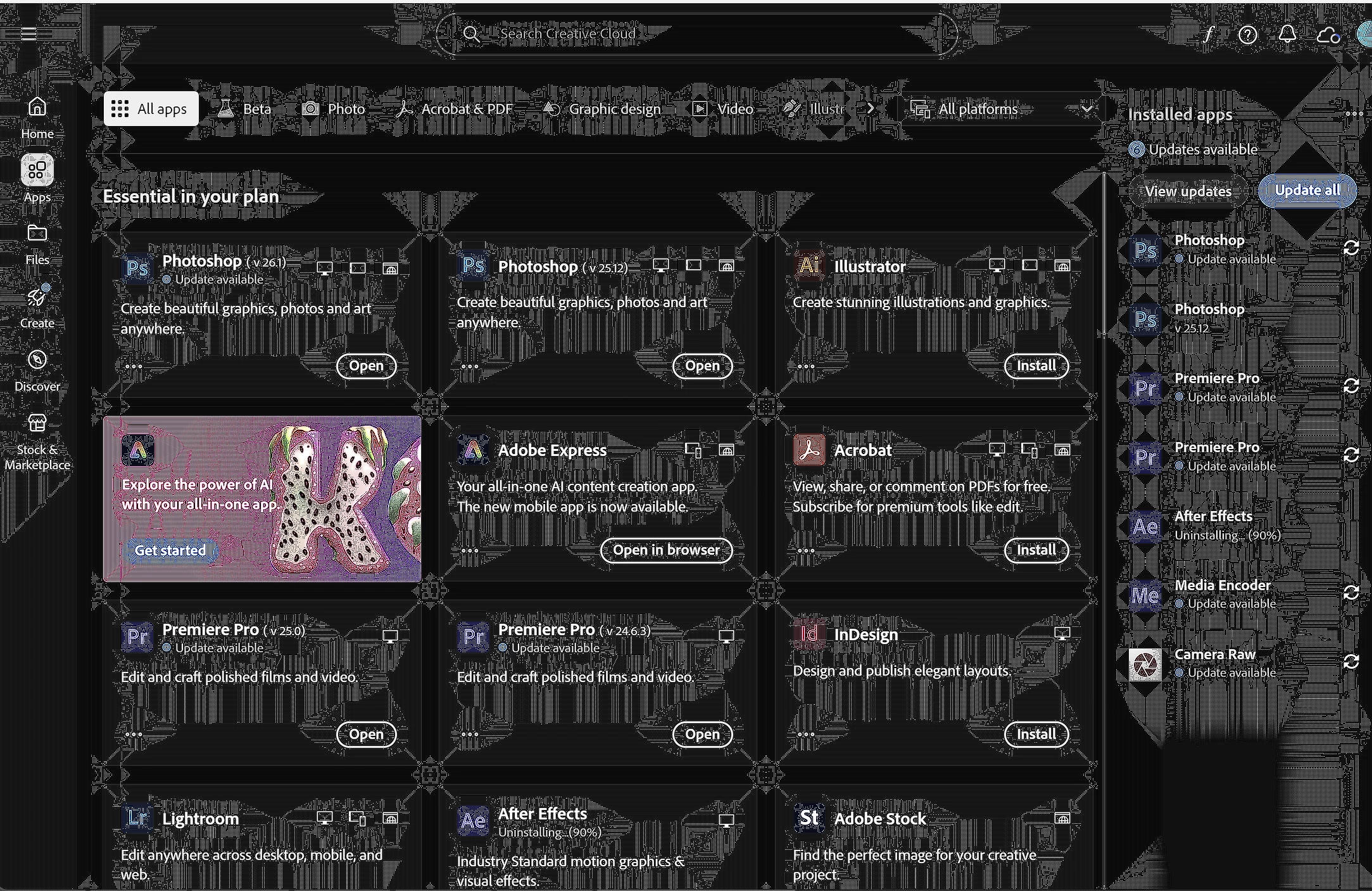
Any time I open the app, this weird "pixel spreading" happens to the app. This doesn't happen on my desktop, this is only on my ASUS Zenbook Duo. What's stranger is that when CCD is not in focus, all this disappears. Only when the window is active will it happen. Clicking on tabs or moving the window also resets it.
Please see photo below all this text to see what I mean.
As per requirements for bug reports:
App version: 6.4.0.361
Platform: Windows 11 24H2
Reproduce: No idea- happens when I'm interacting with the app.
Expected result: See the menu without graphical issue.
Actual result: Graphical issue covers up the screen.
Any advisement would be great! Do note I have tried using the "Repair" option in the uninstaller to reinstall the app.
 AdChoices