

Participant
June 5, 2024

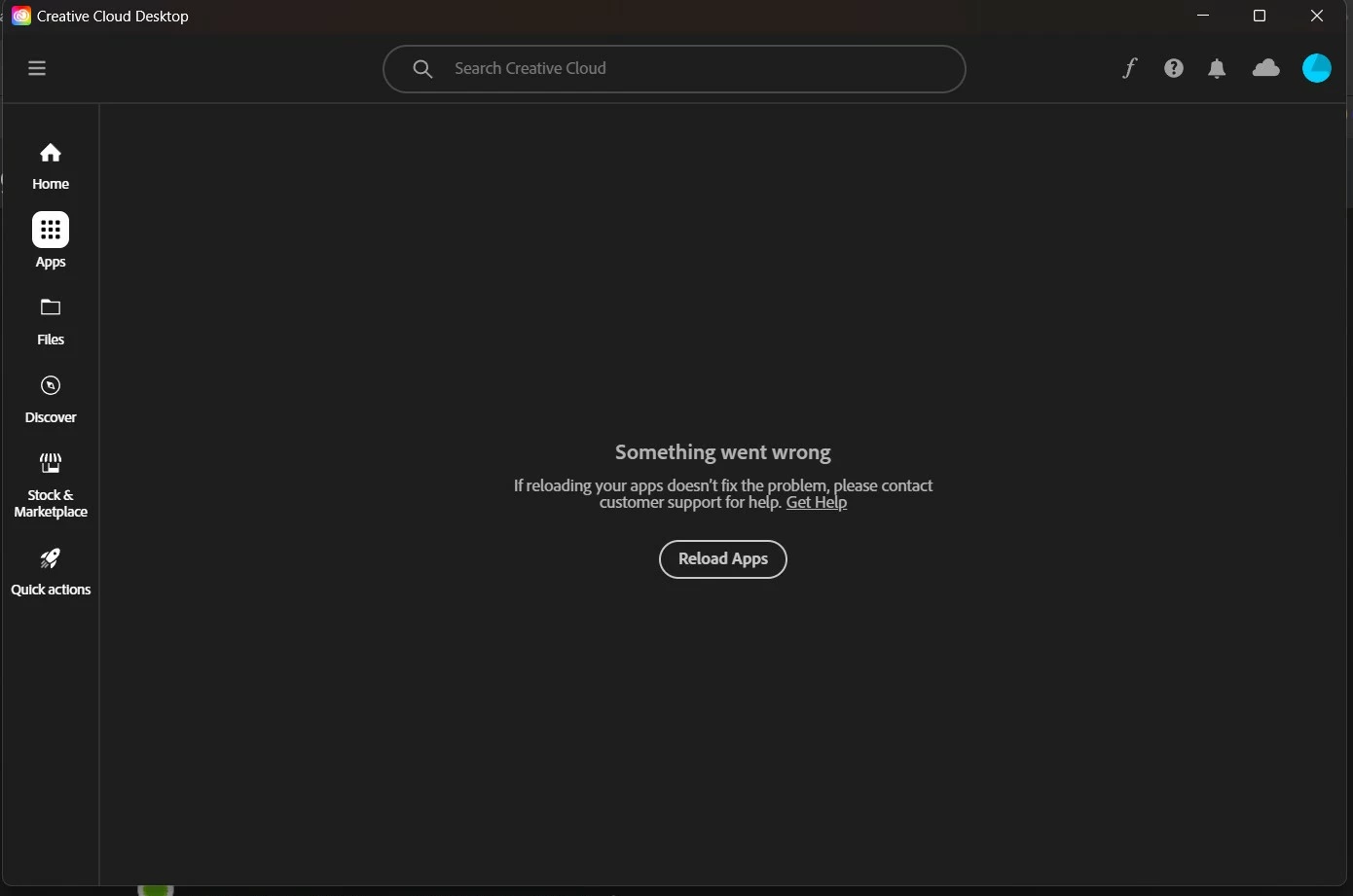
Hi, guys! Please, If someone can help me. I have trouble with my creative cloud, section "apps"

  • June 5, 2024
  • 4 replies
  • 305 views

I have trouble with my creative cloud. When I open section "apps" or "updates" it doesn`t work (look at the picture)


Plsss, someone help(

4 replies

Ruchika Wadhawan
Adobe Employee
Adobe Employee
June 10, 2024

Hi @Инга378672336vfl ,

Could you please go to the Help menu item of Creative Cloud, and then select 'Create Log file'. Run the log collector tool and share the file name with us. This would help us to investigate the issue.


Regards,

Ruchika Wadhawan

kglad
Community Expert
Community Expert
June 6, 2024

use a different browser to download it.

Participant
June 6, 2024

I downloaded the Creative Cloud desktop app uninstaller but it doesn`t open

kglad
Community Expert
Community Expert
June 5, 2024

reset the cc desktop app by making sure it's in the foreground, then press:

Win: Ctrl + Alt + R
Mac: Cmd + Opt + R


if that fails, repair per https://helpx.adobe.com/download-install/kb/creative-cloud-install-stuck.html


if that fails and you have windows, open your control panel > add/remove programs > cc desktop app > repair

if that fails, uninstall using the correct uninstaller from https://helpx.adobe.com/creative-cloud/help/uninstall-creative-cloud-desktop-app.html#sa_src=web-messaging and then reinstall using*


if that fails, do a clean cc install carefully following each applicable step:

uninstall every cc app including preferences per https://helpx.adobe.com/creative-cloud/help/uninstall-remove-app.html

then uninstall the cc desktop app, again using the correct uninstaller per https://helpx.adobe.com/creative-cloud/help/uninstall-creative-cloud-desktop-app.html#sa_src=web-messaging

clean your computer of cc files per http://www.adobe.com/support/contact/cscleanertool.html

check for, and if available, update your os

if windows is your os, repair all ms visual c++ versions that can be repaired (use google if you don't know how to do this)

if windows is your os update your ms visual c++, if it can be updated (use google if you don't know how to do this)

restart your computer (don't skip this)

reinstall the cc desktop app using the "alternative download links" at the bottom of the page at https://helpx.adobe.com/download-install/kb/creative-cloud-desktop-app-download.html

use the desktop app to install your cc programs/trials>

if that fails, you probably have a corrupt user account. google your os and how to create a new one.