


cpattersonv2
Participating Frequently
August 29, 2025

Invalid Update Count

  • August 29, 2025
  • 6 replies
  • 151 views

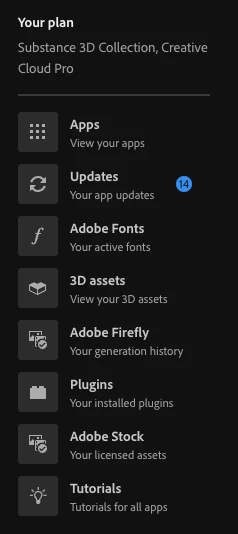
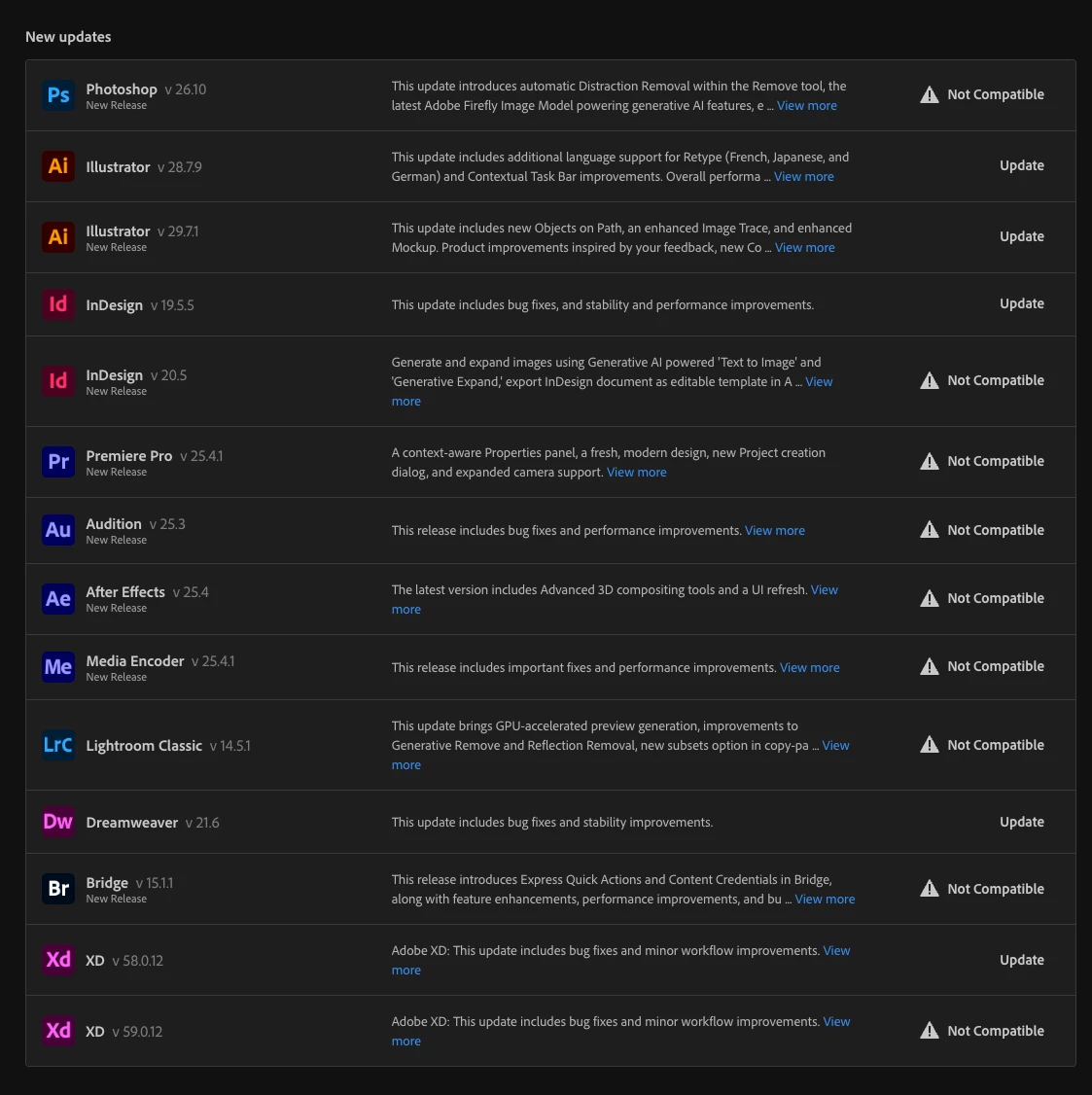
The initial interface says there are 14 updates available. Most of the updates are incompatible with my system so this number is always inaccurate.


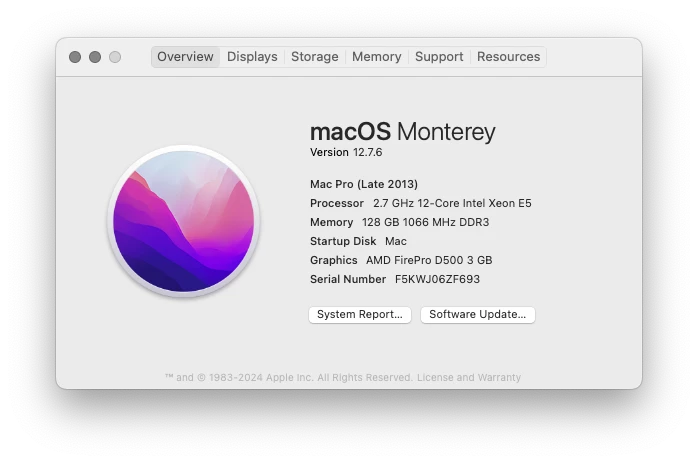
MacOS Monterey - Mac Pro 6,1
6 replies

cpattersonv2
Participating Frequently
August 29, 2025

Yes it is the most up-to-date. Also I cannot make the same sort of assertion about "most users" since I'm not sure what the numbers are for existing systems in use. I know that the PC systems don't show the same issues. It's only the users with the older Intel Mac hardware that couldn't take advantage of the new AVX2 support.

That processor line was not backported to the same chip socket on the older Mac Pro systems. While I can do a "Hackintosh" upgrade to my Mac to make it think that I have that capability, it makes regular OS updates more problematic so I am not willing to go that route or fork out $7k for a comparable new Mac.

kglad
Community Expert
Community Expert
August 29, 2025

is your desktop app the latest compatible with your os?


and most users don't see incompatible apps/updates.

cpattersonv2
Participating Frequently
August 29, 2025

Nah, when Apple dropped support for the system then Adobe was quick to stop supporting the hardware. It's a bug because it's telling us there are updates when there aren't compatible updates.

cpattersonv2
Participating Frequently
August 29, 2025

Sorry. I forgot to put that the solution to this bug is to only show a valid update count for compatible updates.

cpattersonv2
Participating Frequently
August 29, 2025

The interface shows incompatible updates. These are incompatible and will always be incompatible. They should not be shown to the user on a system where they cannot be installed. This is a poor UX/UI miscommunication that causes misleading prompts and confusion for the average user.


Solution:

Only show compatible updates with a message about incompatible hardware preventing updates to new software elsewhere in the interface.


kglad
Community Expert
Community Expert
August 29, 2025

if your desktop app is updated, you can try a reset to see if that helps recognize your os.
