



satzomatic26
Participant
February 2, 2026

The Creative Cloud desktop icon replaces icons for external drives in Mac OS Finder

  • February 2, 2026
  • 3 replies
  • 0 views

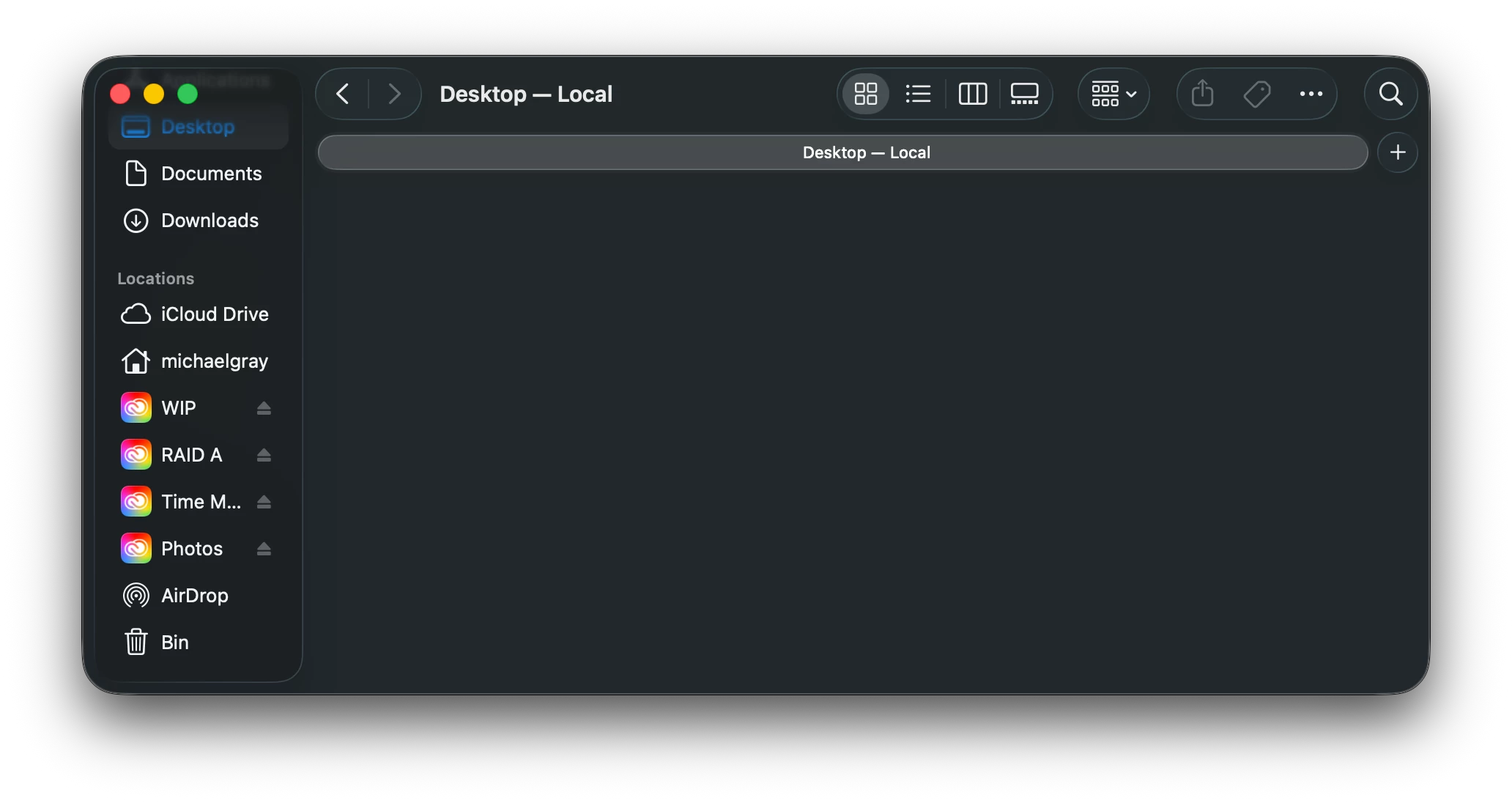
In the Mac OS Finder (Tahoe 26.2), the system icons for external drives are replaced by the Creative Cloud app icon. If I go to System Preferences > Login Items & Extensions and turn off the Core Sync and Creative Cloud extensions, the correct icons for external drives are shown again in Finder.

Please see screenshot of Finder window showing incorrect icon for my external drives.
 

    3 replies

    Participant
    February 2, 2026

    Same problem here.

    icons
    Specs


    Inspiring
    February 2, 2026

    I’ve got the same problem


    Jako5
    Participant
    February 2, 2026

    thanks I am having the same problem.  Could you please also make a screenshot of where to find those System Preferences etc. My system runs not in the English language.  thanks in advance. 

    satzomatic26
    Participant
    February 2, 2026

    They’re under System Preferences > General > Login Items & Extensions, then under subheading “Extensions”, click the little “i” in the circle to toggle on or off.