

P: Apply During Import missing from Import window
Using "add" to add items to the catalog. If I click the import button the right side of the import window is correct and looks like this: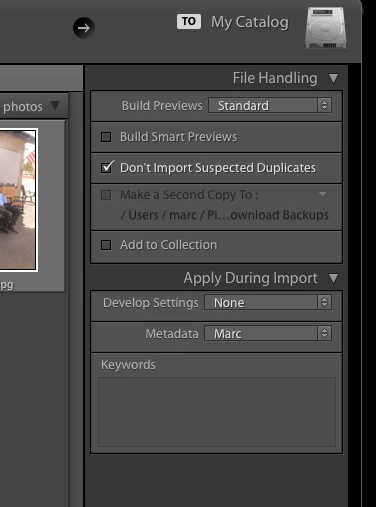
Note the "Apply During Import" section. However, if instead of clicking import I drag a folder to the Lightroom icon the "Apply During Import" section is missing. It also look like the last used develop and metadata settings are applied to the images.
This is a regression. Now the import window looks like this.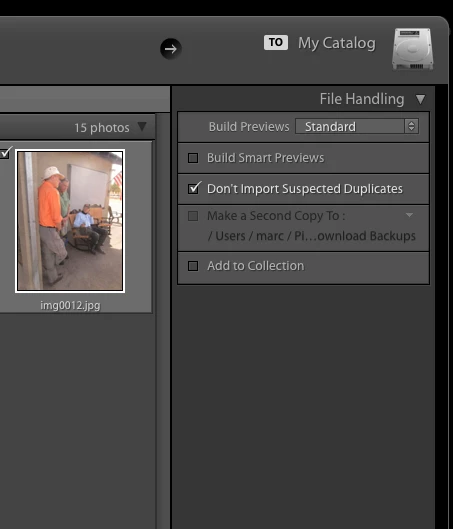


 AdChoices