Inspiring
July 4, 2017

P: Camera Raw, Lightroom Classic: Internal math error on export
  • July 4, 2017
  • 62 replies
  • 7370 views

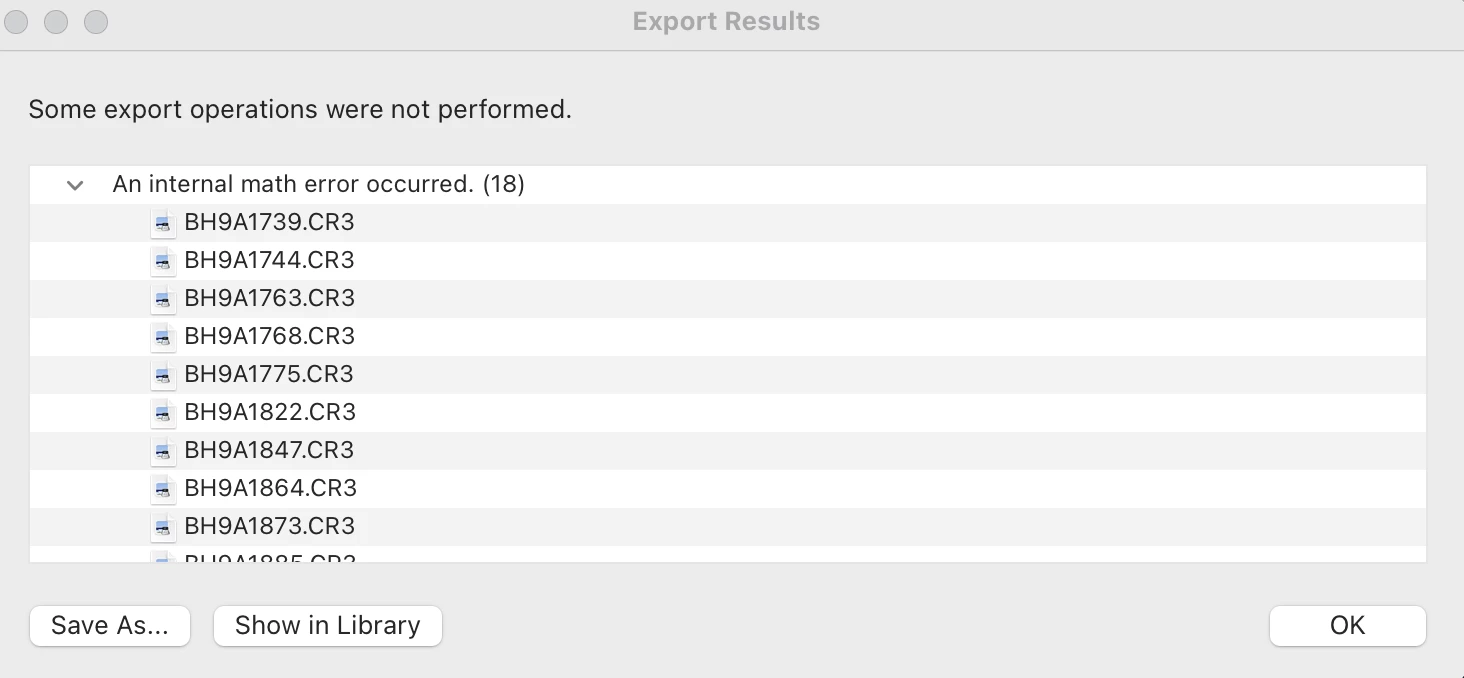
After exporting this error report populates and states that an internal math error has occurred for 18 of the images. I'm not sure how to fix this. Can someone help me out? 

This topic has been closed for replies.

62 replies

Inspiring
May 26, 2021

Images are corrupted exporting reporting Math Error, after editing over 600 photos of a wedding......

Exporting to DNG is an option, then create a new Catalog and exporting to JPG is not reporting errors but is killing my workflow...

Copy/paste is still failing

Awaiting for the proper solution

Versions:

BIG SUR 11,3,1

LRC 10,2

Participant
May 26, 2021

Any solution to this f....g Adobe disaster!


MATH INTERNAL ERROR exporting and black circle 


400 fotos edited and time and money lost!!!!


UNACCEPTABLE software failure.


Awaiting any suggestion (iMAC i7) (Version LRC 10,2)


thx

TheDigitalDog
Inspiring
May 26, 2021

First, try disabling GPU in the preferences (Preformance). Any better? Exactly what version of your OS would also be helpful. Assuming you really want help from other users.  

2nd, this is a User to User forum so your 'rants' towards Adobe are pointless. 

To provide feedback and suggestions about what you desire from Adobe, you should go to this URL and comment after selecting the appropriate product line:
https://feedback.photoshop.com/categories/products/5f5f2090785c1f1e6cc40864

Author “Color Management for Photographers" & "Photoshop CC Color Management/pluralsight"
scottyk62695487
Participating Frequently
May 25, 2021

Having the exact same issue.

Inspiring
May 11, 2021

I had the same issue. When I used the transform tool on images with copy and pasted settings it would go blank and then I’d get the exclamation point saying “Lightroom is having trouble reading this photo.” I tried deleting and re importing the photos several times- same thing. I also got the export error “internal math error” when I’d export about half of my images. I finally unchecked the “process calibration” when I copied the settings and that seemed to fix it. I didn’t get the error again when I pasted the new copied settings. Hopefully this bug gets fixed soon. 

johnrellis
Legend
May 5, 2021

Adobe has acknowledged this bug:

https://feedback.photoshop.com/conversations/lightroom-classic/lightroom-classic-internal-math-error-on-export/6065d311414f1176ed90cbef 


It is marked as "in progress", which means the team is actively working on it. Please add your details to the bug report, and be sure to click Like and Follow at the bottom of the first post. That will make it a little more likely that Adobe will prioritize a fix, and you'll be notified when the bug's status changes. Product developers rarely participate in this forum and won't see your feedback.


In particular, if your example DNG reliably causes the bug, please upload it Dropbox or similar and post the sharing link in that bug report.  To date, no one has posted a reliable recipe for triggering the bug, which can make it harder for Adobe to troubleshoot.

Participant
May 4, 2021

Hello,


I am trying to export a dng file Lightroom created when I formed a panorama photo. When exporting I keep getting an error message "An internal math erro occured". I exported a raw file out to JPEG with the same settings and it did just fine. I reset my preferences. I have preview files. I also downgraded my Lightroom software and restructured the panorama photo. This error message still occurs. 


johnrellis
Legend
October 20, 2021
johnrellis
Legend
April 30, 2021

Ash, if you have a photo that reliably reproduces this problem, please do Metadata > Save Metadata To File (with the non-zero Transform settings), upload the .arw and its .xmp sidecar to Dropbox or similar, and post the sharing link here.  So far, no one has provided a reliable means to reproduce the issue, which will make it much harder for Adobe to address.

Also, please do Help > System Info and copy the first ten lines to here.  The Creative Cloud app not infrequently fails to keep your apps up-to-date, so it's important to know the exact versions of LR and Mac OS you're running.

Inspiring
April 30, 2021

*jorgevelafoto UPDATE: I exported 2 more projects and had no errors. I dont know why it happened before.

Inspiring
April 25, 2021

I'm running a fair bit less power than yours - MacBook Pro (2019) - 8gb ram (Intel Iris Plus Graphics 645 1536MB). Lightroom is up to date. Using Sony (A7iii) ARW files which Lightroom converts on import. I exported a +600 image wedding yesterday without issue that included vertical transform adjustments. Just this morning when 3 of the 147 had vertical transform adjustment included that it didn't like them. Potentially another combination of settings that also triggering it, but as I said if I reset the transform slider back to 0 I can get around it and adjust in Photoshop instead. It's not ideal and I'm glad it's only on 3 images otherwise it'd be huge pain.

Known Participant
April 25, 2021

I'm a heavy user of Guided Transform on Windows without this problem. I'm on Windows 10 Pro with all updates and can't recreate the problem. My machine has 64GB of RAM, not sure if it matters. I'm exporting RAW images, mostly Fuji-X and Olympus,  to full JPEGs, at 4K or FHD. The video card is a Quadro P2200 with 5GB of RAM.