Participant
April 3, 2018

P: Develop presets not sorting correctly

  • April 3, 2018
  • 123 replies
  • 2273 views

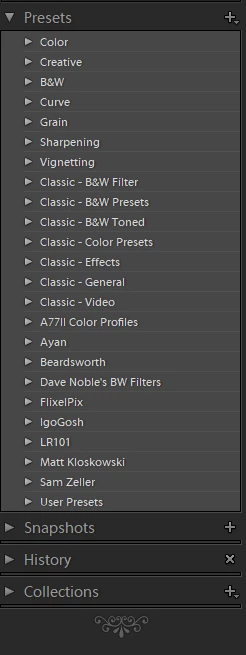
They used to be sorted alphabetically. In version 7.3 the order is random

This topic has been closed for replies.

123 replies

nathanj67028423
Participating Frequently
April 5, 2018
Hi Johan, see my response below. Not a problem with High Sierra... problem is with .lrtemplate to .xmp conversion.
nathanj67028423
Participating Frequently
April 5, 2018
I'll edit the ones I make and send out updates to everyone who has bought my presets... but yeah, not gonna update every preset in my library... hopefully Adobe will solve?
Participating Frequently
April 5, 2018
Great work, but are you really gonna correct all your presets by editing the metadata?  It would take me days I think...
Participating Frequently
April 5, 2018
I have the problem on both MAC OS X Sierra and El Capitan
nathanj67028423
Participating Frequently
April 4, 2018
OK - I think I've solved this little mystery... it doesn't have anything to do with High Sierra (it's happening to me on El Capitan) BUT with the XMP presets conversion (and differences in convention between the .lrtemplate files and the .xmp files). 

Inside an .lrtemplate file, there are two name properties... "internalName" and "title"... when you initially create a preset file, they are both the same. But it is possible for the "title" to become different than the "internalName" (especially for preset developers who are editing .lrtemplate files directly). 

Example of .lrtemplate file:


So here, I must have changed the title directly in a text editor.

In any case, this didn't matter, because ALL PREVIOUS VERSIONS OF LIGHTROOM only looked at the "title" property to determine how to sort presets.

Enter LR Classic 7.3 and the .xmp conversion...

XMP also has a number of properties related to the name of the preset. The "Name" property is the displayed name...

BUT... XMP has a "SortName" property. And this property determines how Lightroom actually sorts the presets.

When LR 7.3 converted .lrtemplate files to .xmp files, it took the "internalName" and placed it in the "SortName" property... 

Example...


AND unlike all previous lightroom versions, the .xmp presets actually do get sorted by the sortName property... 

So now, inside Lightroom Classic, you see presets that are mostly sorted, but with seemingly random deviations from that sorting...


All that to say, I wish that Adobe hadn't assumed that we wanted the internalName to now be used a sorting device (which it never had been before). But I don't think it is cool that now we have the ability to do custom orders without changing the display name!

Now... I've got a lot of presets to update...
Inspiring
April 4, 2018
Same for me using Windows 10 - would have hoped this release was tested first!
Participating Frequently
April 4, 2018
Renaming presets doesn't move them in the sorting order for me. They simply remain sorted in the same (unorganized) place. Windows 10.
Participating Frequently
April 4, 2018
Same issue, Windows 10.
JohanElzenga
Community Expert
Community Expert
April 4, 2018
But are they still sorted after a restart? This is an older bug that returned, and with the old bug you could force a correct sort order by adding a new presets. But after a restart the sort order was once again broken. I'm typing this on my iPad, so I can't check it myself.
-- Johan W. Elzenga
Cameron Braun
Known Participant
April 4, 2018
Renaming every preset in a given group and then returning them to their original name will fix the sorting, although this is not ideal for those of us with hundreds of presets.