Participant
April 3, 2018

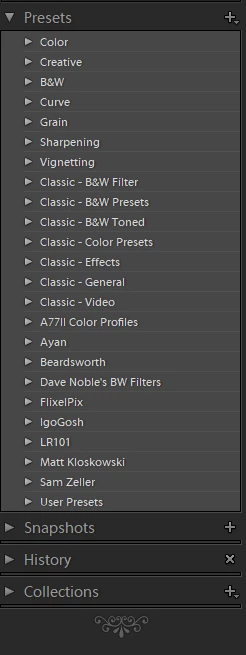
P: Develop presets not sorting correctly

  • April 3, 2018
  • 123 replies
  • 2273 views

They used to be sorted alphabetically. In version 7.3 the order is random

This topic has been closed for replies.

123 replies

johnrellis
Legend
May 14, 2018
Good suggestion, I'll add Spot Removal to the plugin.
JohanElzenga
Community Expert
Community Expert
May 13, 2018
Nice that you added the adjustment brush to the preset options. You could probably do the same with the spot healing brush too.
-- Johan W. Elzenga
johnrellis
Legend
May 13, 2018
You need to re-run the Fix Ordering command every time you rename a preset. (LR's rename operation "forgets" to set the internal SortName field of the preset.)  I'll make this clearer in user interface and the documentation.
Inspiring
May 13, 2018
Thank you John.It works, but I can't rename any preset because doing this all the presets in that specific folder go back to the original wrong alphabetic order.Did you noticed this before?
Todd Shaner
Legend
May 13, 2018
Thank you John. The updated 'Fix Preset' v1.3 plugin works like charm! I haven't used the other features yet, but they will come in handy. Your due diligence is most appreciated!
johnrellis
Legend
May 13, 2018
The Fix Presets plugin was tripping over another intermittent LR 7.3 SDK bug with presets: 
https://feedback.photoshop.com/photoshop_family/topics/lightroom-sdk-preset-getfile-incorrectly-retu... 

I released a new version that works around it.
Todd Shaner
Legend
May 12, 2018
Thanks just sent you an email.
johnrellis
Legend
May 12, 2018
Re canceling, the modal progress bar has a Cancel button, but perhaps LR isn't giving you a chance to click it when the error dialog keeps popping up in your face.

Please contact me by email at the support address on the plugin's web page. Based on that error message, something obviously unexpected is happening with your preset folder.
Todd Shaner
Legend
May 12, 2018
I just tried the 'Fix Ordering' function and I'm getting the below error message on every preset. There also doesn't appear to be a way to cancel the operation and I've got a lot of presets. Any ideas?

johnrellis
Legend
May 12, 2018
The Restore Original command will restore your original preset .xmp files if you don't like the results.