Inspiring
June 9, 2016

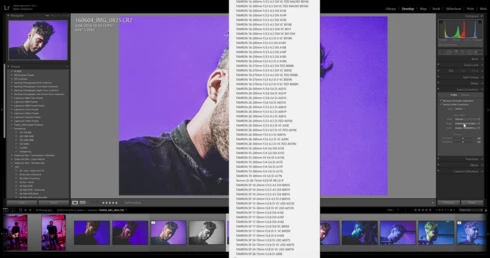
P: Drop down menu position issue with high resolution screen

  • June 9, 2016
  • 23 replies
  • 638 views

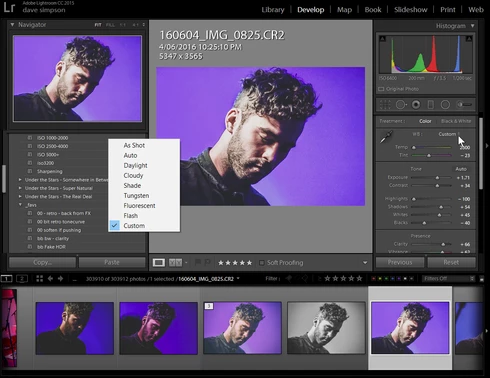
drop down menus on develop panel pop up in centre of screen not under the dropdown after upgrading to LR2015.6 cc release.  Problem can be avoided by lowering the display resolution from 2560 x 1440 to 1920 x 1080


Lightroom version: CC 2015.6 [ 1078672 ]License: Creative Cloud
Operating system: Windows 10
Version: 10.0
Application architecture: x64
System architecture: x64
Logical processor count: 8
Processor speed: 3.4 GHz
Built-in memory: 16320.4 MB
Real memory available to Lightroom: 16320.4 MB
Real memory used by Lightroom: 1592.7 MB (9.7%)
Virtual memory used by Lightroom: 1813.5 MB
Memory cache size: 26.7 MB
Maximum thread count used by Camera Raw: 8
Camera Raw SIMD optimization: SSE2,AVX,AVX2
System DPI setting: 120 DPI
Desktop composition enabled: Yes
Displays: 1) 2560x1440, 2) 1680x1050
Input types: Multitouch: No, Integrated touch: No, Integrated pen: Yes, External touch: No, External pen: Yes, Keyboard: No

Graphics Processor Info: 
GeForce GTX 960/PCIe/SSE2

This topic has been closed for replies.

23 replies

Participant
June 9, 2016
Lightroom version: CC 2015.6 [ 1078672 ]
License: Creative Cloud
Operating system: Windows 7
Version: 6.1
Application architecture: x64
System architecture: x64
Logical processor count: 8
Processor speed: 3,0 GHz
Built-in memory: 32701,5 MB
Real memory available to Lightroom: 32701,5 MB
Real memory used by Lightroom: 965,6 MB (2,9%)
Virtual memory used by Lightroom: 968,7 MB
Memory cache size: 4,0 MB
Maximum thread count used by Camera Raw: 8
Camera Raw SIMD optimization: SSE2,AVX
System DPI setting: 120 DPI
Desktop composition enabled: Yes
Displays: 1) 1920x1080
Input types: Multitouch: No, Integrated touch: No, Integrated pen: No, External touch: No, External pen: No, Keyboard: No
Inspiring
June 9, 2016
thanks victoria - yes, it's only the higher resolution screen when set to it's maximum resolution which has the problem.  the other is fine, but its native resolution is lower.
Victoria Bampton LR Queen
Community Expert
Community Expert
June 9, 2016
(Also worth noting that Dave said on Facebook that it works fine on one screen but not the other, in his dual monitor setup.)
Victoria - The Lightroom Queen