
P: Keywords transferring from laptop to desktop - existing keywords do not transfer
I use a laptop when travelling. I have exported the keyword list from my desktop to the laptop.
I added a new photo onto the laptop with the keywords"barkblur' and 'persontest". They show on the laptop keyword list. 'barkblur' is an exisiting keyword and shows in the folder structure. Whilst 'persontest' a new keyword shows outside the folder structure.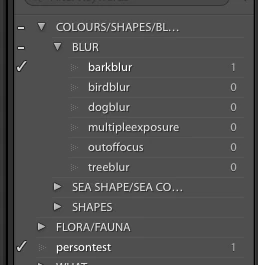
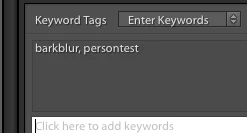
I then selected the folder and chose export as catalog and ticked export negative file and include available previews. and saved it to an external hard drive as TEST. Then copied the TEST exported catalog folder to my desktop computer.
On the desktop the only one of the keywords show on the photo - 'persontest' only and not 'barkblur'. Person test is a new keyword and bark blur is an exisiting keyword.
Image is not available
IN the keyword list the 'barkblur' numbers have not increased and the 'persontest" which is the new keyword does show.
Image is not available
I hope someone can help with this. Thank you


 AdChoices