

P: Library Preview Zoom Interpolation Changed
Lightroom Classic 9.3 Library Preview Zoom interpolation type has been changed to nearest neighbor. Nearest neighbor interpolation uses a simpler and faster algorithm that can create "jaggies" and other artifacts in the image. Presumably this was done to reduce preview building time, but don't know. I checked LR Classic 8.4 and Camera Raw 12.3 (most current) and they
both appear to use bicubic or bilinear interpolation, which does not exhibit the artifacts seen with nearest neighbor interpolation.
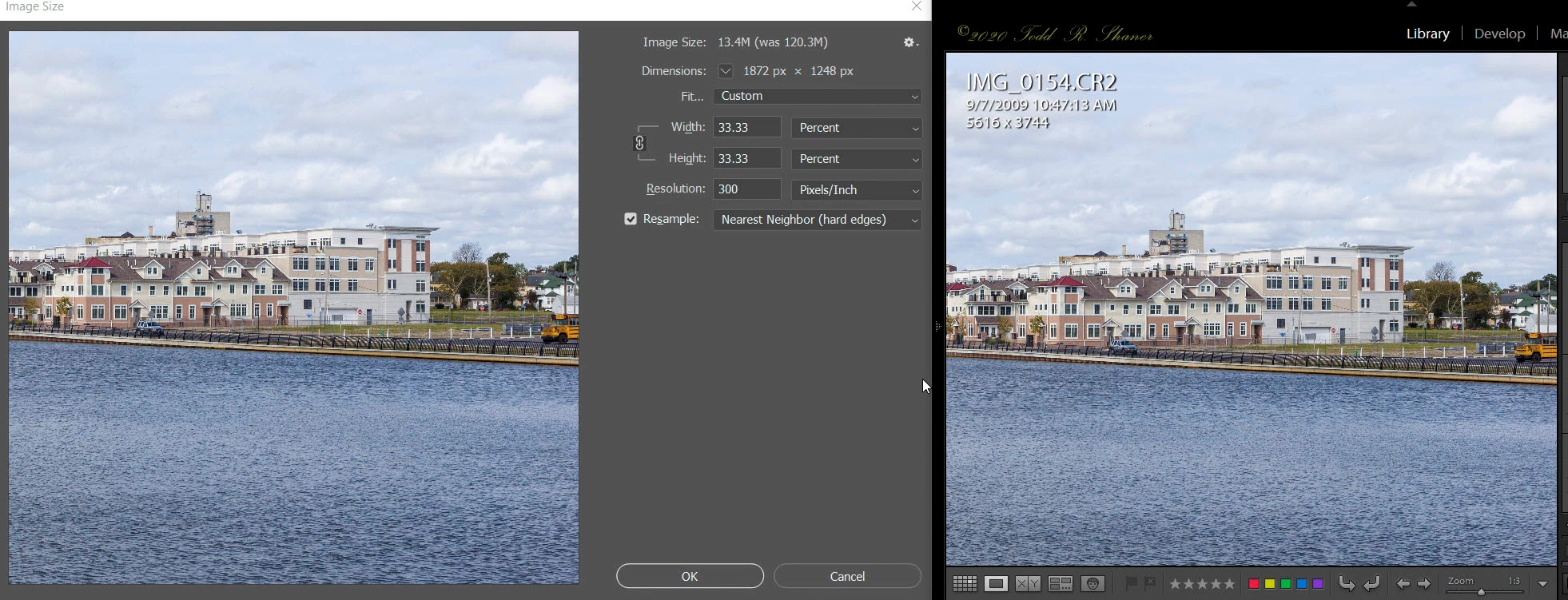
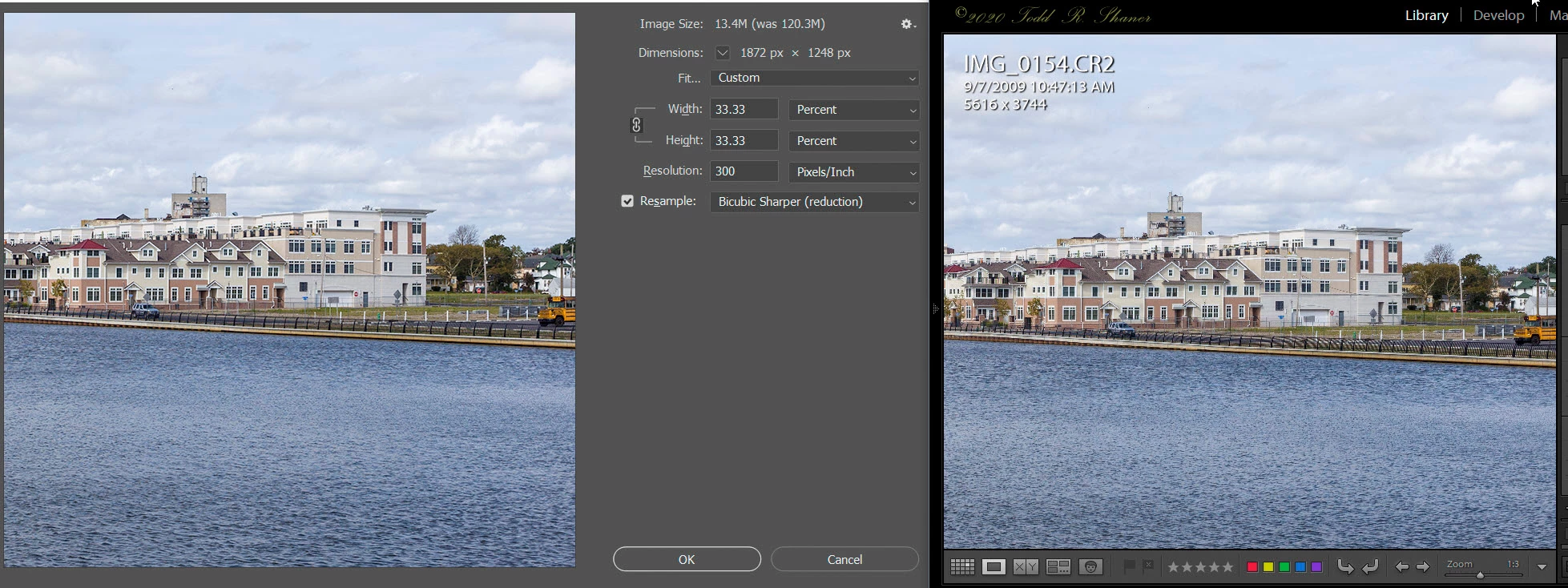
What this means is that the ALL of the Library Zoom view settings less than 1:1 may exhibit artifacts with certain image files that appear as edge "jaggies' or moire' patterns. This makes them less useful for evaluating the image detail at Zoom settings of resized export and print output. Here are examples using Lightroom Classic 9.3 showing PS Image Size panel with 33.33% (1:3 Zoom) image resizing using Nearest Neighbor (top screenshot) and Bicubic Sharper (bottom screenshot) Resample algorithms.
Observe the moire' pattern artifacts in the black fence at the center of the below picture when using nearest neighbor resizing. The bicubic sharper resizing in the 2nd screenshot does not exhibit these artifacts. I also checked PS Image Size Bilinear Resample and it does not exhibit the artifacts. LR Classic 9.3 Develop module doesn't exhibit these artifacts indicating it may have been changed to bilinear Zoom resizing.
Summary
Adobe should at the very least use bilinear Zoom resizing in the Library module or return to the original bicubic resample interpolation, which provides the most accurate rendering.
(right-click on images to see full-size)


 AdChoices