
Participating Frequently
June 20, 2026

P: Lightroom Denoise suddenly stopped working

  • June 20, 2026
  • 122 replies
  • 1818 views

Hi everyone,

I'm having an issue with the latest version of Lightroom CC on a MacBook M5 Pro running macOS Tahoe 26.5.1. (I was experiencing the same problem on 26.5 and decided to update hoping it would fix it, but unfortunately it didn't.)

Since this morning, it's been impossible to to use Noise Reduction, even though my internet connection is working perfectly. I've already updated both Lightroom CC and macOS, cleared the cache, and optimized the catalog, but I keep getting this error screen whenever I try to use Noise Reduction.

Has anyone experienced the same issue or knows how to fix it? Any help would be greatly appreciated. Thanks! 🙏
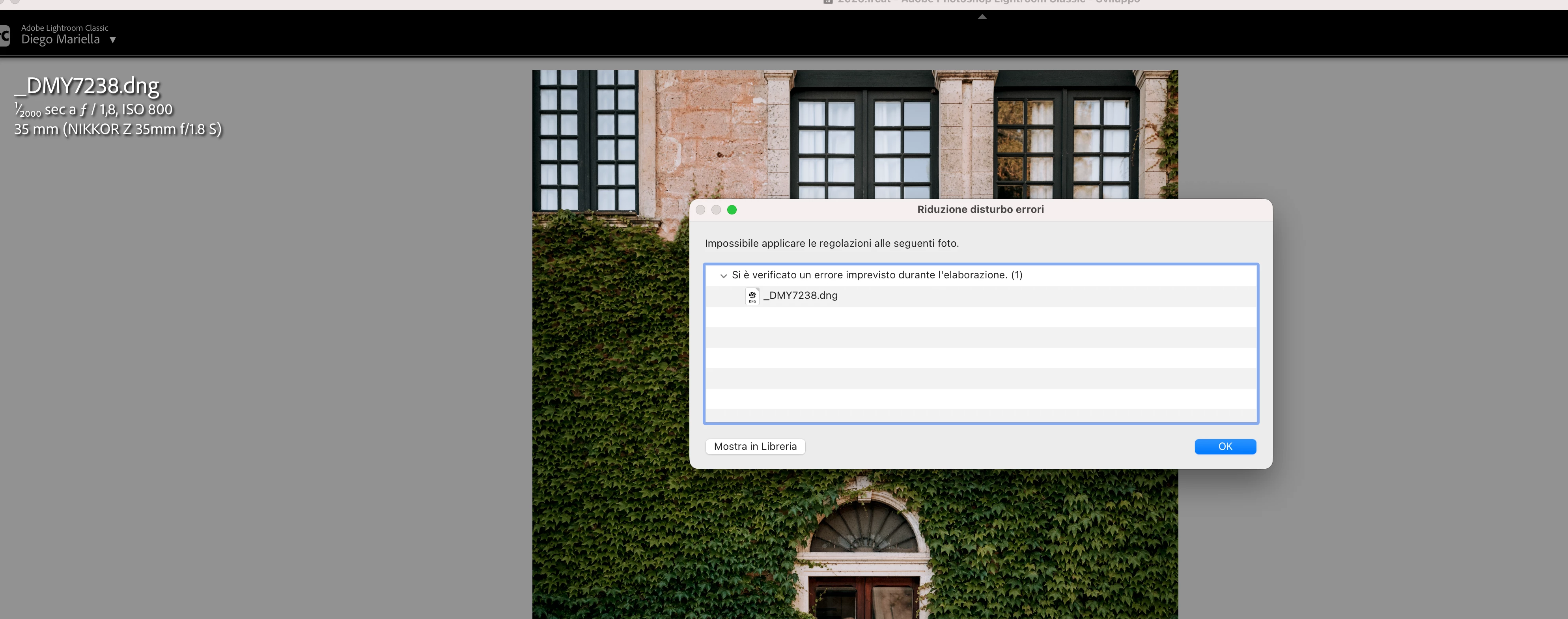
 

    Pinned Reply By Sameer K

    Hi All! Lightroom Classic v15.4.1 is now available for downlaod via the Creative Cloud desktop app with the following critical bug fiixes for the issue reported in this thread and the other: 


    Thanks!
    Sameer K

    122 replies

    Rikk Flohr_Photography
    Community Manager
    June 18, 2026

    Greetings,

    I saw your post on Victoria’s blog. Thank you for reaching out to us here. 


    Is it possible to share one file from both of your cameras that exhibit the issue.  Please upload to a sharing service and DM me the link. 


    Thanks!

    Rikk Flohr: Adobe Photography Org
    Known Participant
    June 18, 2026

    Thanks, DM'ed you with the files requested.

    Known Participant
    June 18, 2026

    When checking the "Denoise" checkbox in Lightroom Classic 15.4, an error occurs:

    This occurs for a raw file from the Sony ILCE-7RM4 as well as for a raw file from the Leica Q3.

    Lightroom Classic 15.4

    macOS Tahoe 26.5.1

    Apple Mac Studio 2022 (M1)

    Here is a screenshot of the Performance of the Lightroom Classic Preferences: