
Participating Frequently
June 20, 2026

P: Lightroom Denoise suddenly stopped working

  • June 20, 2026
  • 121 replies
  • 1783 views

Hi everyone,

I'm having an issue with the latest version of Lightroom CC on a MacBook M5 Pro running macOS Tahoe 26.5.1. (I was experiencing the same problem on 26.5 and decided to update hoping it would fix it, but unfortunately it didn't.)

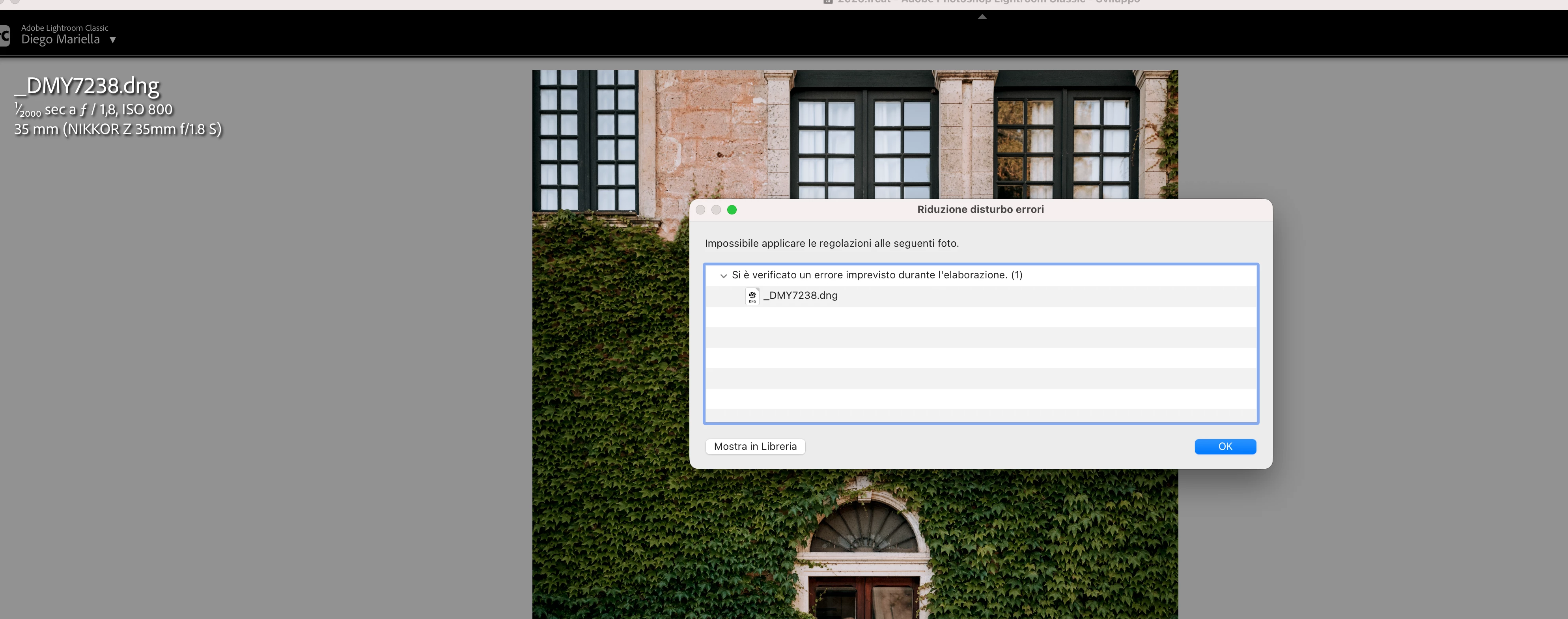
Since this morning, it's been impossible to to use Noise Reduction, even though my internet connection is working perfectly. I've already updated both Lightroom CC and macOS, cleared the cache, and optimized the catalog, but I keep getting this error screen whenever I try to use Noise Reduction.

Has anyone experienced the same issue or knows how to fix it? Any help would be greatly appreciated. Thanks! 🙏
 

    Pinned Reply By Sameer K

    Hi All! Lightroom Classic v15.4.1 is now available for downlaod via the Creative Cloud desktop app with the following critical bug fiixes for the issue reported in this thread and the other: 


    Thanks!
    Sameer K

    121 replies

    Michel+Paradinas
    Participant
    June 22, 2026

    Bonjour pareil pour moi ;-)

    Pascal+STINFLIN
    Participant
    June 22, 2026

    La méthode donnée par Ian Lyons a parfaitement fonctionné. Tout refonctionne bien après l’avoir suivie !

    Michel+Paradinas
    Participant
    June 22, 2026

    Bonjour, Pareil pour moi !

    MarcoBabyshambles
    Participant
    June 22, 2026

    I have the same problem and i still dont know how to solve it

    Sameer K
    Community Manager
    Community Manager
    June 22, 2026

    Hi All! Lightroom Classic v15.4.1 is now available for downlaod via the Creative Cloud desktop app with the following critical bug fiixes for the issue reported in this thread and the other: 


    Thanks!
    Sameer K

    photophilljk
    Participant
    June 22, 2026

    No update available for me yet

    Known Participant
    June 23, 2026

    After updating to LrC V15.4.1 Denoise still fails with this message:

    I suspect the error is caused by custom camera profiles that, after a clean install, were added to the macOS folder '/Users/addieleman/Library/Application Support/Adobe/CameraRaw/CameraProfiles'.

    Immediately after the clean install Denoise did not fail.

    Anyway, everything is reverted now back to LrC V15.3.1 including the manual install of Camera Raw 18.3.

    Blurrysoul
    Participant
    June 22, 2026

    Stesso identico problema :(
    secondo voi quanto ci metteranno a rilasciare una nuova versione compatibile?

    Community Expert
    June 22, 2026

    Thread closed because double posting.

    My System: Intel i7-8700K - 64GB RAM - NVidia Geforce RTX 3060 - Windows 11 Pro 25H2 -- LR-Classic 15 - Photoshop 27 - Nik Collection 9 - PureRAW 6 - Topaz Photo AI
    photophilljk
    Participant
    June 22, 2026

    Are you using version 15.4? That’s had the update to Denoise but the version has issues and has been revoked by Adobe

    EmilieSchwelmer
    Participant
    June 22, 2026

    Denoise stopped working from one second to another. photos I try to Denoise are dng. until now it worked perfectly. photo already denoised are fine.I can easily "undenoise" them or redenoise. however all new imports as of now can not be denoised as well as all the photos already in the catalog that were not denoised prior to the "crash". I always get the same error message : an unexpected error occurred while processing. (1) .  I tried everything from using Denoise in a new test catalog, moving the photos on my Mac(and not external drive), checking the available space everywhere…. to deinstalling and reinstalling Lightroom, but nothing works. please help

    EmilieSchwelmer
    Participant
    June 22, 2026

    Denoise stopped working from one second to another. photos I try to Denoise are dng. until now it worked perfectly. photo already denoised are fine.I can easily "undenoise" them or redenoise. however all new imports as of now can not be denoised as well as all the photos already in the catalog that were not denoised prior to the "crash". I always get the same error message : an unexpected error occurred while processing. (1) .  I tried everything from using Denoise in a new test catalog, checked the available space, suppressed the caches, customer the GPU...and even deinstall/reinstall Lightroom, but nothing works. please help

    AndrewZander
    Participant
    June 22, 2026

    This lazy product rollout is exactly why people leave Adobe products. 


    It looks like there is a mismatch between Camera Raw and LrC 15.3 and earlier. Reverting to an older Camera Raw, or waiting for LrC 15.4 should resolve the issue … that should have never been an issue in the first place…