November 30, 2025

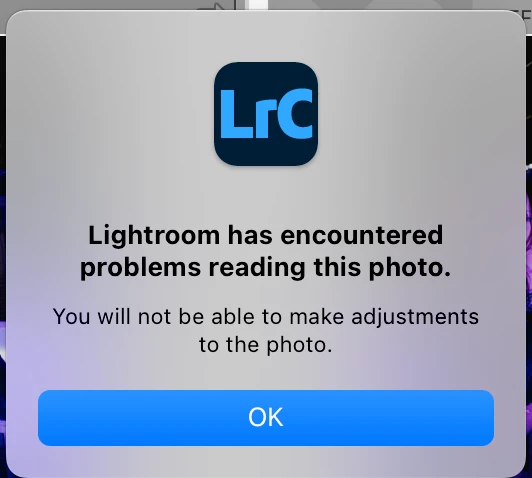
P: Lightroom has encountered problems reading this photo. After upgrade to v15

  • November 30, 2025
  • 17 replies
  • 5974 views

I got this error after upgrade to LrC 15.0. Update 15.0.1 not fix this issue.


"Lightroom has encountered problems reading this photo. You will not be able to make adjustments to this photo."


My photos file are OK, restart LrC will able to edit again, but it will happen again sometimes after I sync the photo setting form one photo to another one.


OS is macOS 15.7.2.
17 replies

January 25, 2026

Thank you this looks to have solved my issues as well, appreciate the quick response and fix.

January 21, 2026

Awesome, all fixed with new update! Thanks you very much @Rikk Flohr: Photography and Adobe Team. Appreciate the quick support! 

Rikk Flohr_Photography
Community Manager
January 21, 2026

Greetings all, 


A new update for the Adobe Photography products has been released.  The 15.1.1 (January) update contains an update regarding this issue. 

If you do not see the update in your Creative Cloud Application, you can refresh it by pressing  [Ctrl/Cmd]+[Alt/Opt]+[ R ].

Note: It may take up to 24 hours for your update to be available in your Creative Cloud app.


Thank you for being so patient. 

Rikk Flohr: Adobe Photography Org
January 19, 2026

@edie_3788 I'm not so sure about the denoise theory as I have many other photos in my library that I've used the new denoise tool on that are unaffected and continue to edit fine. Let's wait to hear what @CMass finds but I have a feeling it may be a bug in the newest update to LR Classic that is causing some preview issue with certain files (which would explain why everyone's RAW files are fine and can be opened in their finders). This is of course a supposition, and hopefully Adobe can give us some clarity soon on what's going on. 

January 18, 2026

I am experiencing the same issue described.  I think it is the photos I've used denoise on.  The one commonality that I'm certain on is that it is photos that show the little sparkle icon in filmstrip that says "Photo has been enhanced".
This is extremely annoying as I can't edit or export these photos.  Please fix this ASAP as it seems like a critical issue in the functionality of the product.

@CMass @saitejagopi2894 please provide a workaround and an estimated ETA on the investigation / solution.

January 14, 2026

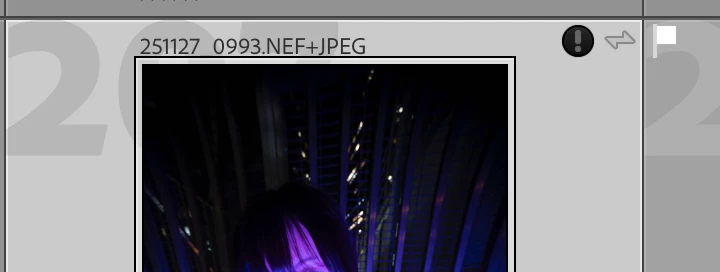
I am also getting this issue on a random assortment of photos with the "?" logo appearing in the top right on images. My RAWs are all fine and can be found and opened in the Finder, so it's a LR issue. Sounds like it is this bug that Adobe is trying to sort out but please let me know if it is something else. I have already trashed my preview folder so that cache is clear and 98% of my photos are working fine aside from six. I have the latest version 15.1 of LR Classic. Thanks and see screenshot below: 


Screenshot 2026-01-13 at 5.43.40 PM.png

MassC
Legend
January 13, 2026

The team is investigating. Please follow this thread for updates. 

January 11, 2026

Hi!

Same here, quite random occasions, when some photos get black exclamation mark, and loses edits (just wasted 8+ hours of my work) - I observed, theat it almost only happens with denoised ones.

macos 15.7.3

lightroom 15.1

January 11, 2026

Hi,

Windows 11 machine.

Recently upgraded to LRC 15.1, dozens of my images get the an unknown error has occured message with black circle and exclamation point, and then I'm unable to make adjustments to the previously edited files.

I downgraded to LRC 15.0.1 and the issue is no longer present.  This feels like a bug as a result.

January 11, 2026

I can see my post got merged into this thread, but I don't think this is the same problem, as my issue only occurs in LRC 15.1, and not in 15.0.01, as stated in the first post in this thread.

MassC
Legend
January 13, 2026

Hello @AdamBlythPhotography


We’ve identified multiple reports regarding this issue across different versions of 15.x. Given the recurring nature of these problems, we’re consolidating all related posts here to streamline our response. Rest assured, we’re actively reaching out to the team for updates and solutions. 


Thank you for your patience. 


^CM

January 8, 2026

Je rencontre un problème similaire depuis  une date récente: de nombreuses photos affichent " une erreur indéterminée s 'est produite"; toutes les photos ne sont pas concernées, j 'ai du mal à comprendre pourqoi certaines photos sont touchées et pas d 'autres.

Lorsque je clique sur la miniature (avec  un point  d'exclamation en haut à droite) , j'ai l'inscription qui s'affiche:  "Lightroom a rencontré des problèmes lors de la lecture de cette photo, vous ne pourrez pas apporter de modifications à cette photo". Effectivement, impossible d 'effectuer des modifications dans le module développement qui est grisé...

Pas possible non plus de modifier dans photoshop à partir de l'  onglet modifier de lightroom: photoshop s'ouvre, mais la photo ne s'affiche pas ds photohop...


Mon PC est récent, pas de pb sur celui ci. Windows 11, version 24H2. LIGHTROOM 15.1, appareil photo Canon R10, avec des  fichiers .CR3


jE NE SUIS VRAIMENT PAS CONTENT DE PAYER CHER LIGHTROOM POUR CE GENRE DE BUG...

January 11, 2026

I am experiencing this same issue as of today, Lightroom Classic 15.1 Release.  Have used Lightroom for many years without issue.  Several previously edited photos can no longer be edited.

'Lightroom has encountered problems reading this photo.  You will not be able to make adjsutments to the photo.'