Inspiring
April 5, 2021

P: loses connection with files after folder is renamed

  • April 5, 2021
  • 137 replies
  • 7689 views

I've been using Lightroom for many years, and I've never experienced this problem until the last two updates to the application.

When I upload photos to Lightroom, the app creates a folder that is by default named with the date, in this format: 20210403.

I usually rename the folder, in Lightroom, with something more descriptive, just after the upload is complete. For example, 20210403_family-gathering.

Starting with the previous version of Lightroom, after I perform this action, Lightroom loses the connection with the files in the newly renamed folder. A question mark appears on the folder in the Navigation panel, and in Loupe view, every photo now displays a small exclamation mark in its upper right corner.

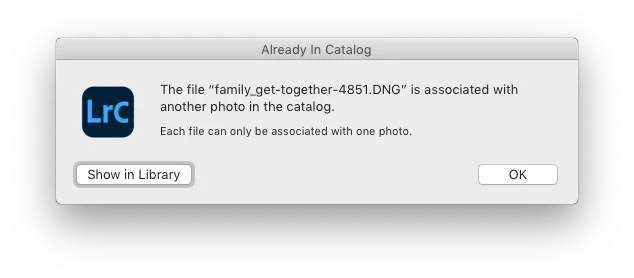
When I click on an exclamation mark, a dialog box appears, like the first one of three that I've uploaded.
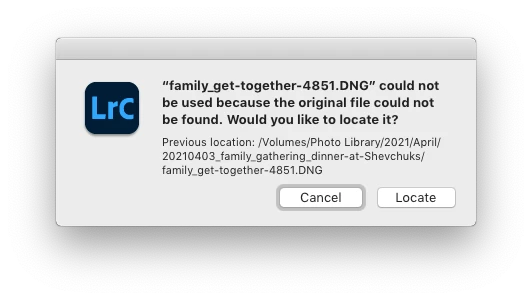
When I click on "Locate," another dialog box appears. For example:
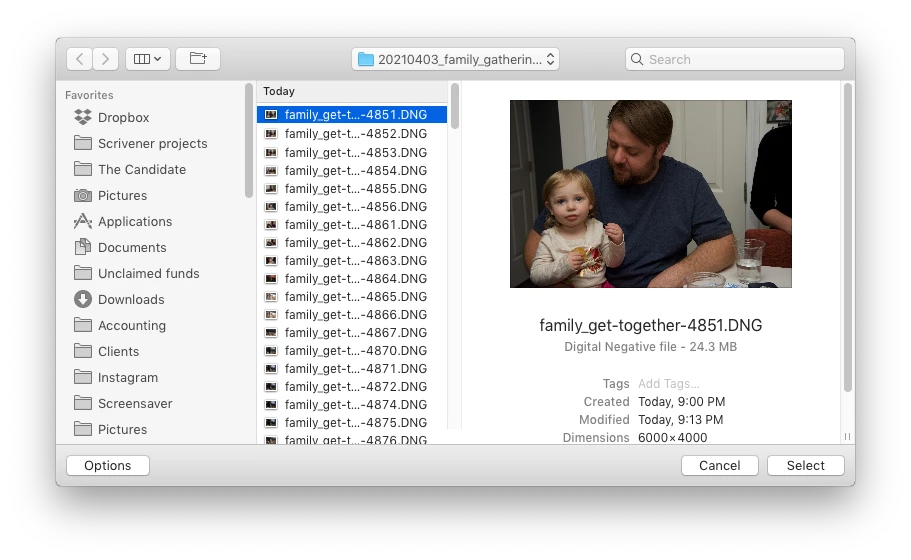
The first file, which is highlighted, is the one that is missing (although at this point, Lightroom has lost track of all of the files in the renamed folder). When I click the "Select" button, this dialog box appears:
Lightroom is obviously confused, and the only way around this, in the current version of Lightroom, is to quit the application and re-launch Lightroom. After I relaunch Lightroom, it re-finds the files and the exclamation marks are gone. When I quit Lightroom after renaming the folder from the most recent upload, I back up the catalog. I don't know if this is necessary, but I back up the catalog whenever I quit Lightroom.
 
This is a bug, which never existed for me, until the last two updates of the app.
This topic has been closed for replies.

137 replies

Rikk Flohr_Photography
Community Manager
April 6, 2021

I am not able to replicate your issue. 

Information about your system might be helpful

Mac or Windows?

OS version?

Location of Catalog?

Location of folder where files reside?

As the Lightroom Classic Import dialog will allow you to custom name a folder for the import, I have to ask if you have a reason for bypassing this and doing an after the fact rename. 

Rikk Flohr: Adobe Photography Org
Inspiring
April 6, 2021

Never. As I stated in my original post:

"I usually rename the folder with something more descriptive, just after the upload is complete. For example, 20210403_family-gathering."

Rikk Flohr_Photography
Community Manager
April 6, 2021

Are you renaming the folder before the import is complete?

Rikk Flohr: Adobe Photography Org
Inspiring
April 6, 2021

I always rename the folder in LR, and I always rename files during import into LR. I have been doing this since LR v3, and have never had a problem in the past. There are no files already in the catalog with the same names as the ones I've just imported.

The current LR behavior I've described in my original post is a bug.

Inspiring
April 5, 2021

Are you renaming the folder in the Finder, or LR? If the Finder you can't expect LR to know about it, that's why they are lost. You HAVE to do everything inside LR after an import. BTW, it NEVER creates a folder for me, because I create all the folders first (or if I need a new one, right before the import), then select that location to import to (i.e., BotGarden21) and choose to add the next number in that series (so I check the last number that's in that folder, and pick one higher for the new import). Also, ALWAYS rename your files during importing, so you don't get the issue Bill is talking about. Your camera, after 99,999 in some cameras, will revert to 01, and that will conflict with the previous 01.

Known Participant
April 5, 2021

This can happen if the catalog already contains files with the same names. The folder name does not provide uniqueness in this case. However if you first copy the files into a folder within your image structure and then import from that folder, it usually works. But if importing from a camera or memory card then it looks for absolute file name uniqueness. At least on Windows, it has always worked this way for me.


The technique I use is to rename files after importing to something meaningful such as Fall_Color_CO_yyyy_mm_nnnn. Then the camera generated names import without issues.


alexskunz
Inspiring
April 5, 2021

Hello,

I always import photos into a yyyy/mm/dd based folder structure, and then rename the day-based folder to be a little more descriptive -- for example, "2021/04/04 Beach", or something.

New in version 10.2, the renamed folder and the photos within it go "missing" (dark grey icon with question mark on the folder) when I do that. I need to navigate to a different folder and then return to the folder I just renamed and then it will recover -- at least most of the time.

The photos inside the folder do remain marked as "missing" even after that though. When I quit and restart Lightroom Classic, everything is instantly back "online".

Is anyone else experiencing this problem?

System: iMac with MacOS 10.15, catalog lives on the internal SSD, photos are on an external USB3.0 hard drive. Catalog has just been checked for integrity and optimized.