Inspiring
April 5, 2021

P: loses connection with files after folder is renamed

  • April 5, 2021
  • 137 replies
  • 7688 views

I've been using Lightroom for many years, and I've never experienced this problem until the last two updates to the application.

When I upload photos to Lightroom, the app creates a folder that is by default named with the date, in this format: 20210403.

I usually rename the folder, in Lightroom, with something more descriptive, just after the upload is complete. For example, 20210403_family-gathering.

Starting with the previous version of Lightroom, after I perform this action, Lightroom loses the connection with the files in the newly renamed folder. A question mark appears on the folder in the Navigation panel, and in Loupe view, every photo now displays a small exclamation mark in its upper right corner.

When I click on an exclamation mark, a dialog box appears, like the first one of three that I've uploaded.
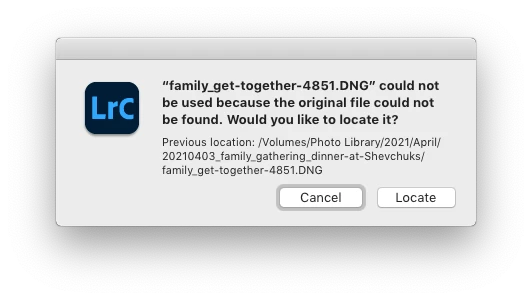
When I click on "Locate," another dialog box appears. For example:
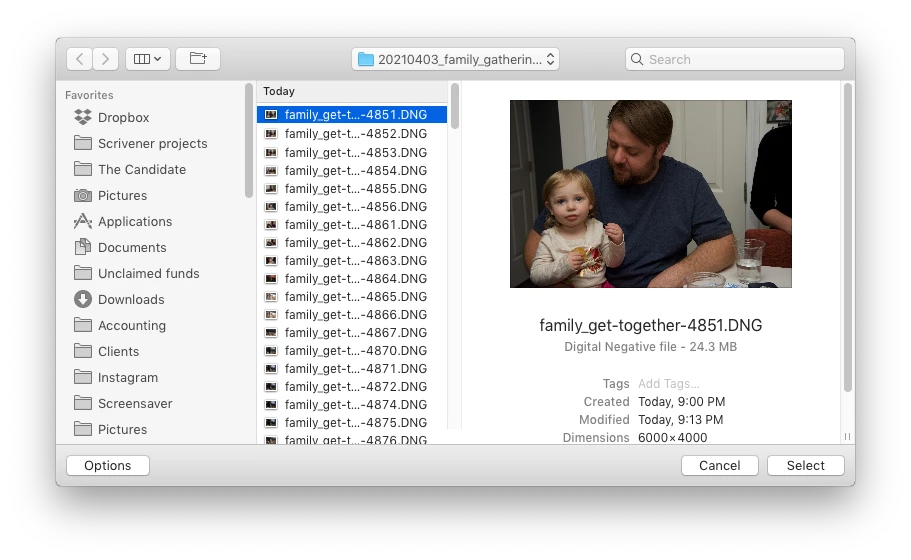
The first file, which is highlighted, is the one that is missing (although at this point, Lightroom has lost track of all of the files in the renamed folder). When I click the "Select" button, this dialog box appears:
Lightroom is obviously confused, and the only way around this, in the current version of Lightroom, is to quit the application and re-launch Lightroom. After I relaunch Lightroom, it re-finds the files and the exclamation marks are gone. When I quit Lightroom after renaming the folder from the most recent upload, I back up the catalog. I don't know if this is necessary, but I back up the catalog whenever I quit Lightroom.
 
This is a bug, which never existed for me, until the last two updates of the app.
This topic has been closed for replies.

137 replies

Rikk Flohr_Photography
Community Manager
June 13, 2021

I am moving this back to in-progress and have advised the team the fix did not work for everyone. 

The Classic Team has requested a new bug which we have written. Some of them may reach out to you for additional information.

Thanks for continuing to update us. 

Rikk Flohr: Adobe Photography Org
Inspiring
June 13, 2021

No it is definitely not fixed (completely). I imported 30 files, deleted 15 and then renamed the folder - left with two "!" files. Quit and restart resolves it. PITA!

Inspiring
June 12, 2021

Hello,

Even without to rename the folders or the files, I have the same issue with Lightroom Classic 10.3 on my windows 10 PC.

I have almost 1/3 of my photos impacted by this issue and I do not found any solution yet to recover my photo's settings.

Anyboby else has the same issue ?

Thank you for your assistance

Known Participant
June 11, 2021

A "go around" that sometimes works and is quicker than restarting. Use the Library module

  • give a temporary keyword to all the "!" files
  • Text search and search for the filename of one of the missing files
  • if the ! is gone then click on the temporary keyword to display all the files 
  • maybe they will all correctly display 

This works for "lost files" returned from Photoshop. 


This bug was fixed for LRC on Windows, I guess you could switch? hey hey hey 


Inspiring
June 11, 2021

I have to say that after my initial joy at this fix - I find that is not completely fixed. I had a situation today where approximately half the images in a folder were left with 'exclamation marks' after renaming. Quitting and restarting resolved it. 

Inspiring
June 8, 2021

Tested and it seems to be fine - thank you

Inspiring
June 8, 2021

Hooray!    THANK YOU.

Inspiring
June 8, 2021

I've updated LR to 10.3 and can verify that renaming a folder following import (and before quitting LR) is no longer a problem. Lightroom maintains its connection with the folder and the included files.

Yay! Thanks, Rikk, and the Adobe engineers who fixed this bug. Much appreciated.

Rikk Flohr_Photography
Community Manager
June 8, 2021

Greetings,

Updates to Camera Raw, Lightroom Classic and the Lightroom Ecosystem products for Desktop, Mobile and Web, were released today and contain a fix for this issue.

Please refresh your Creative Cloud application and install your update when it becomes available. Thank you for your patience.

Rikk Flohr: Adobe Photography Org
Inspiring
May 19, 2021

It works!  You are right.  10.1.1 works fine.  Renaming files in any of my folders on any of my drives works fine.   Bug is in Lightroom Classic 10.2.    I hope Adobe can get this resolved in next update.  It's a serious bug.  Renaming folders without having software glitches is pretty critical to most users.