Inspiring
April 5, 2021

P: loses connection with files after folder is renamed

  • April 5, 2021
  • 137 replies
  • 7688 views

I've been using Lightroom for many years, and I've never experienced this problem until the last two updates to the application.

When I upload photos to Lightroom, the app creates a folder that is by default named with the date, in this format: 20210403.

I usually rename the folder, in Lightroom, with something more descriptive, just after the upload is complete. For example, 20210403_family-gathering.

Starting with the previous version of Lightroom, after I perform this action, Lightroom loses the connection with the files in the newly renamed folder. A question mark appears on the folder in the Navigation panel, and in Loupe view, every photo now displays a small exclamation mark in its upper right corner.

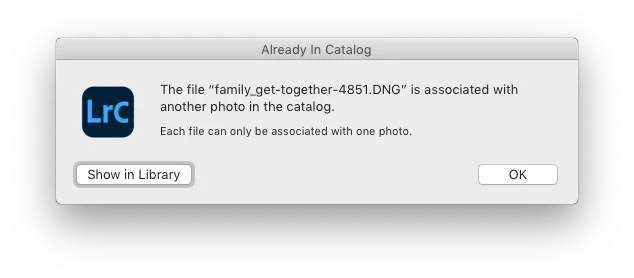
When I click on an exclamation mark, a dialog box appears, like the first one of three that I've uploaded.
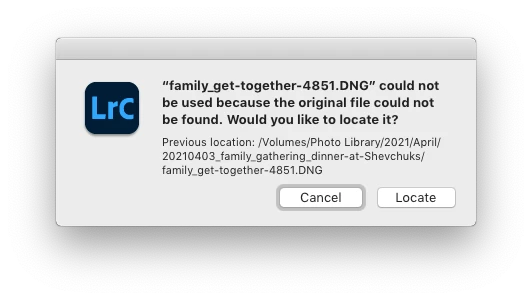
When I click on "Locate," another dialog box appears. For example:
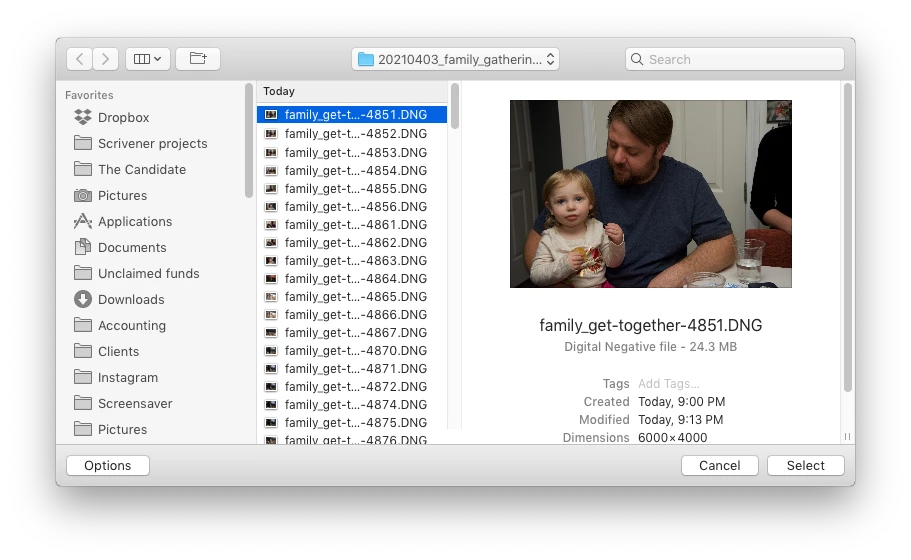
The first file, which is highlighted, is the one that is missing (although at this point, Lightroom has lost track of all of the files in the renamed folder). When I click the "Select" button, this dialog box appears:
Lightroom is obviously confused, and the only way around this, in the current version of Lightroom, is to quit the application and re-launch Lightroom. After I relaunch Lightroom, it re-finds the files and the exclamation marks are gone. When I quit Lightroom after renaming the folder from the most recent upload, I back up the catalog. I don't know if this is necessary, but I back up the catalog whenever I quit Lightroom.
 
This is a bug, which never existed for me, until the last two updates of the app.
This topic has been closed for replies.

137 replies

alexskunz
Inspiring
May 19, 2021

The catalog format didn't change between 10.1.1 and 10.2 so it's not a problem. I'm back on 10.2 now and suffered no losses. 😉

Inspiring
May 19, 2021

That's great to hear!

Quick question:  When reverting back to 10.1, does the 10.2 catalog still work in it?  Want to know before I go ahead with this.   Thanks.

Participating Frequently
May 18, 2021

Thanks, Alexander. I can corroborate that as well. Have only seen the issue with 10.2 installations. Anything earlier does not suffer from that particular glitch.

alexskunz
Inspiring
May 18, 2021

For what it's worth (and I don't know if someone has already done and mentioned this but I'm not going to comb through two pages of old comments and replies now) I just reverted to Lightroom Classic v10.1.1 to test, and that version works just fine on my 2019 iMac with Catalina.

I did two imports to my external hard drive, waited for the previews to render, renamed the folders - no problem.

The folders and the files within remain "online" and do not go missing in LrC v10.1.1. It only happens in LrC v10.2 for me.

Hope to help
Alexander.

Inspiring
May 18, 2021

Bill,

I first noticed the problem when I renamed a folder with 5 images. using the LR Library instead of Finder. The problem remained until I found this thread and restarted LR, which was probably 15 minutes. Certainly enough time to update the catalog.

Inspiring
May 18, 2021

@bill_3305731  You didn't suggest that I should rebuild my catalog. Instead, you asserted that I've "proven" that my "primary hardware is defective," and it's "time to replace it."

You also said I have "zero evidence" that I have a software problem.

You were, and are, wrong.

Inspiring
May 18, 2021

Bill, all users with issues are from MacOS users using most recent operating systems on various hardware systems.   Many of these users have been using lightroom for several years without having this issue, and you don't think a lightroom bug specific to MacOS users is at the top of the list of likely candidates?  

Participating Frequently
May 18, 2021

Sorry, but you are most definitely wrong, Bill.

It's a very consistent and reproducible bug in Lightroom 10.2 and is being seen by quite a number of macOS users running Mojave, Catalina, and Big Sur.

I work with hundreds of them on a weekly basis and this isn't nearly as rare as you've made it out to be.

The team at Adobe is not only aware of this bug but are actively working on a fix.

You clearly mean well, but you are quite misguided in your conclusion that it's related to system configuration. I can reproduce the bug across multiple operating system versions, storage configurations, CPU and GPU combinations, etc.

Known Participant
May 18, 2021

I have NEVER suggested that anyone rebuild their catalog. When folks have asked, I have explained how I do it. 


When you consider the rarity of this problem, it's very unlikely to be a bug. It's much more likely to be related to the system configuration or conflicts with other concurrent tasks.


With hundreds of thousands of users not experiencing this problem, problem determination methodology says to first seek elsewhere for the cause. 

While it could be a bug in Lightroom, that's certainly not at the top of a list of likely candidates.


Participating Frequently
May 18, 2021

No Bill. That's not the issue. Many users have tried this and it doesn't change anything. Honestly, you have been incredibly counterproductive with your bad advice and suggestions in this particular thread. Without any compelling reason, you've pushed people to rebuild their catalogs from scratch and to upgrade their entire operating system. Both of these have major potential fallout that you have blithely dismissed. You are swatting flies with a sledgehammer. Not helpful.