
Participating Frequently
March 7, 2012

P: LR4 doesn't show effects preview of presets on 2nd Monitor

  • March 7, 2012
  • 23 replies
  • 421 views

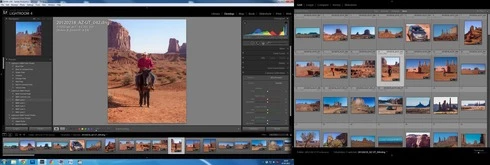
Lightroom 4 doesn't show effects preview of presets at Navigator tab on mouse roll-over over presets. It's only when working with second monitor (F11)! When the second display turned off, the feature works as it should.
And, when working with the second display, primary display usually doesn't even show correct preview in Navigator (Develop Module)
This topic has been closed for replies.

23 replies

Inspiring
April 1, 2012
Yeah, but Dmitry and Becky I'm experiencing cursor navigation problem.

Sometimes cursor buttons are unresponsive. When I try to navigate through images with the left/right cursor buttons nothing happens. I have to use the mouse and click or hover desired photo. Once the mouse hovers the 2nd monitor grid, the cursor buttons work normally.

This happens at random, I still haven't figured out what triggers the unresponsiveness of the cursor buttons. So please check that. I don't remember that this occurred prior fixing this bug.
DmMc1Author
Participating Frequently
March 30, 2012
Looks like, the problem is resolved in LR 4.1 RC.
Thanks!
Inspiring
March 28, 2012
I think that's the same bug Robert... I'm experiencing the same as you described.
Inspiring
March 19, 2012
I have the same Issue, and more.
When I use the dual monitor setup, which in itself is severely lacking in options.
Not only do the presets not update but the thumbnail itseld shows a different image to the one being selected.
Rob
Inspiring
March 16, 2012
I have the same problem using second monitor. Everything goes white and freezes. Have to "kill" LR 4 with task manager. Overall LR 4 too-o-o-o slow and sluggish. More adjustments I do (with adjustment brush) it's getting worst.
I have 6-core CPU, 16Gb ram, Nvidia Quadro FX 570 on Win 7.
BIG Disappointment!!!
Inspiring
March 15, 2012
Yes, that's the same bug, go for it.
DmMc1Author
Participating Frequently
March 15, 2012
Correction: sorry, yes, it works after "mouse-over" on filmstrip.
Inspiring
March 15, 2012
Yeah, filmstrip's working fine, but selecting from the grid on the 2nd monitor messes the navigator and preset previews.

And you're right, if I just move the mouse over the filmstrip after selecting it from the grid, navigator works correctly.

I personally don't use the filmstrip and never turn it on, but the grid on the 2nd monitor. So this is a big problem for me now.
DmMc1Author
Participating Frequently
March 14, 2012
Yes, if I select (not move over, but select) the photo on the filmstrip (1st monitor at bottom on my screenshot), the LR shows correct preview and correct previews for the effects. But if I'll move mouse to the 2nd monitor, preview becomes wrong.
Adobe Employee
March 14, 2012
If you drag your mouse over the filmstrip, does the preview update as expected? We were able to see this bug internally, but in every case it was resolved by moving the mouse over the filmstrip. Would be good to know if we're looking at the same bug, or if this is something different.

Thanks!
Becky