
Inspiring
October 21, 2020

P: Poor photo in the library and develop module - smart previews

  • October 21, 2020
  • 162 replies
  • 9592 views

I have a problem with version 10.0,
the photo is of poor quality in the library and in the develop module. I use smart previews (the disk with the original photos is disconnected).
smart previews in version 10.0 have poorer quality than in version 9.4
When I install the older version (9.4), the same photo with the same preset is of better quality (also smart previews).

It looks like there is a higher grain in the photo
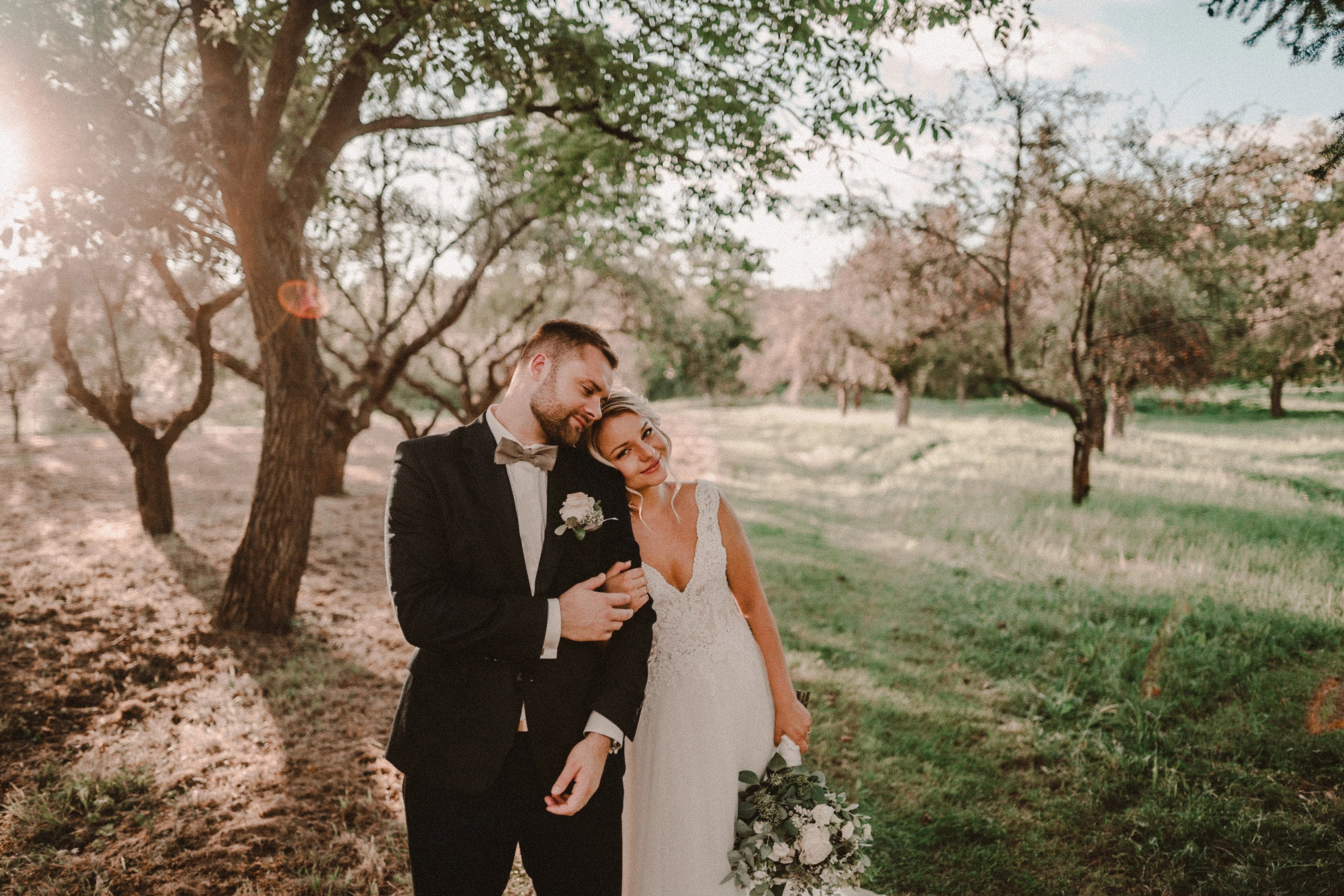
Here are photos exported from smart previews.

Tested on: Mac pro 2013 (6core, 16gb ram, D500)

Macbook Pro 2014 2,7 ghz 4 core, 16gb ram


10.0:
9.4:
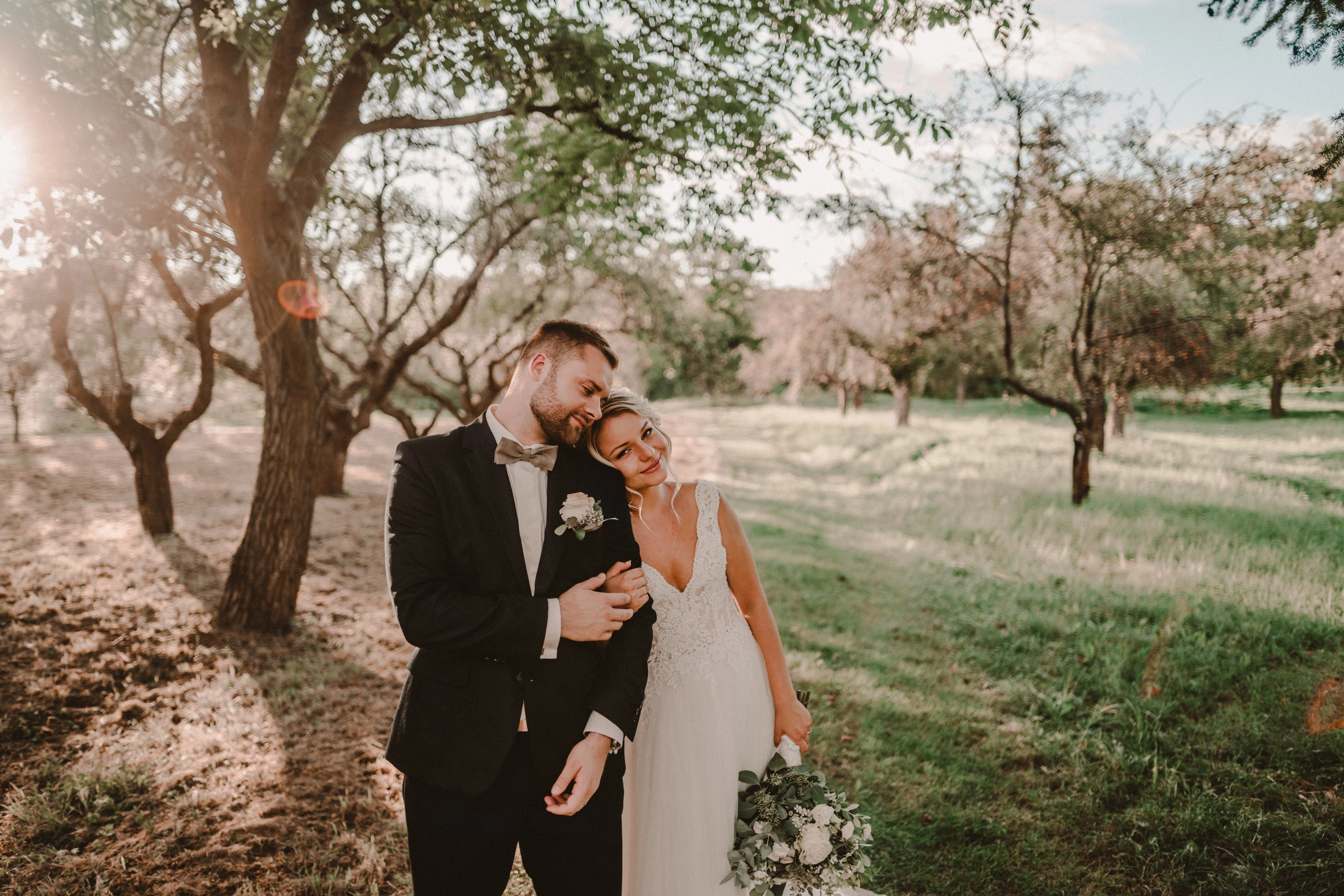
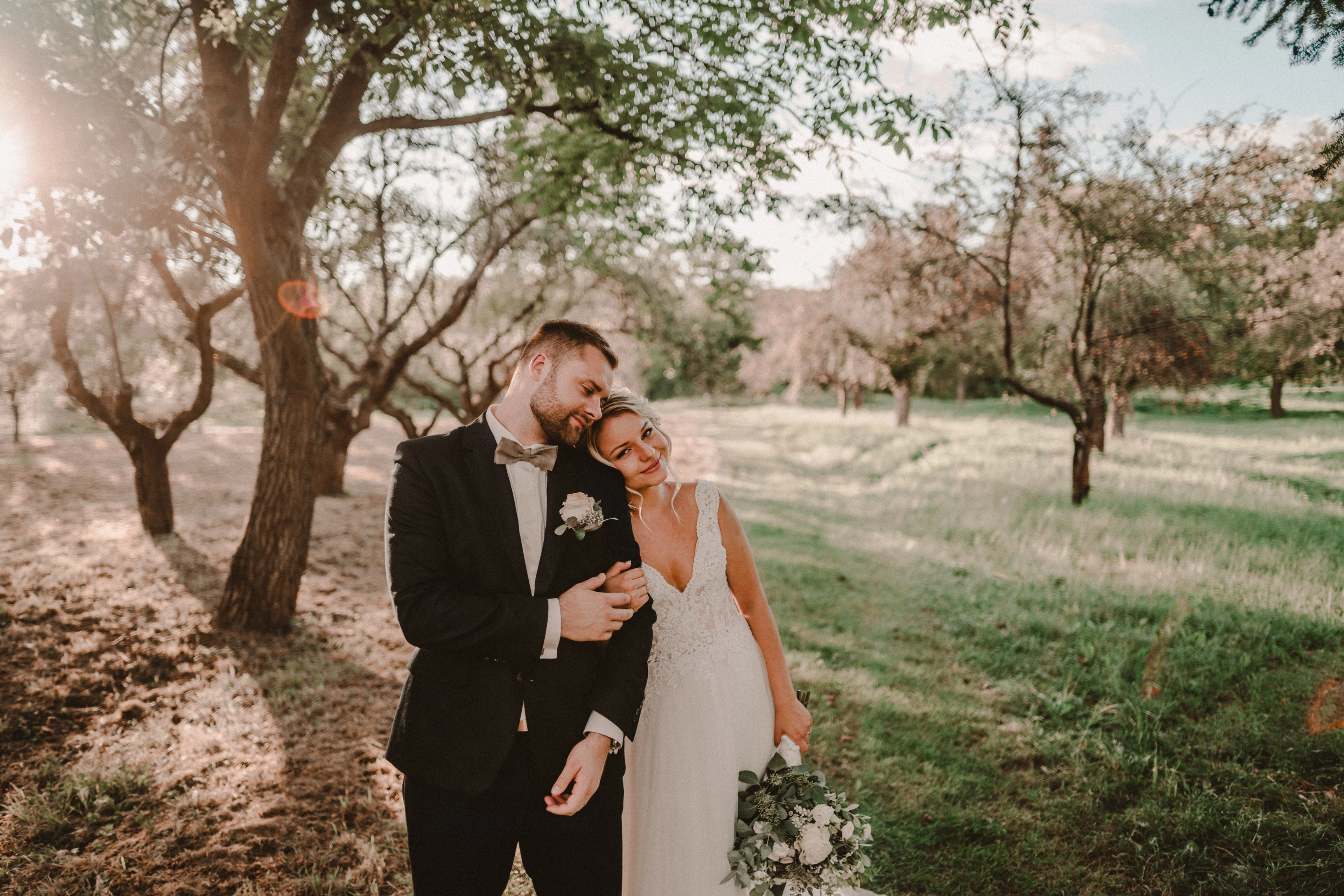
Photo exported after attaching a disk with the original photo:
This topic has been closed for replies.

162 replies

TheDigitalDog
Inspiring
October 23, 2020

One more possibly interesting data point. I imported your DNG into LR5. It does NOT show up in B&W and one reason there could be a severe disconnect is in LR5, I see PV (Process Version) set for PV2012 in that old version. Makes sense, the newer PV didn't exist back then. But I also do NOT see the odd previews in Develop and the preview there and Library, although both in color, match very closely. Now both preview database files (LR5 vs. LR10) differ. But it is somewhat of an interesting find and maybe this will help Adobe if we can get them your DNG after you do more testing (perhaps in LR10, start from scratch but with an older PV?). 

Author “Color Management for Photographers" & "Photoshop CC Color Management/pluralsight"
TheDigitalDog
Inspiring
October 23, 2020

Updated and resaved/exported DNG in my dropbox:

https://www.dropbox.com/s/weddz4uhkktto9p/Updated8G2A7866.dng?dl=0

Author “Color Management for Photographers" & "Photoshop CC Color Management/pluralsight"
TheDigitalDog
Inspiring
October 23, 2020

OK good, got the DNG and I see ALL your edits which is necessary. 

First, when I import into LR10, I DO see a big difference as you describe, between Library and Develop at 33%. The preview in Develop looks very odd. But if I use the Update DNG Preview and Metadata command, and zoom in to 1:1 and back out to 33%, the odd preview goes away, and greatly matches Library. You can see the three screen captures below, it should be obvious which module since I kept some of the UI in the captures. The last is the screen shot AFTER this update of metadata and preview. 

Something is odd on your end, creating the previews used in Develop I believe because that preview, shown above looks pretty awful.

We can try to drill down farther but you might try converting to DNG, and trying the update command, maybe even on another machine, maybe a Mac. And I can upload your DNG after I did this update so you can see if you still see the odd preview in Develop. 

Develop after import:

Library Preview
 

Develop module after update of metadata and preview:

Author “Color Management for Photographers" & "Photoshop CC Color Management/pluralsight"
TheDigitalDog
Inspiring
October 23, 2020

If you upload a proprietary raw, the editing data is in an associated sidecar file. And if use a fixed/certain camera profile we need that too in order to exactly see on our end, what you see from your data and edits. This is why exporting a DNG as shown ensures all this is contained in one document to upload.

Author “Color Management for Photographers" & "Photoshop CC Color Management/pluralsight"
Known Participant
October 23, 2020
Known Participant
October 23, 2020

You mean a raw file with my LR settings?

Todd Shaner
Legend
October 23, 2020

Use the Export module with the below settings to create the DNG file. As Andrew mentions it will contain all of your LrC edits.

TheDigitalDog
Inspiring
October 23, 2020

I have only tested it on three Windows 10 PC's but the same issue was seen by two others photographers in our facebook group on her mac. 

Getting a DNG from one of the Mac users would help also.

Author “Color Management for Photographers" & "Photoshop CC Color Management/pluralsight"
TheDigitalDog
Inspiring
October 23, 2020

Martin, you can upload a proprietary raw and sidecar but just EXPORTING a DNG bakes all this and a JPEG preview into the DNG and makes testing easier. 

Author “Color Management for Photographers" & "Photoshop CC Color Management/pluralsight"
Known Participant
October 23, 2020

I have only tested it on three Windows 10 PC's but the same issue was seen by two others photographers in our facebook group on her mac.