
Inspiring
October 21, 2020

P: Poor photo in the library and develop module - smart previews

  • October 21, 2020
  • 162 replies
  • 9592 views

I have a problem with version 10.0,
the photo is of poor quality in the library and in the develop module. I use smart previews (the disk with the original photos is disconnected).
smart previews in version 10.0 have poorer quality than in version 9.4
When I install the older version (9.4), the same photo with the same preset is of better quality (also smart previews).

It looks like there is a higher grain in the photo
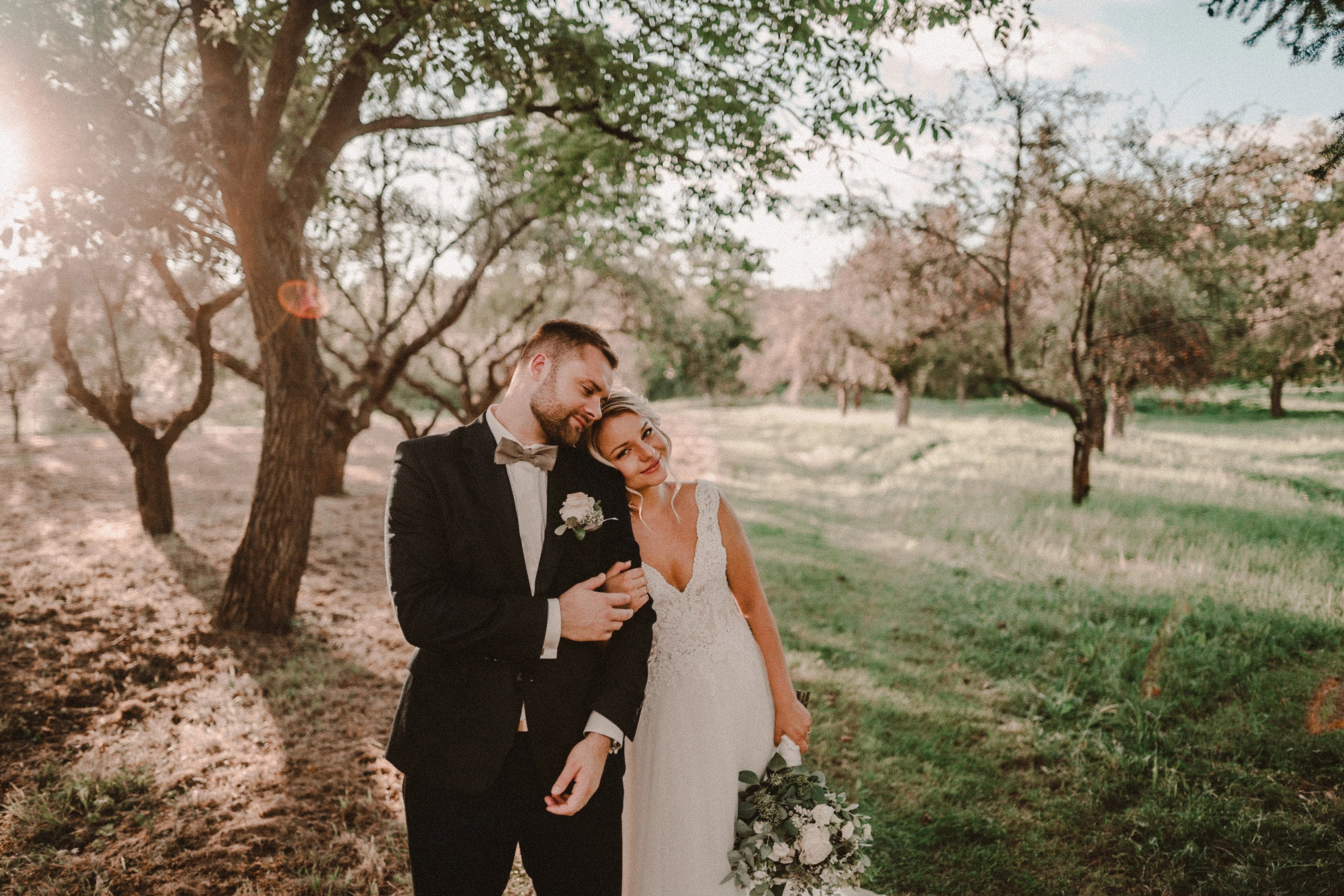
Here are photos exported from smart previews.

Tested on: Mac pro 2013 (6core, 16gb ram, D500)

Macbook Pro 2014 2,7 ghz 4 core, 16gb ram


10.0:
9.4:
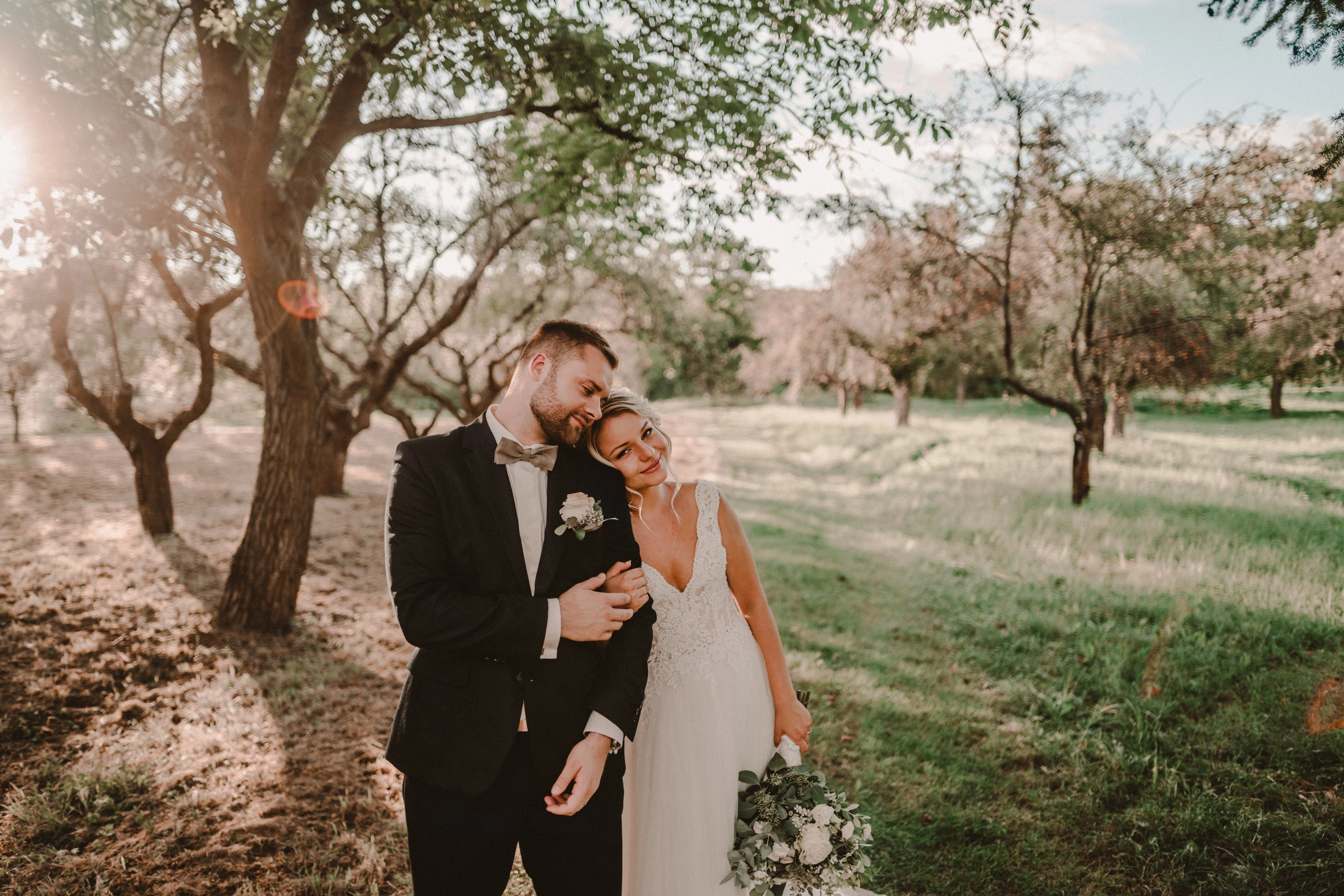
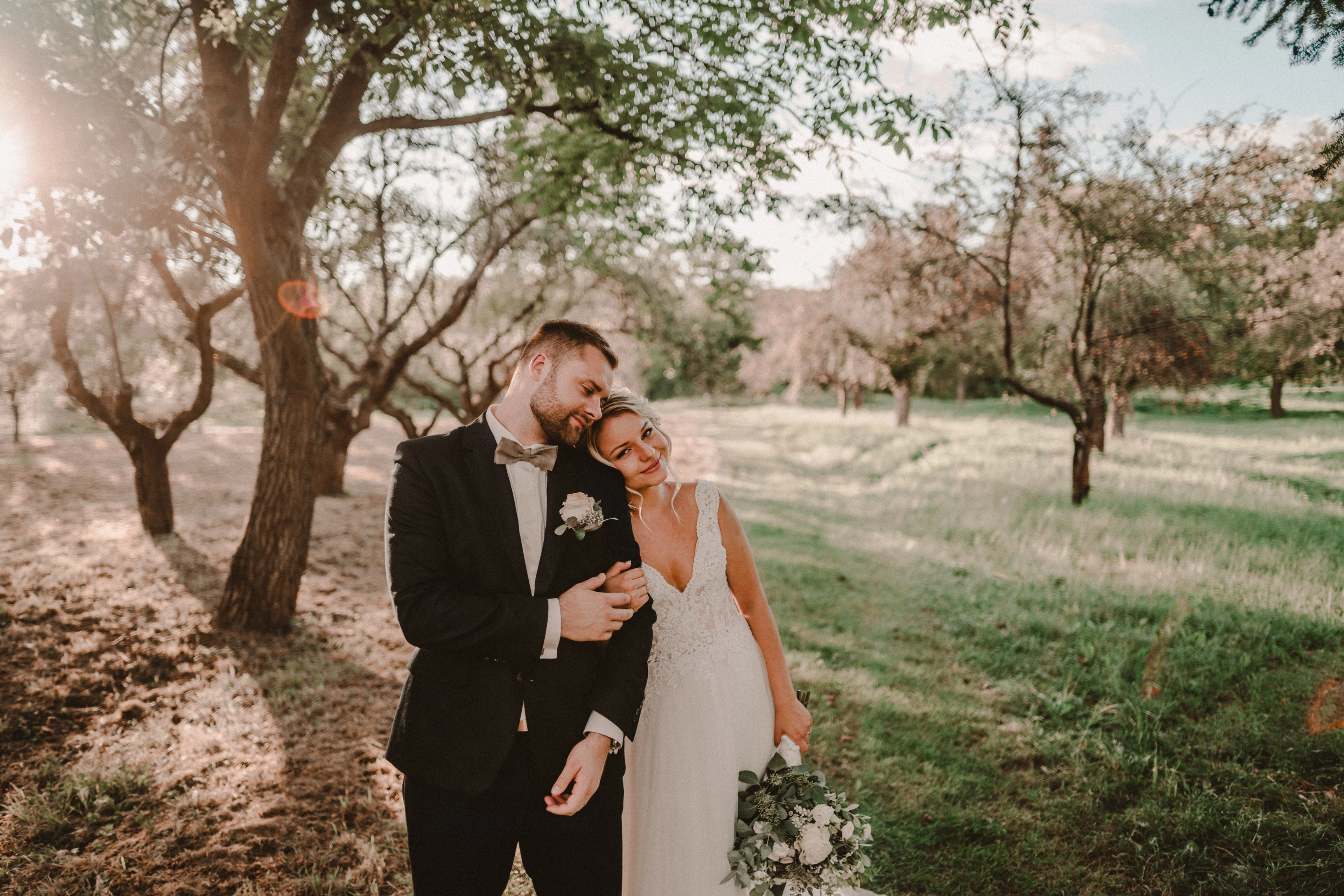
Photo exported after attaching a disk with the original photo:
This topic has been closed for replies.

162 replies

Todd Shaner
Legend
October 26, 2020

To see the full size image on Windows I right-click and select 'View Image.' You can then download the file or click the + icon to Zoom 100%. Here it is at 200% Zoom to better see the noise artifacts.

TheDigitalDog
Inspiring
October 26, 2020

What the other thread solved was the fact this is an issue that doesn't affect everyone (perhaps most) and the OP never reported back what he saw in ACR which would be a useful test. 

I did see, for a split second, the poor preview from his DNG, then it updated and completely disappeared on this end, never came back. 

Why did the poor preview show up in the first place? No idea. Why his previews don't update correctly? No idea. 

Author “Color Management for Photographers" & "Photoshop CC Color Management/pluralsight"
kimballisms
Inspiring
October 26, 2020

While the originals are still disconnected you can export your example image as DNG in 9.4 and 10.0.

I wouldn't say that other thread solved anything.  It's a mess of bickering with no clear resolution.

Inspiring
October 26, 2020

I have the same problem.
In the library and in the develop module, the photo is terrible (as if too much grain).
I have a disconnected HDD disk (there are original photos on the disk).


I describe the problem here:

https://feedback.photoshop.com/conversations/lightroom-classic/poor-photo-in-the-library-and-develop-module-smart-previews/5f95f02a35f40c3a18c91af6?commentId=5f95f1aa72a09d5d5ced3a2a&replyId=5f96067c4833934b896f12d0

Inspiring
October 26, 2020

I have the same problem.
In the library and in the develop module, the photo is terrible (as if too much grain).
I have a disconnected HDD disk (there are original photos on the disk).

I describe the problem here:

https://feedback.photoshop.com/conversations/lightroom-classic/poor-photo-in-the-library-and-develop-module-smart-previews/5f95f02a35f40c3a18c91af6?commentId=5f95f1aa72a09d5d5ced3a2a&replyId=5f96067c4833934b896f12d0

kimballisms
Inspiring
October 25, 2020

But I agree OP should see if he can share the original smart preview.

kimballisms
Inspiring
October 25, 2020

Remember these aren't screenshots of a LR module, these are exports from LR using the smart preview.  Yes, they should match.

The differences are readily apparent from the images provided.  Let's see if this forum will show an animated GIF:

TheDigitalDog
Inspiring
October 25, 2020

I'm on Safari, can zoom in from the View menu, still see no difference. But what the OP needs to do is either upload higher resolution screen captures (or links to the original) or ideally, show us each module at 1:1 otherwise no one should expect a match. 

Author “Color Management for Photographers" & "Photoshop CC Color Management/pluralsight"
kimballisms
Inspiring
October 25, 2020

I zoom in on a webpage in Safari with a 2-finger gesture on my touchpad.

if you don’t have a touchpad you can use Command-+ or any of the other options mentioned here:

https://www.cnet.com/news/zooming-options-for-safari-in-os-x/