
Inspiring
October 21, 2020

P: Poor photo in the library and develop module - smart previews

  • October 21, 2020
  • 162 replies
  • 9592 views

I have a problem with version 10.0,
the photo is of poor quality in the library and in the develop module. I use smart previews (the disk with the original photos is disconnected).
smart previews in version 10.0 have poorer quality than in version 9.4
When I install the older version (9.4), the same photo with the same preset is of better quality (also smart previews).

It looks like there is a higher grain in the photo
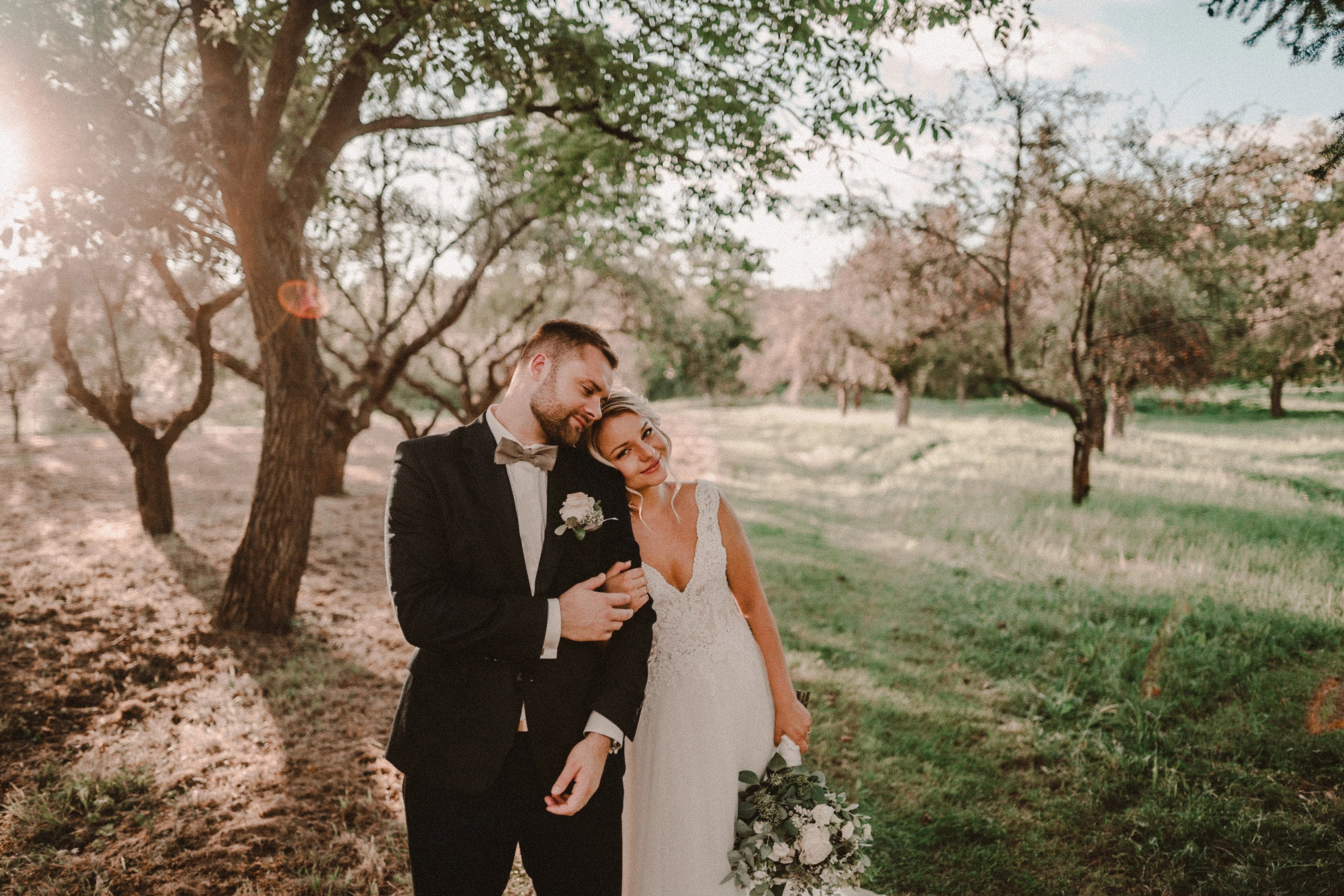
Here are photos exported from smart previews.

Tested on: Mac pro 2013 (6core, 16gb ram, D500)

Macbook Pro 2014 2,7 ghz 4 core, 16gb ram


10.0:
9.4:
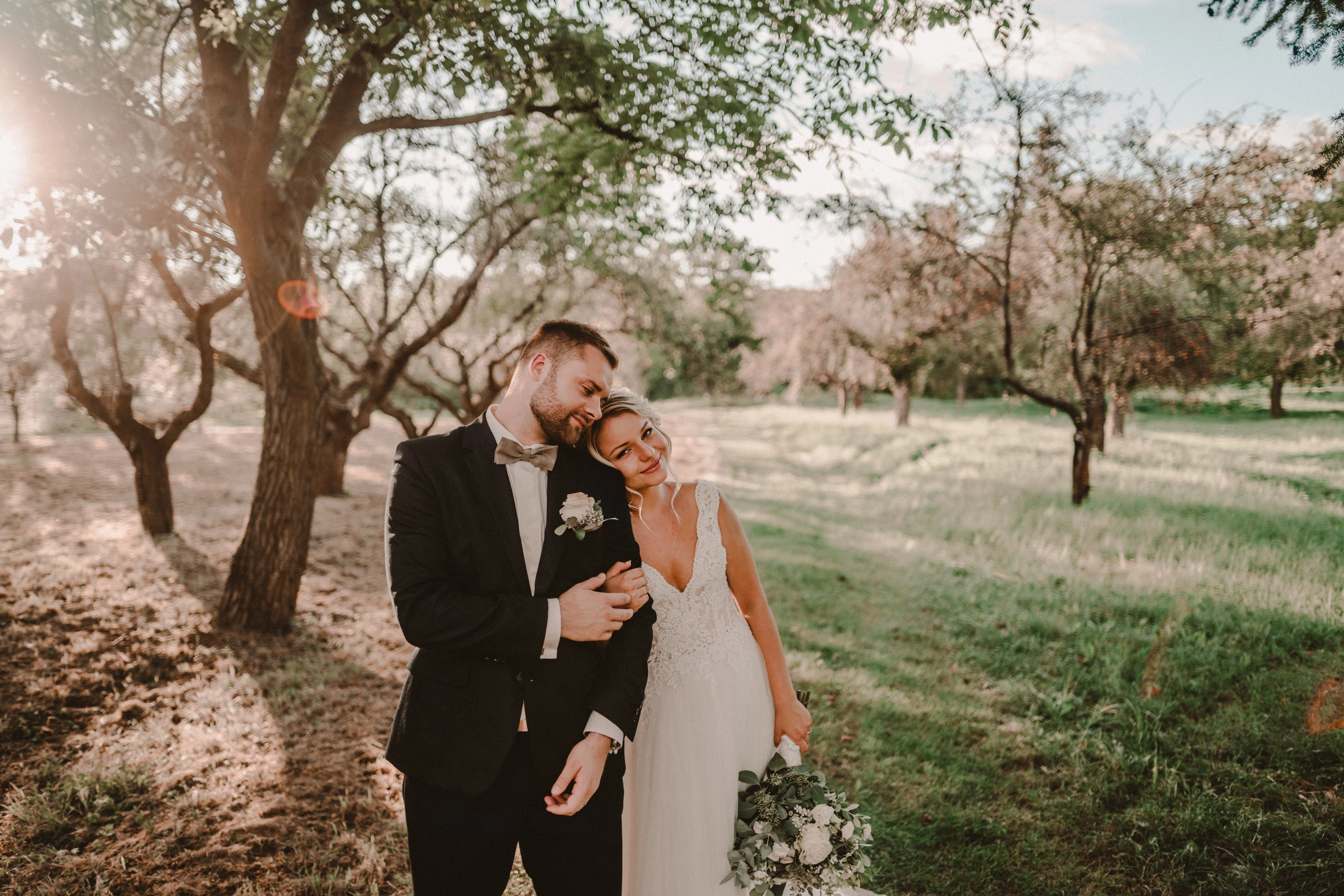
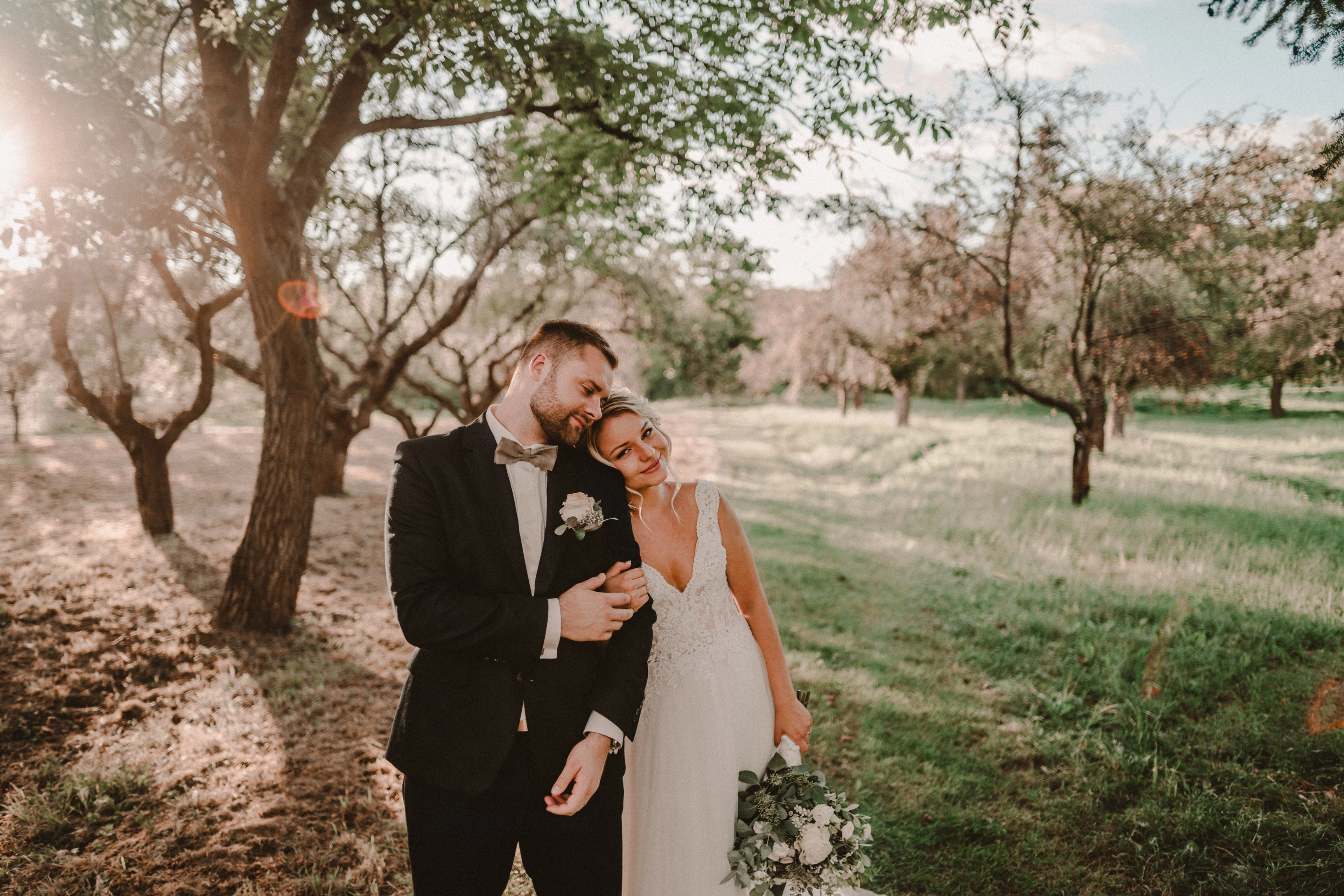
Photo exported after attaching a disk with the original photo:
This topic has been closed for replies.

162 replies

TheDigitalDog
Inspiring
October 25, 2020

I don't see any zoomed in option.

This could be a similar issue discussed here:

https://feedback.photoshop.com/conversations/lightroom-classic/horrible-noise-in-library-module/5f91ccdb6880ca65525984be?commentId=5f93288235f40c3a18c908bb

Like there, this OP should provide a DNG with all the edits and upload for others to examine. When I did so, I was able to generate previews correctly. 

Author “Color Management for Photographers" & "Photoshop CC Color Management/pluralsight"
kimballisms
Inspiring
October 25, 2020

I thought the same until I zoomed in with my browser.  Take a look at the bride's skin.  It's significantly more textured/grainy in the 10.0 export, just as the OP describes.  Once you see it you can spot it everywhere in the image.

Also this goes beyond mere viewing in a LR module.  These are exports from the smart preview that show significant differences between 9.4 and 10.0.  That is reasonable cause for concern.

TheDigitalDog
Inspiring
October 25, 2020

They all look nearly identical on my browser. 

The only accurate way to view this image data is in Develop, at 1:1 or greater. All other modules use a different preview architecture and zooming out is always less accurate due to subsampling. But again, all three posted images look the same here. 

Author “Color Management for Photographers" & "Photoshop CC Color Management/pluralsight"
TheDigitalDog
Inspiring
October 23, 2020

Sorry, i don't know what you mean. If i save a raw in PS i have a tiff.

You could have a TIFF if you click Open, I don't want that, I want you to SAVE the edits from ACR using "Done" then examine the raw in LR after you ask it to update the metadata. 

See:

Author “Color Management for Photographers" & "Photoshop CC Color Management/pluralsight"
Known Participant
October 23, 2020

Sorry, i don't know what you mean. If i save a raw in PS i have a tiff.

TheDigitalDog
Inspiring
October 23, 2020

So it is OK in Camera Raw after a second. If you apply a tiny edit in ACR, click ”Done” then examine the same raw in LR AFTER using the update metadata from disk (to update that new edit from ACR), how does it look; match ACR?

Author “Color Management for Photographers" & "Photoshop CC Color Management/pluralsight"
Known Participant
October 23, 2020

Sorry, nothing is solved. My failure. It's all the same, except that LR opens the DNG monochrome and not colored like the other catalog

TheDigitalDog
Inspiring
October 23, 2020

but it seems the problem with the color/bnw is solved here

Solved how? Sorry I'm not sure what's now going on although I am happy to hear something is solved. 

Author “Color Management for Photographers" & "Photoshop CC Color Management/pluralsight"
Known Participant
October 23, 2020

Done. If i use grain on this raw, it's the same like in the other catalog. 

TheDigitalDog
Inspiring
October 23, 2020

The picture (dng) in library is monochrome (not in color like the other) but also bad. 

Try one more thing; import the original raw, not the DNG into this new catalog. 

Author “Color Management for Photographers" & "Photoshop CC Color Management/pluralsight"