
Participant
October 7, 2015

P: Preview Thumbnails are Black

  • October 7, 2015
  • 42 replies
  • 1976 views

Hello
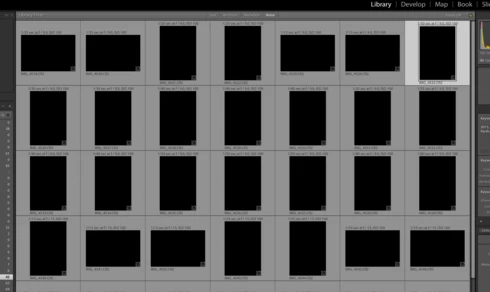
Just did my first import....but after import finish in Library all previews/thumbnails show BLACK, see imagine. I have ReSync'd even Exit out then come back and Previews not showing. All other folders are OK, just not the NEW import. Checked with Actual folder on MAC Finder and these ok. Any ideas?
This topic has been closed for replies.

42 replies

Inspiring
October 26, 2015


I updated to 6.2 today. I work in a nightclub, and thus can have anywhere from 300-500 images per night, so I tend to let "Auto-tone" do a lot of the work for me. I have Lightroom set to apply auto-tone on import. When Lightroom imports my images (directly from my D610, for which my ACR is fully up to date), it adjusts the exposure all the way to the left, and no matter what I do, I can't get the images back. They stay completely black. I've dragged the exposure right up to the right and it did nothing. Another strange part of this is when I mouse over the histogram, the image is flat blue instead of flat black. I've tried enabling GPU acceleration and disabling it again, nothing, I've updated my display drivers, nothing. This is driving me insane and I have 580 images to process for the club for tomorrow morning. Any help would be appreciated.
Inspiring
October 21, 2015


Hallo,
seit dem letzten Update von Lightroom CC werden meine importierten Fotos nur in schwarz dagestellt. Erst wenn ich die Fotos anklicke und auf automatische Tonwertkorrektur gehe, werden die Bilder angezeigt.
Wo liegt der Fehler?
Inspiring
October 16, 2015


The latest Lightroom was downloaded on to my iMac, when I load images into it they just turn black.I don't have that problem on my Macbook Pro
Participating Frequently
October 14, 2015
Great! Thank you!
Participating Frequently
October 14, 2015


Hello. I have problems with thumbnails generation and photo viewing. First photo thumbnail is normal but then i have just black rectangle.
I can add important info. I think i found direct problem. I import from card my CR2 files. and if Preferences > Presets > Apply auto tone adjustments option is on, all my photos become black auto this “auto tone adjustment”. After i reseted all default Developer settings, i got my photos and they are normal as was expected. I thing there is a bug with this option.
Participant
October 14, 2015
Many thanks Victoria - sorry I didn't find this thread before posting.
Participant
October 14, 2015


I have Apply autotone settings in Preferences selected.

When I import files, Auto Tone sets Exposure to -5 and leaves the other settings at 0.

Manually clicking Auto Tone in the Develop module corrects everything.

Have I missed an important setting somewhere?

Windows 10
Lightroom CC
Inspiring
October 13, 2015
Perfect! it works.
Inspiring
October 13, 2015


Inspiring
October 12, 2015
Thank you so much for this answer. I had never experienced the problem until today. As I am running 6.2.1 on Windows 10 I assumed import issues were fixed!